4 .1
Ta k i n g a Sa m p le Me as u r em en t
I MPORTAN T: Please refer to the test ing device dat a sheet and k it
insert for full details on how to use the testing device.
N OTE: Alw ays allow the lum inom et er sufficient t im e t o acclim at ise t o
any change in environm ent, tem perat ure or hum idit y before t aking
sam ple m easurem ent s.
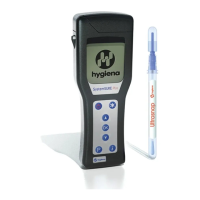
To perfor m a sam ple m easurem ent , follow t he steps below:
1.
Swab t he sam ple area and activate the
test ing device. (see kit inser t for det ails)
2.
Open the lum inom eter lid, insert t he test ing
device into t he lum inom et er, and close t he
lid.
3.
Holding the lum inom et er upright, press t he
but t on and wait 15 seconds for the result
to be displayed.
W ARN I N G: Always ensure that the exterior of the t esting device
is clean and dry before inser t ing it into the lum inom et er. Never insert
any t hing ot her than a Hygiena testing device int o t he lum inom et er .
Never inser t a dev ice int o the lum inom et er w hen t he prot ective pocket
is r em oved ( see section 6.3) .
While the m easurem ent is being perform ed, t he display count s down
from 15 to 0.
N OTE: For consist ent result s, alw ays keep t he lum inom et er u p r i g h t
an d st ead y while it is perform ing a measurem ent to ensure that t he
liquid in t he t esting device is at t he bott om of t he tube.
When the m easurem ent is com plet e, the RLU test r esult and overall
pass/ caut ion/ fail result ar e displayed:
TI P: A failed test result can be select ed for retest ing by pressing
the button, follow ed by t he but t on to select t he Program locat ion
(see section 4.2) .


 To Next Page