Test Plans are defined by using the Su r eTr e n d Windows softwar e.
Please refer to t he SureTrend User’s Manual locat ed on the Sur eTrend
softw are CD for full details (see section 5).
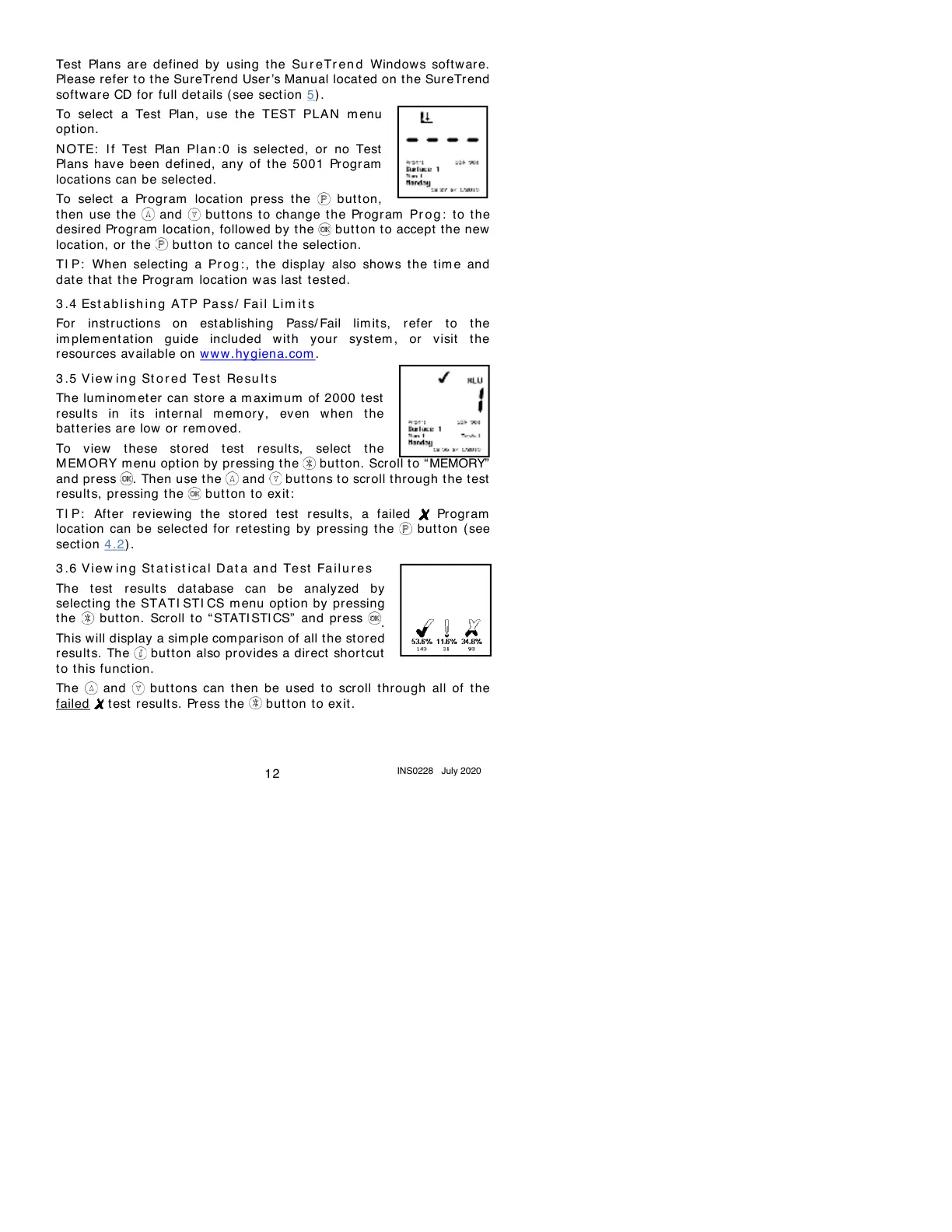
To select a Test Plan, use the TEST PLA N m enu
option.
N OTE: I f Test Plan Pl an : 0 is selected, or no Test
Plans have been defined, any of t he 5001 Program
locations can be select ed.
To select a Program location press the button,
then use the and but tons to change t he Pr ogram Pr o g : to t he
desired Program location, followed by t he but t on t o accept the new
location, or t he butt on to cancel t he selection.
TI P: When select ing a Pr og : , the display also shows t he tim e and
dat e t hat t he Program locat ion was last t est ed.
3 .4
Est a b l i sh i n g ATP Pa ss/ Fa i l Lim it s
For instructions on establishing Pass/ Fail lim it s, refer to the
im plem ent at ion guide included wit h your syst em , or visit the
resources av ailable on www .hygiena.com .
3 .5
Vi ew i n g St o r ed Te st Re su l t s
The lum inom et er can store a m axim um of 2000 test
result s in it s int ernal m em ory , even when t he
bat t er ies ar e low or rem ov ed.
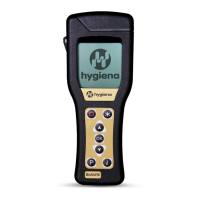
To view t hese stored test result s, select the
M EM ORY menu opt ion by pressing the but t on. Scroll t o “MEMORY”
and press . Then use the and but t ons t o scroll t hrough t he t est
result s, pressing t he button to exit :
TI P: After reviewing the stored t est result s, a failed Pr ogram
location can be select ed for ret esting by pressing the but t on (see
section 4.2) .
3 .6
Vi ew i n g St a t i st i ca l Da t a an d Te st Fa ilu r e s
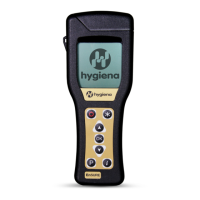
The t est result s dat abase can be analyzed by
selecting t he STATI STI CS m enu opt ion by pressing
the but t on. Scroll to “STATI STI CS” and press
.
This will display a sim ple com par ison of all the st ored
result s. The but ton also provides a direct short cut
to this function.
The and buttons can t hen be used to scr oll t hrough all of the
failed t est results. Press the but t on to ex it .


 To Next Page