EasyManua.ls Logo

Hygiena SystemSURE Plus - Page 29

Hygiena SystemSURE Plus
34 pages
Print Icon
To Next Page IconTo Next Page
To Previous Page IconTo Previous Page
Loading...
25
INS0228
July
2020
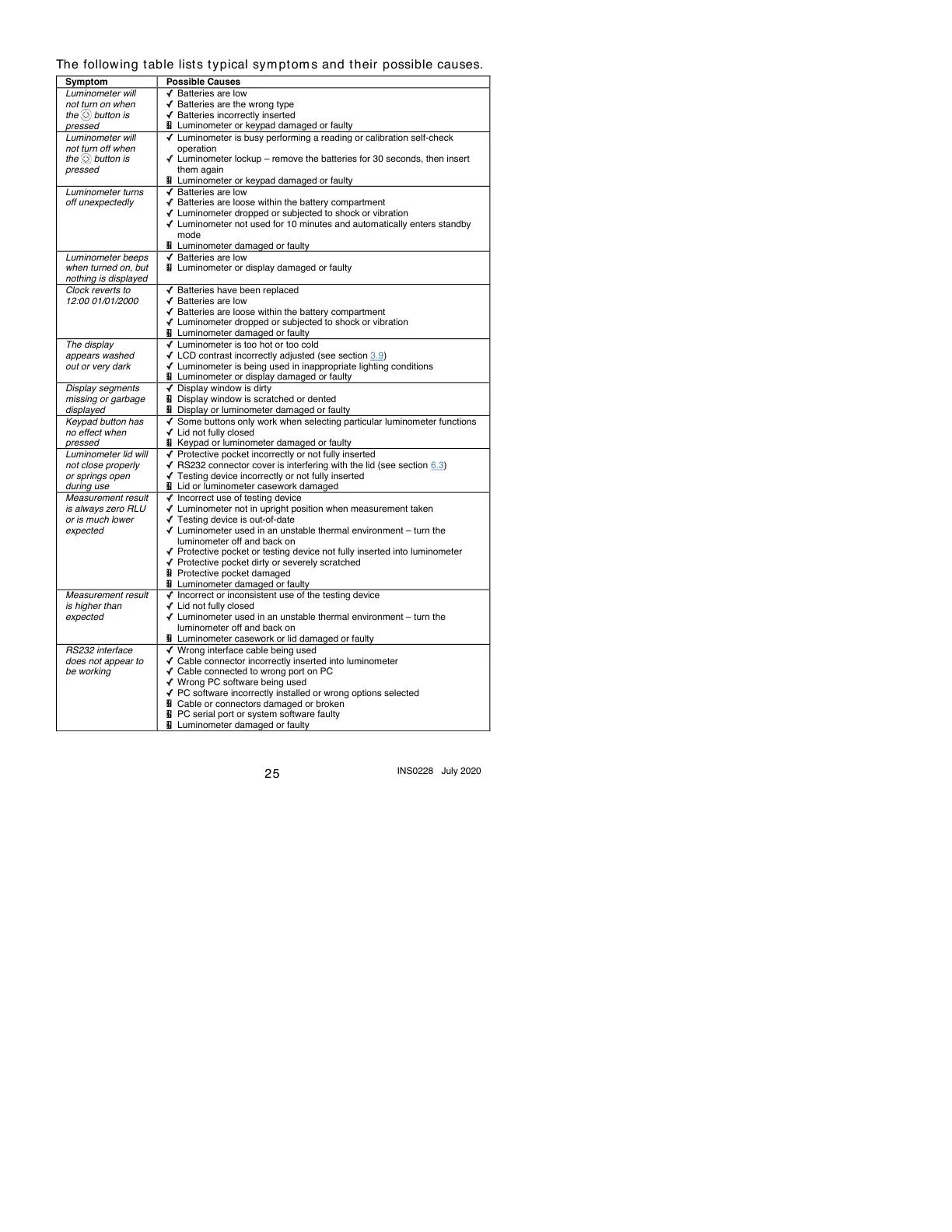
The following t able lists typical sym ptom s and t heir possible causes.
Sy
m
pto
m
Possible
Causes
Luminometer
will
not
turn
on
when
the
button
is
pressed
Batteries
are
low
Batteries
are
the
wrong
type
Batteries
incorrectly
inserted
Luminometer
or
keypad
damaged
or
faulty
Luminometer
will
not
turn
off
when
the
button
is
pressed
Luminometer
is
busy
performing
a
reading
or
calibration
self-check
operation
Luminometer
lockup
remove
the
batteries
for
30
seconds,
then
insert
them
again
Luminometer
or
keypad
damaged
or
faulty
Luminometer
turns
off
unexpectedly
Batteries
are
low
Batteries
are
loose
within
the
battery
compartment
Luminometer
dropped
or
subjected
to
shock
or
vibration
Luminometer
not
used
for
10
minutes
and
automatically
enters
standby
mode
Luminometer
damaged
or
faulty
Luminometer
beeps
when
turned
on,
but
nothing
is
displayed
Batteries
are
low
Luminometer
or
display
damaged
or
faulty
Clock
reverts
to
12:00
01/01/2000
Batteries
have
been
replaced
Batteries
are
low
Batteries
are
loose
within
the
battery
compartment
Luminometer
dropped
or
subjected
to
shock
or
vibration
Luminometer
damaged
or
faulty
The
display
appears
washed
out
or
very
dark
Luminometer
is
too
hot
or
too
cold
LCD
contrast
incorrectly
adjusted
(see
section
3.9)
Luminometer
is
being
used
in
inappropriate
lighting
conditions
Luminometer
or
display
damaged
or
faulty
Display
segments
missing
or
garbage
displayed
Display
window
is
dirty
Display
window
is
scratched
or
dented
Display
or
luminometer
damaged
or
faulty
Keypad
button
has
no
effect
when
pressed
Some
buttons
only
work
when
selecting
particular
luminometer
functions
Lid
not
fully
closed
Keypad
or
luminometer
damaged
or
faulty
Luminometer
lid
will
not
close
properly
or
springs
open
during
use
Protective
pocket
incorrectly
or
not
fully
inserted
RS232
connector
cover
is
interfering
with
the
lid
(see
section
6.3)
Testing
device
incorrectly
or
not
fully
inserted
Lid
or
luminometer
casework
damaged
Measurement
result
is
always
zero
RLU
or
is
much
lower
expected
Incorrect
use
of
testing
device
Luminometer
not
in
upright
position
when
measurement
taken
Testing
device
is
out-of-date
Luminometer
used
in
an
unstable
thermal
environment
turn
the
luminometer
off
and
back
on
Protective
pocket
or
testing
device
not
fully
inserted
into
luminometer
Protective
pocket
dirty
or
severely
scratched
Protective
pocket
damaged
Luminometer
damaged
or
faulty
Measurement
result
is
higher
than
expected
Incorrect
or
inconsistent
use
of
the
testing
device
Lid
not
fully
closed
Luminometer
used
in
an
unstable
thermal
environment
turn
the
luminometer
off
and
back
on
Luminometer
casework
or
lid
damaged
or
faulty
RS232
interface
does
not
appear
to
be
working
Wrong
interface
cable
being
used
Cable
connector
incorrectly
inserted
into
luminometer
Cable
connected
to
wrong
port
on
PC
Wrong
PC
software
being
used
PC
software
incorrectly
installed
or
wrong
options
selected
Cable
or
connectors
damaged
or
broken
PC
serial
port
or
system
software
faulty
Luminometer
damaged
or
faulty

Related product manuals