WIRINGp.28
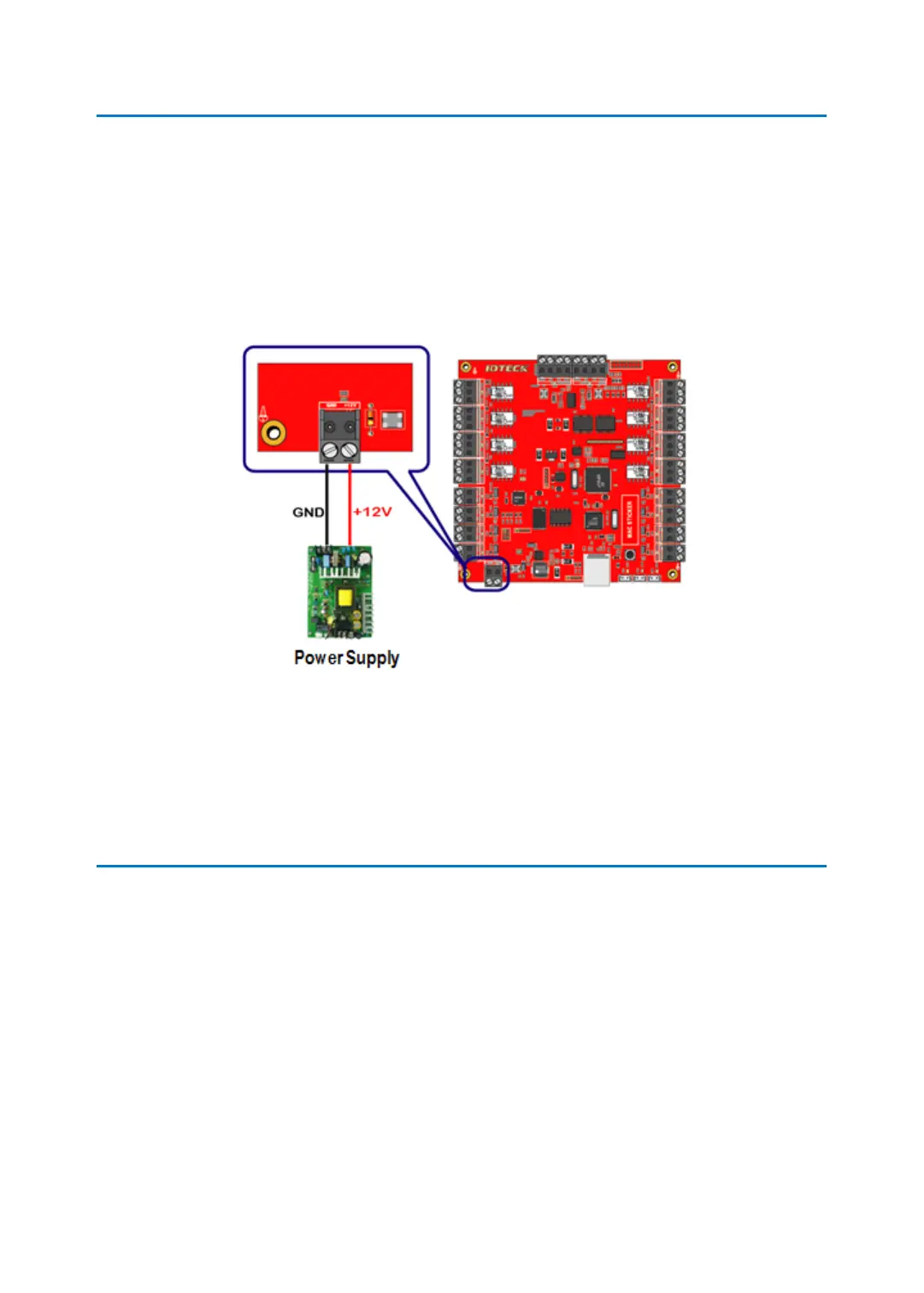
5 iMDC-RIM POWER WIRING
Confirm that main power switched OFF before wiring.
●
Connect +12V (red) wire of DC12V power supply to Power terminal block (+12V) of iM
DC-RIM.
●
Connect GND (black) wire of DC12V power supply to Power terminal block (GND) of iM
DC-RIM.
6 NETWORK CABLE WIRING BETWEEN iMDC-MAIN AN
D iMDC-RIM
6.1 WIRING WHEN PORTS ARE ENOUGH TO CONNECT NETWORK DEVICE
Follow below the ‘(Figure: solution.1)’ for wiring if there are enough TCP/IP ports to connect
network devices (hub, router, etc).



 To Next Page