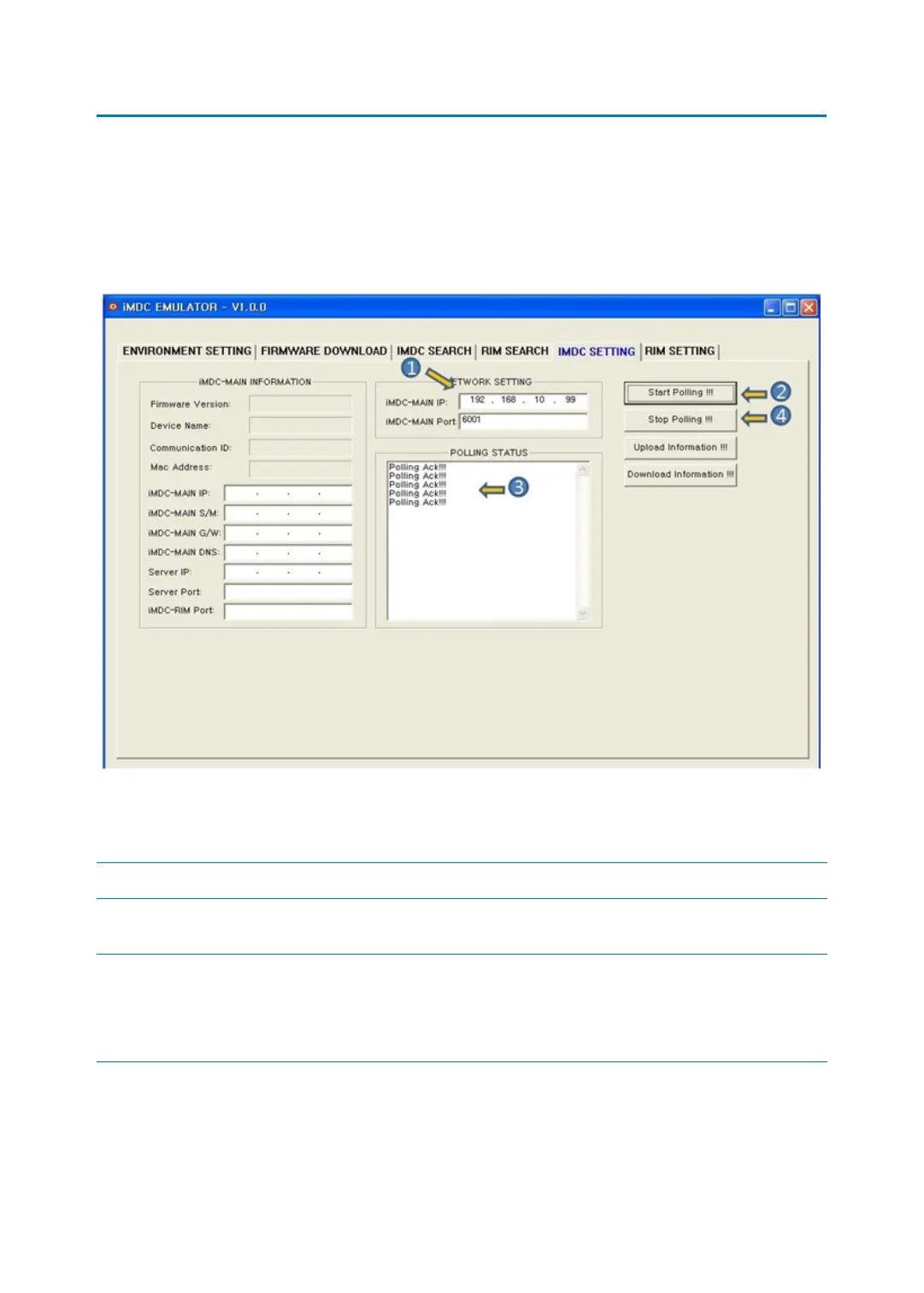
p.51iMDC SETTING
5 iMDC SETTING
5.1 iMDC POLLING TEST
‘iMDC POLLING TEST’ is to change polling test and network information by selecting specific
iMDC-MAIN.
1. Set the iMDC-MAIN’s IP address and port for polling test
Code Description
iMDC IP It‘s iMDC-MAIN’s IP address. Default value is 192.
168.1.99
iMDC Port It’s the port for communication between iMDC-
MAIN and STARTWATCH ENTERPRISE. Using def
ault value (6001) is recommended for stable com
munication.
2. [Start Polling!!!]: This button is to displays the information of polling status.
3. If the [Polling ACK!!!] message appears, it means polling function is normally operating.
4. [Stop Polling!!!]: If you want to stop the polling, click the [Stop Polling!!!] button.



 To Next Page