iMDC EMULATORp.48
IM and iMDC EMULATOR.
Code Description
iMDC-MAIN Receive Po
rt
It is used for communication between STARTWATCH ENTERPRISE and iMD
C-MAIN. Default value is 6001.
iMDC-RIM Receive Port The port for communication between iMDC-MAIN and iMDC-RIM. Default
value is 6005.
2. [Save Communication port]: This button is used to save changed values of iMDC-MAIN
and iMDC-RIM Receive Port. Using default port value is recommended.
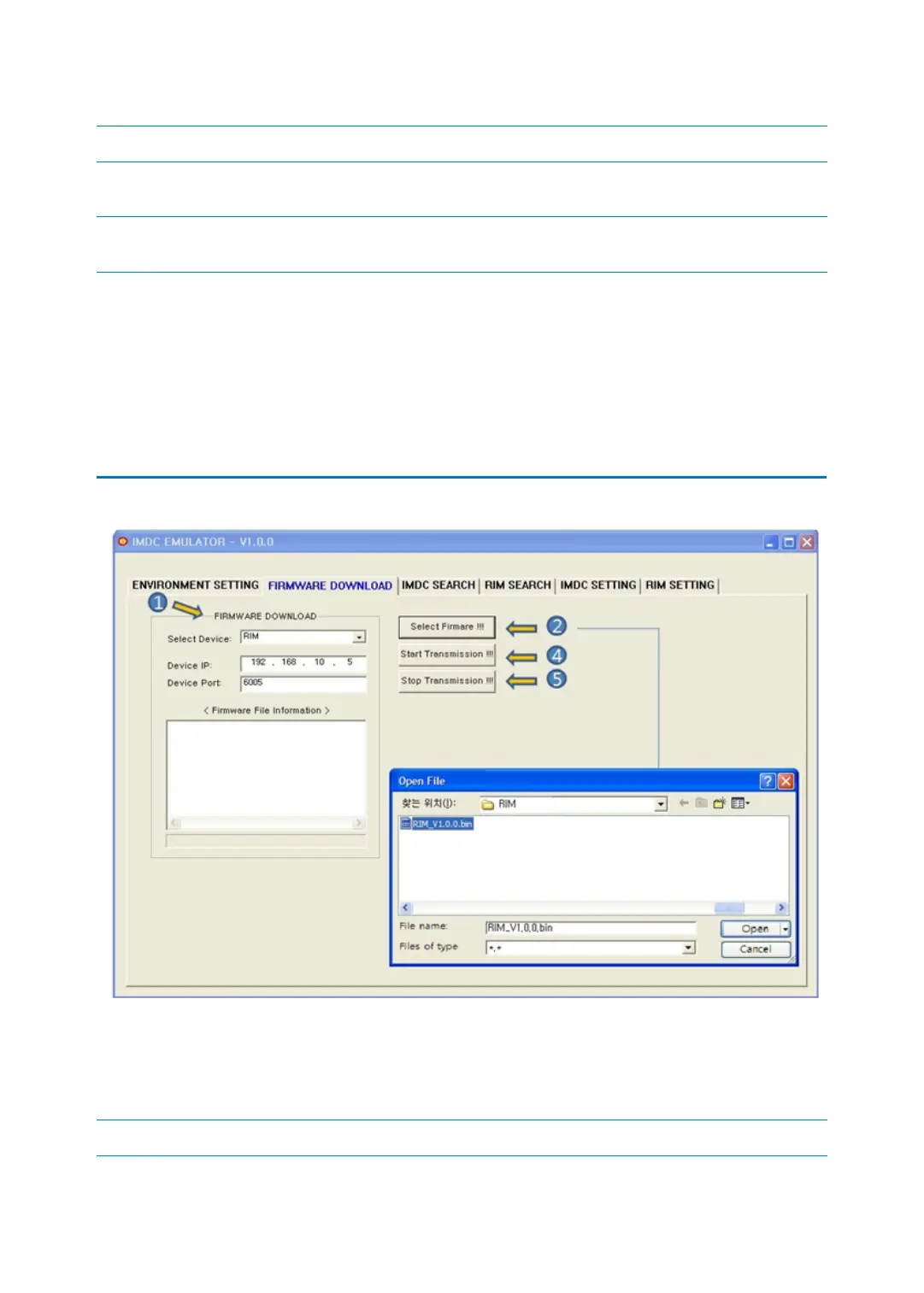
2 FIRMWARE DOWLOAD
1. Select the device to transmit firmware. Select one between iMDC-MAIN and iMDC-RIM.
Input IP and port of the device to transmit firmware in ‘Device IP’ and ‘Device Port’.
Code Description



 To Next Page