WIRINGp.30
7 READER WIRING
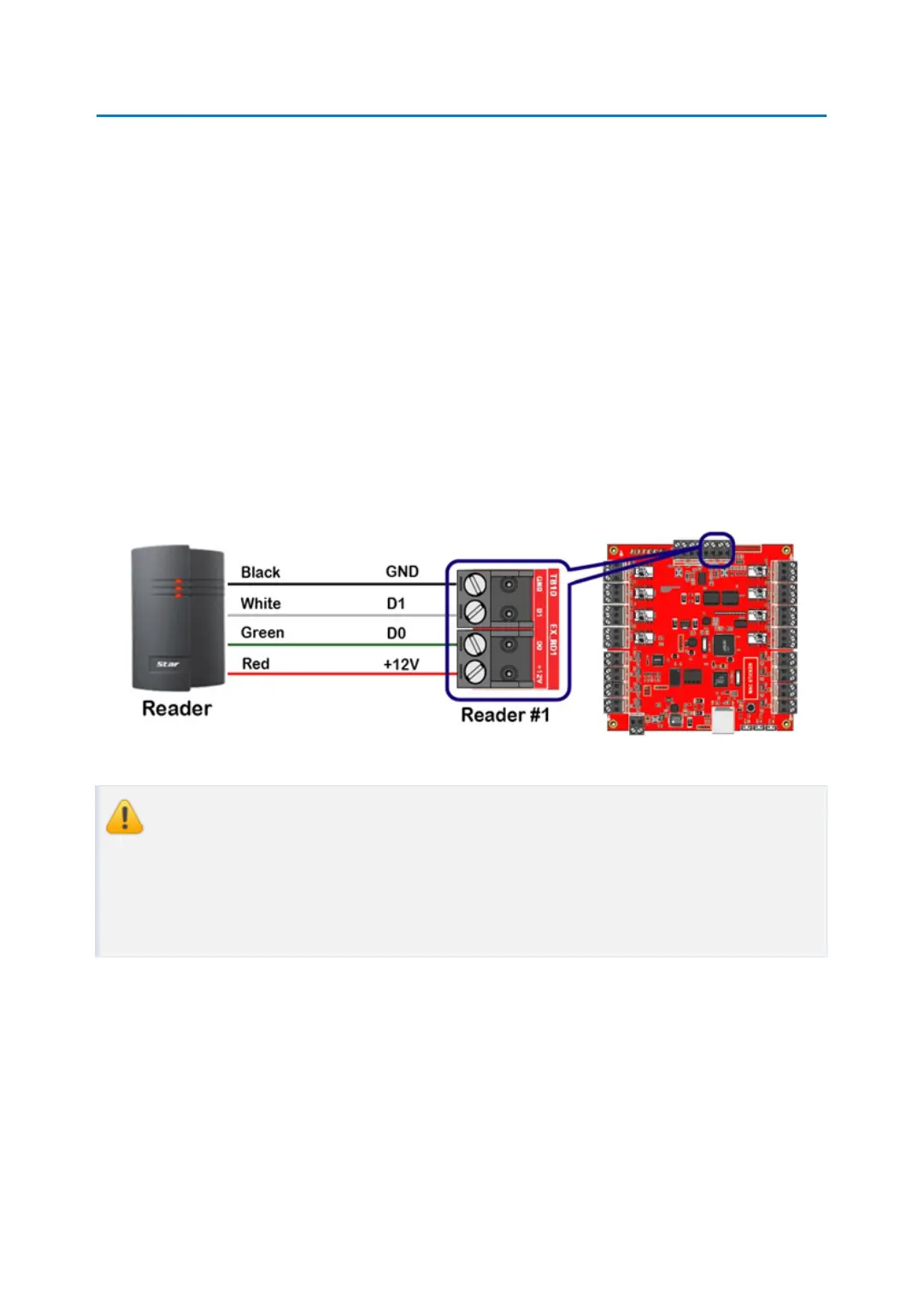
Connect RF reader to Reader Port of iMDC-RIM as follow.
Wiring below is an example of Reader Port #1(EX_RD1) connection. If you want to connect
second reader, use Reader Port #2(EX_RD2) for connecting second reader.
●
Connect +12V (red) wire of RF reader to Reader Port terminal block (+12V) of iMDC-RI
M.
●
Connect GND (-) (black) wire of RF reader to Reader Port terminal block (GND) of iMDC
-RIM.
●
Connect DATA0 (green) wire of RF reader to Reader Port terminal block (D0) of iMDC-R
IM.
●
Connect DATA1 (white) wire of RF reader to Reader Port terminal block (D1) of iMDC-RI
M.
You can use external +12V DC power source for RF reader. But in this case you sh
ould connect GND of external power source to GND Reader Port terminal block of
iMDC-RIM.
If you do not connect GND of external power source to iMDC-RIM, Wiegand data
can’t be transferred to iMDC-RIM due to the voltage differences of GND level.
7.1 COMPATIBLE READERS
●
26Bit Wiegand Format Proximity Readers
●
26Bit Wiegand + 8Bit (or 4Bit) Burst Format Proximity and Keypad Readers
●
34Bit Wiegand Format Proximity Readers
●
34Bit Wiegand + 8Bit (or 4Bit) Burst Format Proximity and Keypad Readers



 To Next Page