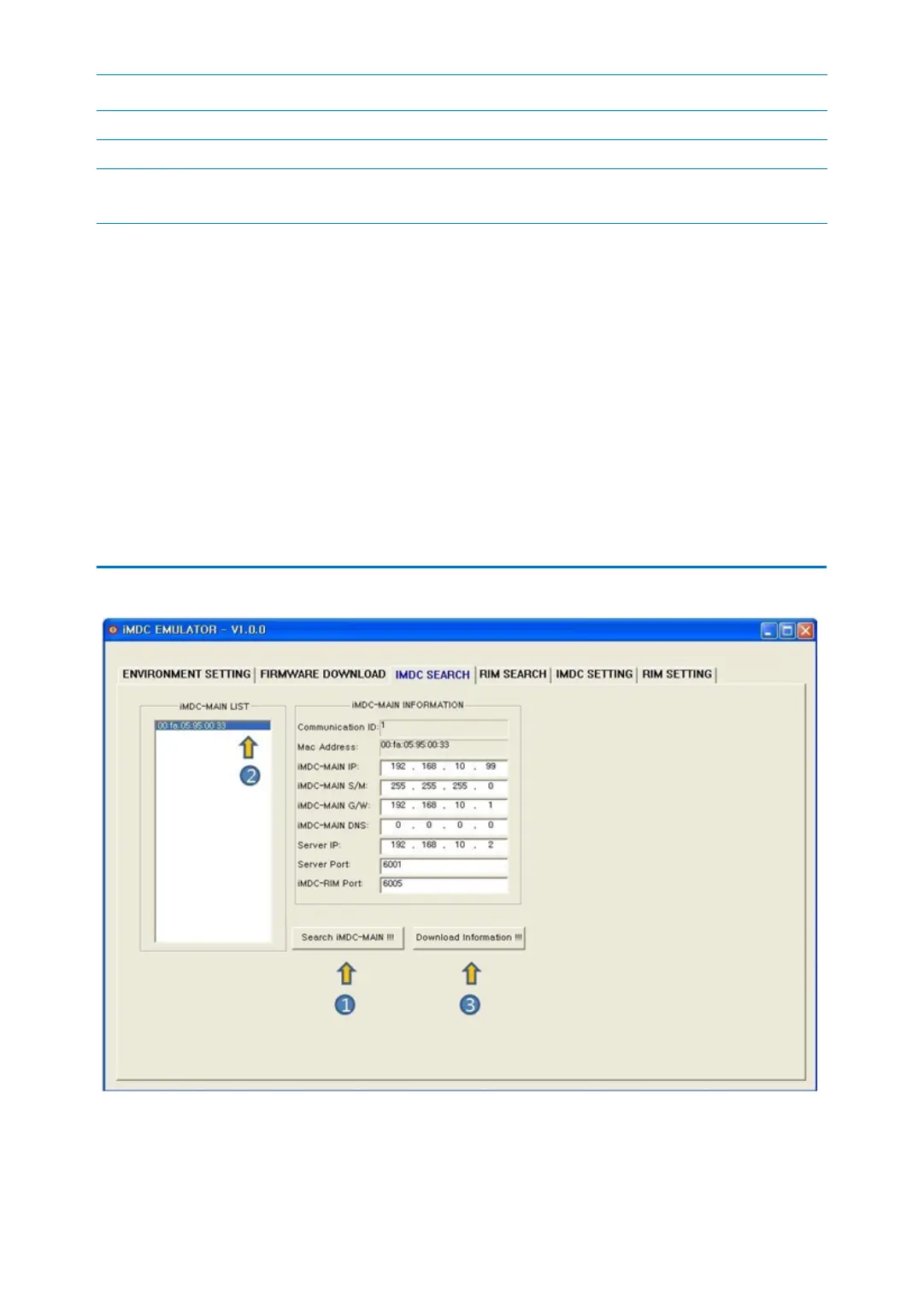
p.49iMDC SEARCH
Select Device select the device to transmit firmware
Device IP Input device’s IP to transmit firmware
Device Port Set IP port to transmit firmware.
Default setting is 6001 for iMDC-MAIN and 6005 for iMDC-RIM.
Code Description
2. [Select Firmware!!!]: This button is to open window to transmit firmware.
3. Select the firmware you want to update.
4. [Start Transmission!!!]: This button is to send firmware to the device (iMDC-MAIN or i
MDC-RIM). If you stop in the middle of transmitting process, you should restart from #2
step.
5. If you want to stop transmitting, click the [Stop Transmission!!!] button. Even though t
ransmitting is stopped, any problem doesn’t occur.
3 iMDC SEARCH
1. [Search iMDC-MAIN!!!]: This button is to search all existing iMDC-MAIN network infor



 To Next Page