www.ikegps.com/quickstart Page 96 www.ikegps.com/support
Using the Hardware
This section teaches you how to use the hardware components of ike. Specifically, you
learn how to:
Identify button functions
Customize button functions
Use buttons to suspend, power off, and reset the device
Use the stylus
Use the touchscreen
Replace the battery pack
Understand LED signals
Use peripheral devices (SD cards and USB drives) with the device
Identifying button functions
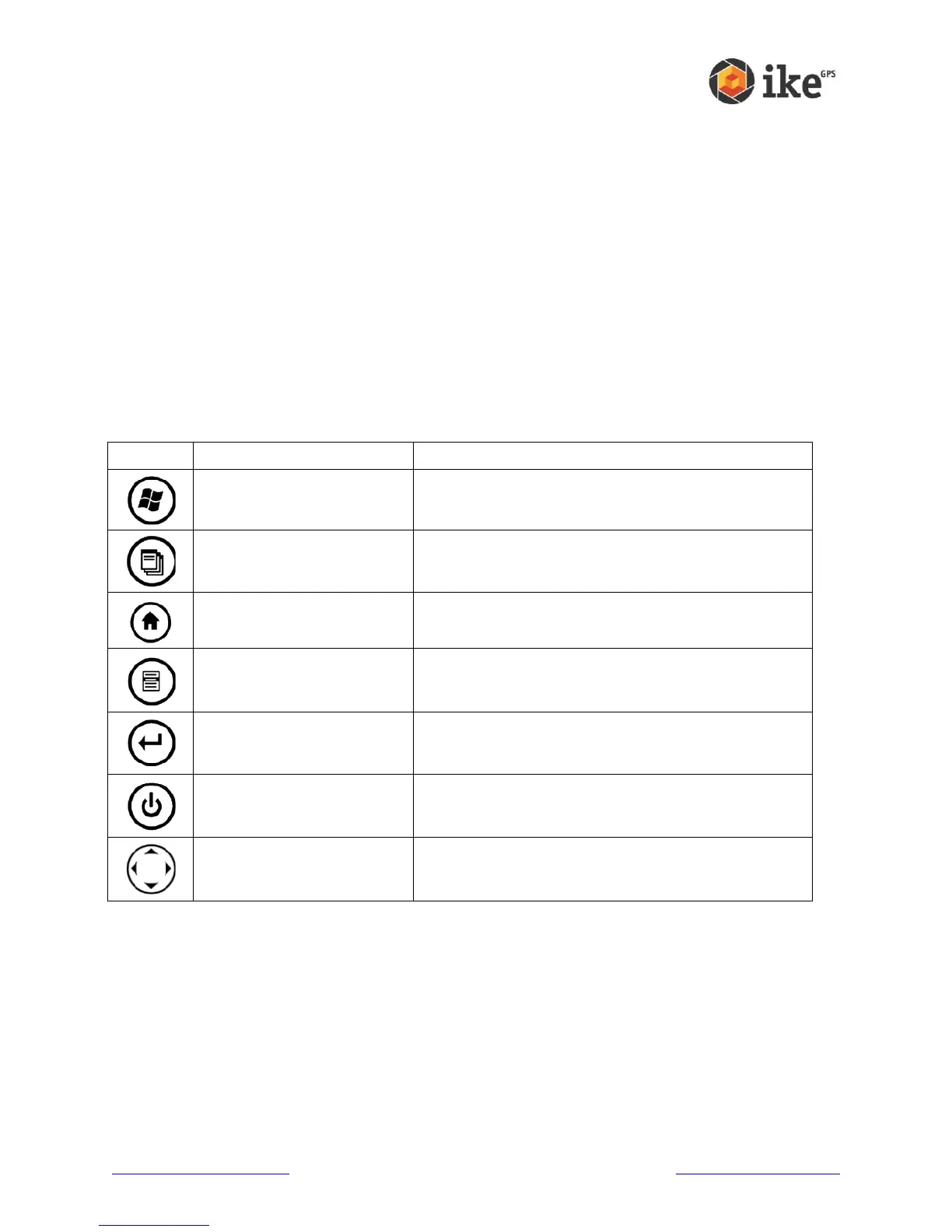
The following chart shows you the names and functions of each button on the keyboard.
Provides a menu of applications.
Lets you switch between or close running
applications; allows you to view memory allocations.
Returns you to the Today screen.
Displays the context menu for the item selected
(similar to a right-click on desktop a computer).
Enters the selected soft key or option.
Turns ike on and off, resets, suspends. (See more
details in the Power button functions section.)
Four-way directional button
When ike applications are running, the standard Windows Mobile button functions may be
reassigned for ike application use. Please refer to the ike application instruction for button
use.



 To Next Page