www.ikegps.com/quickstart Page 122 www.ikegps.com/support
set up a virtual COM port on your ike. Once created, this virtual port can be used like any
other COM port. For example, you can use a virtual COM port for programs that connect
to a GPS receiver. You can also use it to connect to a printer that is enabled with
Bluetooth technology.
When setting up a virtual COM port, you must specify if the COM port is an outgoing COM
port or an incoming COM port.
An outgoing COM port means that ike initiates communication with the other device.
For example, when you are using a Bluetooth GPS receiver, ike initiates the request for
data; thus, the virtual COM port connecting with the receiver would be an outgoing
COM port.
An incoming COM port means that the other device is initiating the communication with
ike. For example, a desktop computer might initiate a Bluetooth ActiveSync connection
with the device via the virtual COM port.
For more details about setting up outgoing and incoming COM Ports, read the following
sections.
Set up an outgoing Bluetooth COM port
Use this option if you want to assign the virtual COM port as an outgoing COM port (i.e.,
you want to use ike to initiate communications with another device).
Follow the steps below to set up an outgoing Bluetooth COM port.
1. Make sure you have paired with the serial port device you want to communicate with.
To do this, follow the steps in the section called Create a Bluetooth partnership.
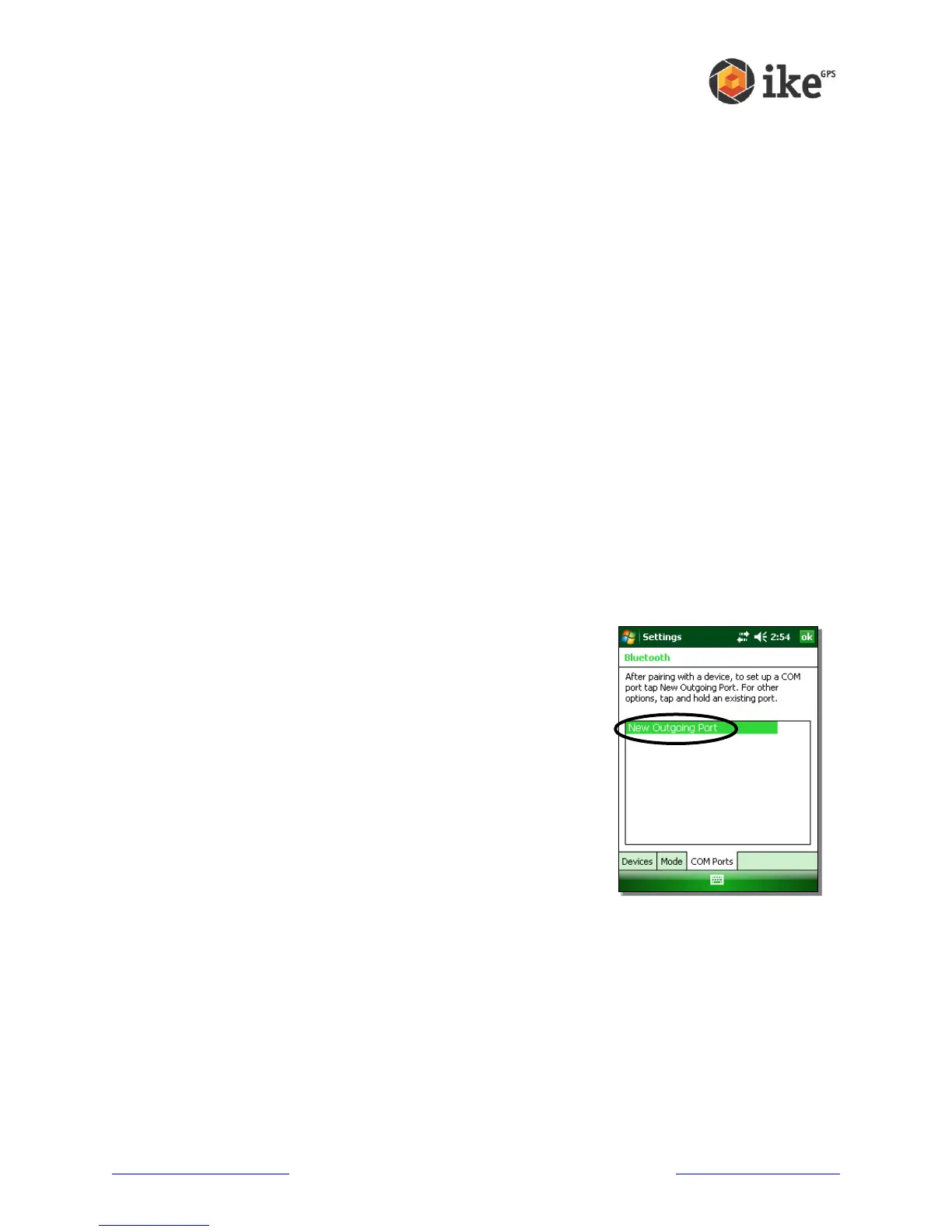
2. Select the COM Ports tab.
3. Tap New Outgoing Port, the first option.



 To Next Page