www.ikegps.com/quickstart Page 10 www.ikegps.com/support
ike Software and Licensing
All ike units running the ikeOS v5 software require a license applied to access the on-board
ikeTools as part of the ikeGPS application. ike units are pre-licensed with respect to customer
order prior to shipping to ensure correct licensing is applied to the purchased ike package.
Licensing controls access to ikeTools and the ability to access functionality of additional ike
enhancements and desktop software.
Target Position, 3-Shot Height,
Missing Line Distance, Span Height,
Photo Only
Target Position, 3-Shot Height,
Missing Line Distance, Span Height,
Photo Only, Local Point
ikeDesktop (Reports only)
ikeDesktop (Forms and Reports)
GPS+ Positional Accuracy
Enhancement (standard with ikePro
& ikeSolutions)
Additional licensing is required for ikeTools that are provided as part of ikeSolutions bundles.
More information about ikeSolutions options and the solution-specific ikeTools is available from
your ike reseller.
Turning your ike on for the first time
To use your ike unit, you need to insert the battery and charge the unit for first use.
Remove the ike unit from any shipping material (presentation box for ikeBasic or hardcase for
ikePro/ikeSolutions)
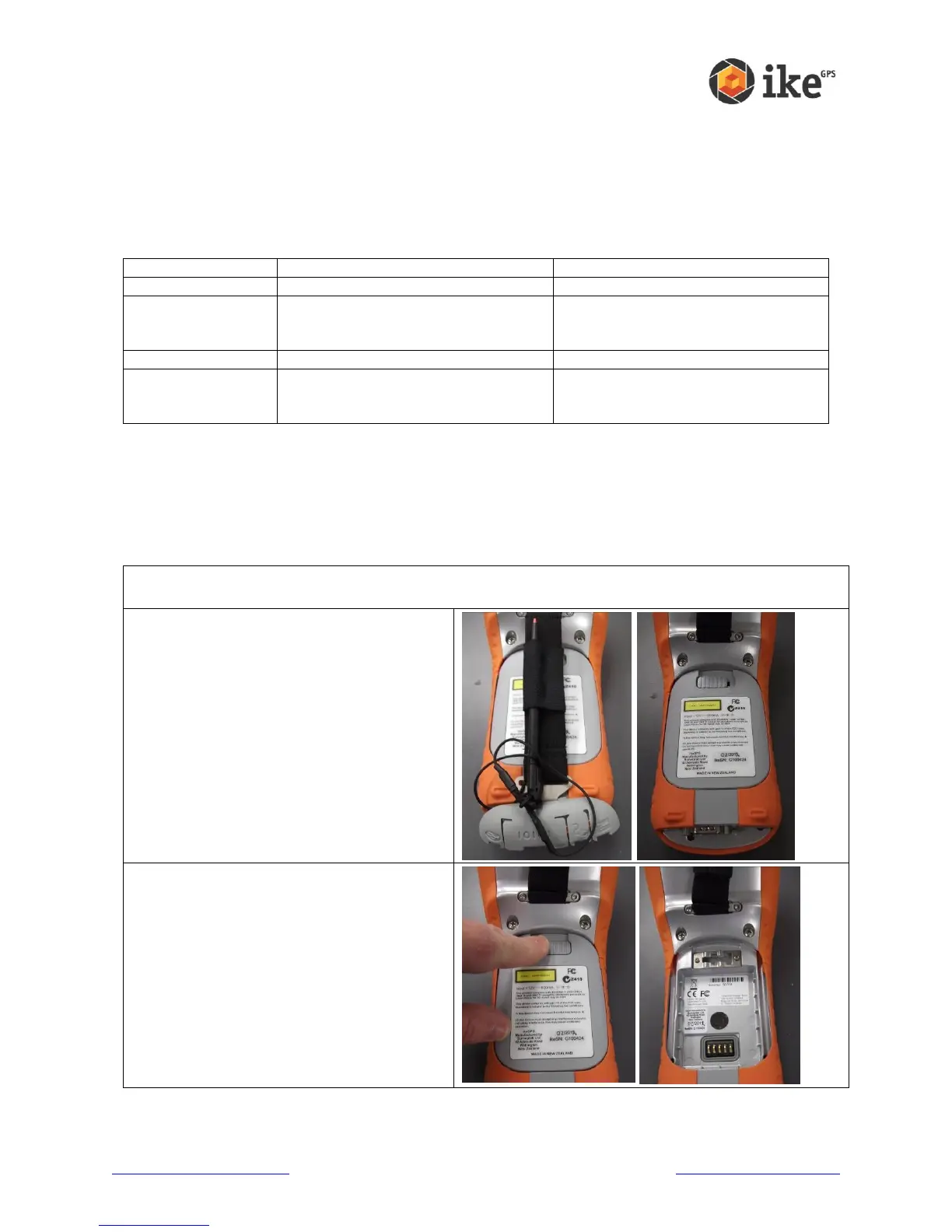
Turn the ike unit over and unhook the
connector protector and handstrap and fold
away from the battery cover.
Unlock the battery cover by sliding the lock to
the right.
Remove the battery cover
For ikePro owners, you will need to open the
protective softcase’s Velcro flaps to access
the battery cover



 To Next Page