www.ikegps.com/quickstart Page 97 www.ikegps.com/support
Customizing button functions
Each button performs a specific function. You may customize the function of the following
four buttons to open programs or perform shortcuts:
Start menu button
Task Manager button
Home button
Context menu button
Note: The functions assigned to the Enter button, Power button, and Four-way directional
button cannot be customized.
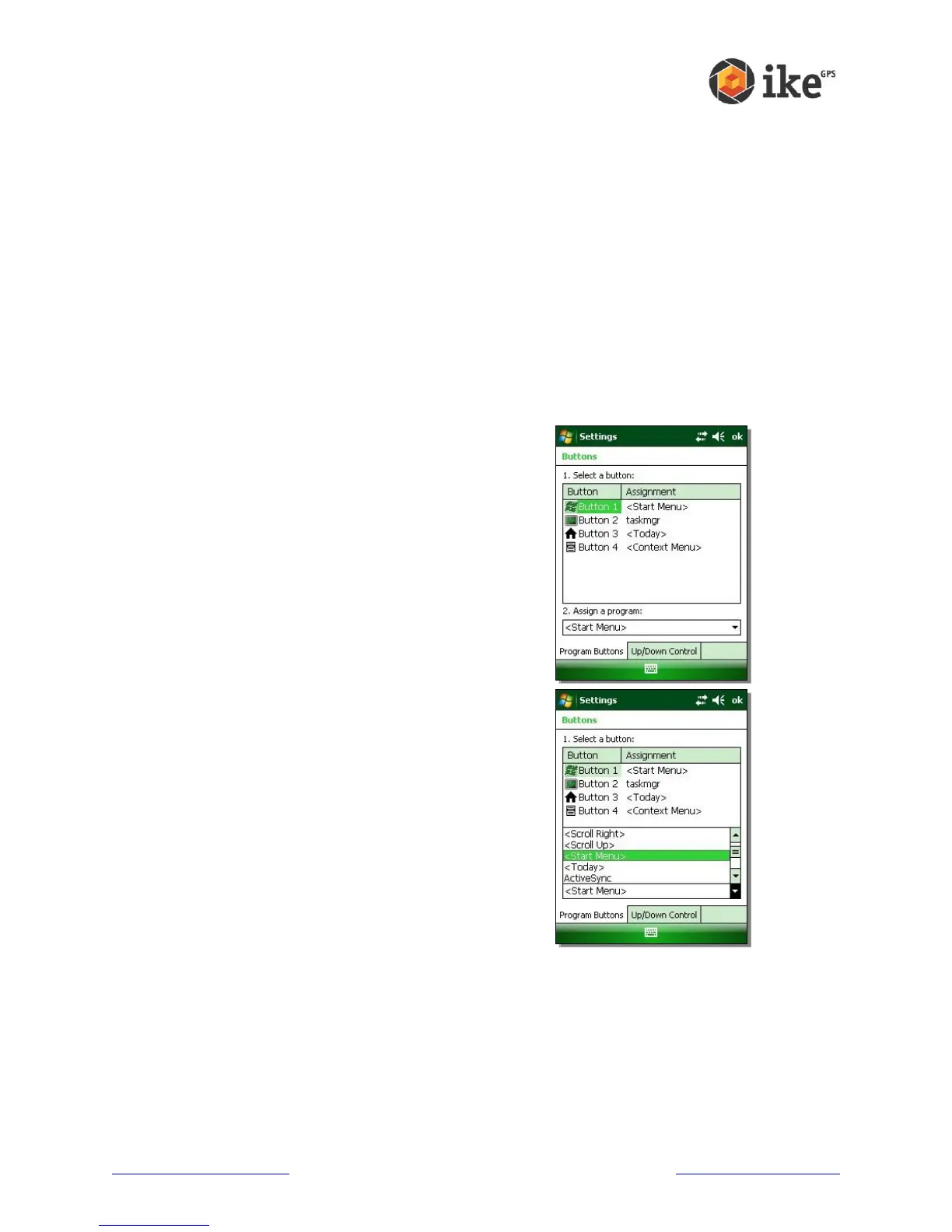
To reassign a program or shortcut to a button, follow these steps:
1. Tap Start > Settings > Personal tab > Buttons. A list of
buttons and their current assignments is displayed on
the Program Buttons tab
2. Tap the button you want to reassign, as shown here.
3. In the Assign a program box, tap the program or
shortcut you want to assign to the button. In the
example here, the user has selected Start Menu.
4. Tap OK
Please be aware that customization of standard buttons may impact on ike application
functionality.



 To Next Page