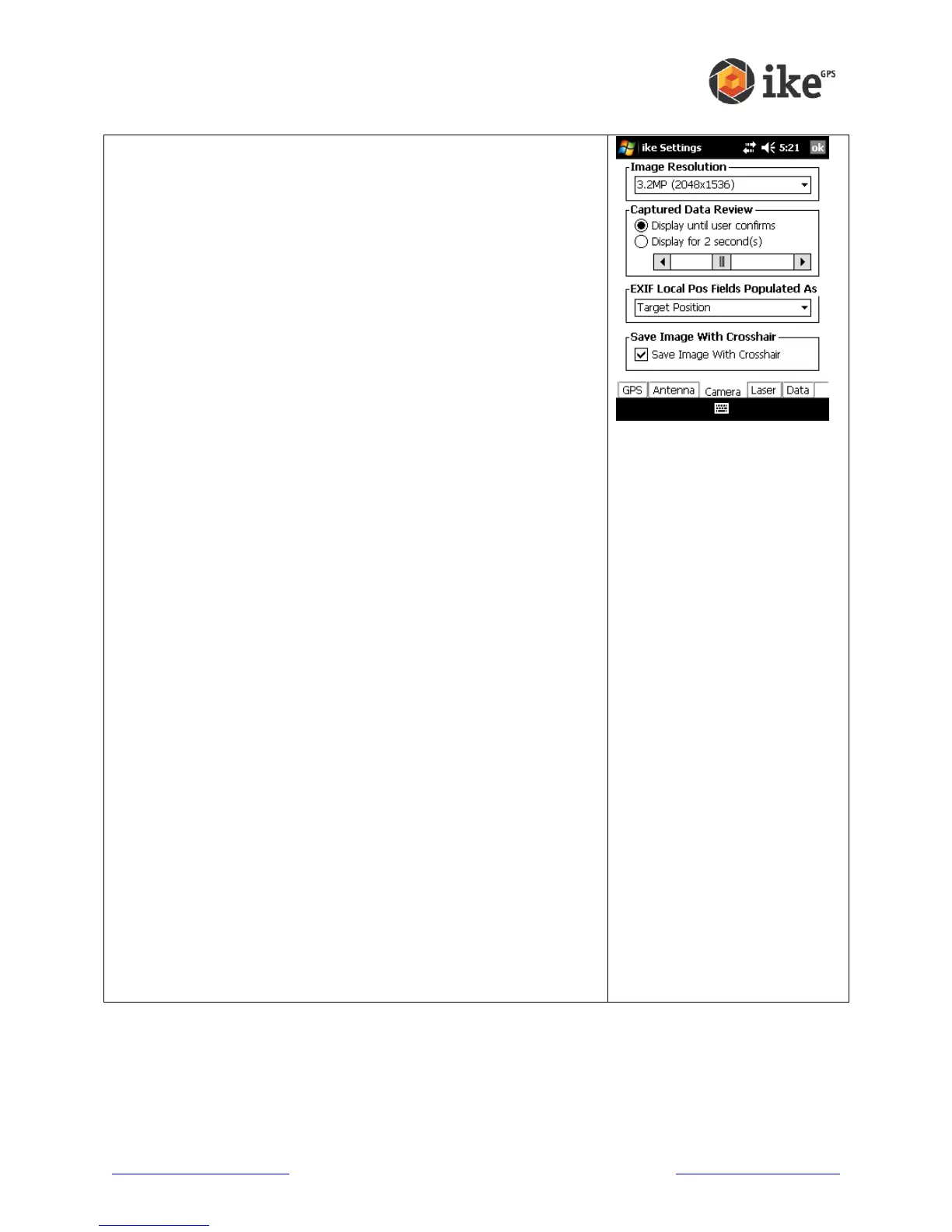
This screen allows you to view and change the settings for the
photos taken with ike.
The Image Resolution drop-down list shows the number of
megapixels to be used for each photo. A higher resolution will
give more detailed photos, but take up more memory storage
space. The number of options available on the Image
Resolution list depends on the model of ike unit purchased. An
Image Resolution of 3.2MP is selected by default.
Captured Data Review provides options for post-capture
review; when the:
‘Display until user confirms’ option is selected the photo
review screen is presented until the user taps the [Save]
button. When this option is selected, the ‘Retry’ option is
also available from the Review screen to allow the user to
discard the captured photo and retry the capture. This option
is enabled by default.
‘Display for X second(s)’ option is selected the photo review
screen is presented, briefly while the photo is saved, then
for the number of seconds selected on the slider. The
display time-out ranges between 0 and 5 seconds.
EXIF Local Pos Fields Populated As options
The Exchangeable Image File Format (EXIF) fields are pieces
of information stored with each photo. These use the EXIF v2.2
standard format for digital photos, such as the time and date,
but also include fields for target positional data which ikeGPS
records. With each reading, ike records both the Local position
(where your ike is physically located) and the Target position
(the object that the crosshairs are targeting.) For some
applications, such as Google Earth, it is useful to record the
GPS coordinates for the target position in the EXIF Local
Position field so that map icons will show where the object
actually is, but have an attached picture that was taken from a
distance. By default, ike sets this field to store the target
position data.
WARNING! Where the EXIF Local Position field is set as ‘Target
Position’ the EXIF will record the same value in the EXIF
Latitude / Longitude and Destination Latitude / Longitude fields.
The Save Image With Crosshair checkbox is checked by
default to allow presentation a crosshair on the captured target.
If the Save Image With Crosshair is not checked, the photo
does not save a crosshair on the target.



 To Next Page