www.ikegps.com/quickstart Page 32 www.ikegps.com/support
Changing the ‘Default’ Job name
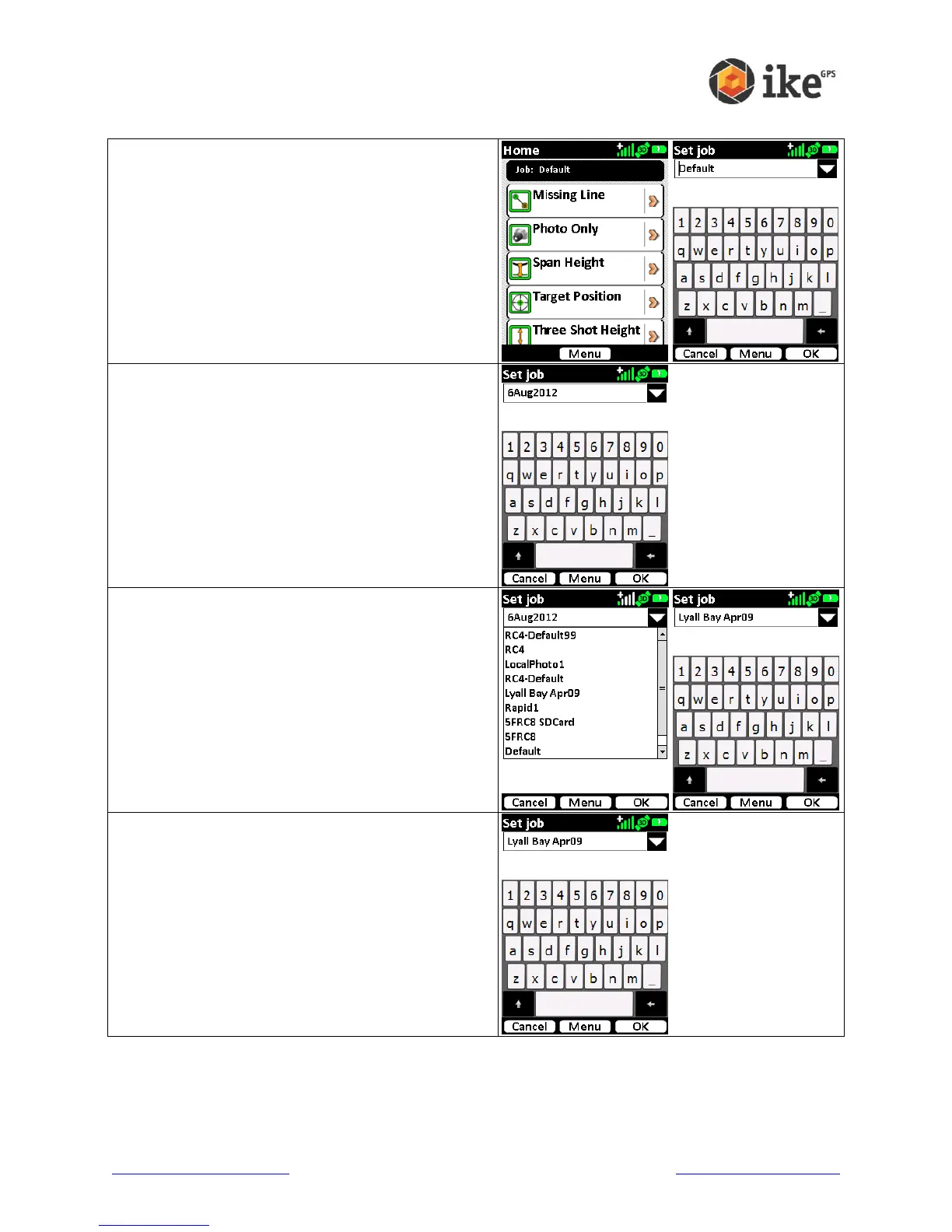
For new units the job name will be set as ‘Default’.
As you may be operating in different areas it may
be prudent to change the name of the job to
reflect something more meaningful for the task.
Tap the current ‘Job:’ name to select and access
the Set Job menu
The virtual keyboard will appear to allow data
entry of a new job name.
Using the keyboard to enter an alpha-numeric
description of the job.
Alternatively, a list of existing jobs can be shown
by tapping the drop-down arrow to the right of
current job name field.
Tapping an existing job name will update the job
name to the selected job.
Once the correct job name is created, or selected,
and tap the [OK] button to set the job.
Tapping the [Cancel] button will return to the
Home screen.



 To Next Page