www.ikegps.com/quickstart Page 111 www.ikegps.com/support
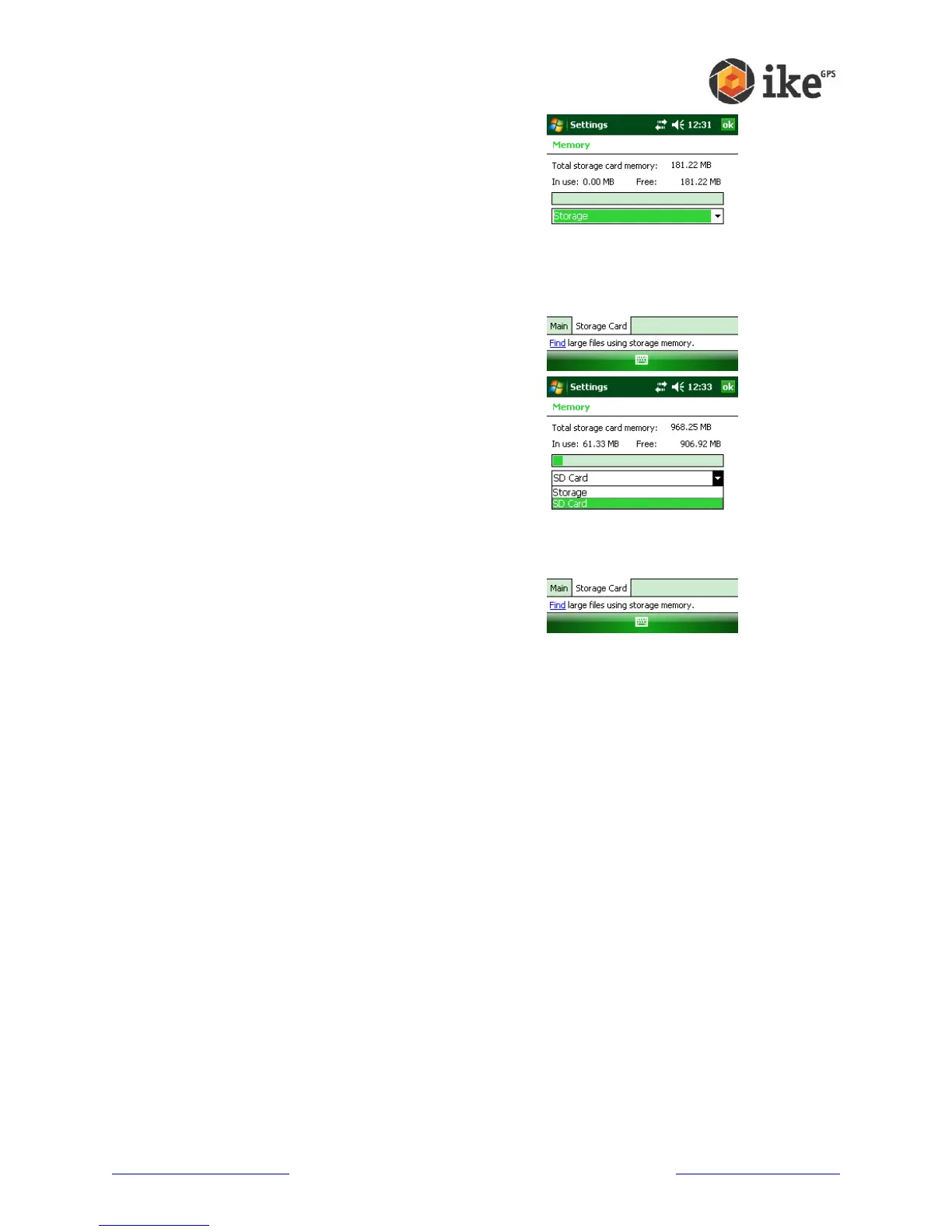
The Storage Card tab displays how much memory
is available in the allocated ‘Storage’ folder and on
any storage card that is inserted into the ike unit.
By default the list box will show how the status of
the ‘Storage’ folder
If a SD card is fitted, tap the drop-down list and
then select the ‘Storage Card’ name whose
information you want to view.
Changing settings
To change settings on your device, follow these steps:
1. Tap Start > Settings. The Settings window appears.
2. Choose one of the tabs at the bottom of the screen.
3. Tap on the setting you want to change.
4. Adjust the setting controls.
Using on-device help
You can access electronic help files on your ike from each screen. Windows Mobile®
provides help information that is context-sensitive; the help information that appears on
the help screen is directly related to what you are doing on the device.
To access help files, follow these steps:
1. Tap Start > Help.
2. Select an option from the help menu that appears.
Note: If the topic you want is not listed, try one of these options:
Option 1: Choose Contents at the bottom of the screen. A table of contents appears.
Tap on the item you want.
Option 2: Choose Search at the bottom of the screen. Search allows you to search for
specific topics within boundaries you set.
Option 3: If you want help about a certain program on your mobile device, open the



 To Next Page