Setup and Assembly Manual Page 15
A.6 The Transportation Locks
A.6.1 Removing the Transportation Locks
Attention
The transportation locks have to be removed before initial start-up
of the device!
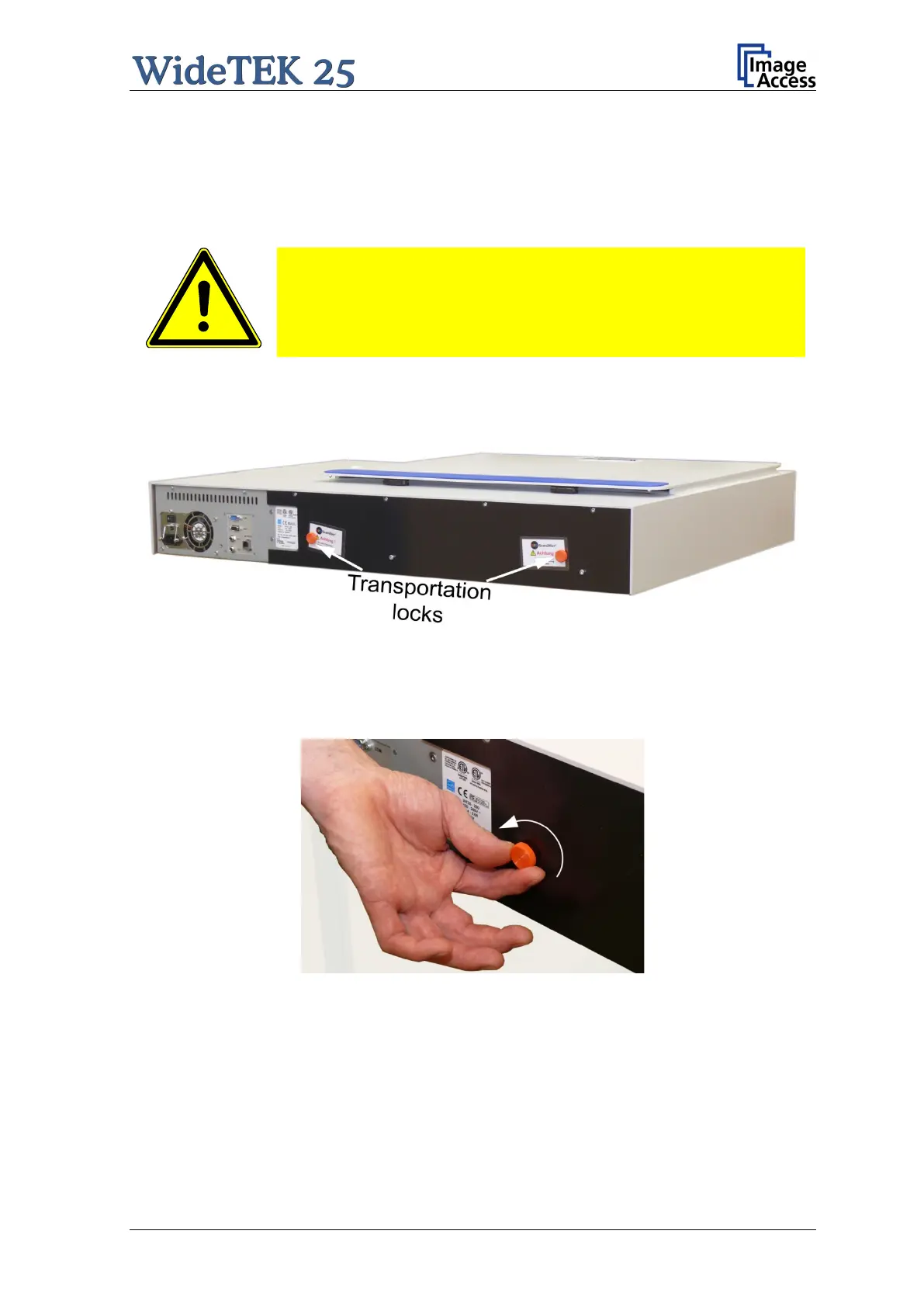
The transportation locks are located at the back of the scanner. A label marks each
transportation lock.
Picture 2: Position of transportation locks
Turn the transportation locks counterclockwise to remove them.
Picture 3: Removing the transportation lock
Important: Keep the transportation locks for future use!
The transportation locks must be i nserted before every transport. This will prevent the
sensitive components inside the camera box unit against damages.



 To Next Page
 Loading...





