NanoPhotometer
®
N120/NP80/N60/N50/C40 User Manual Version 4.3.1
108
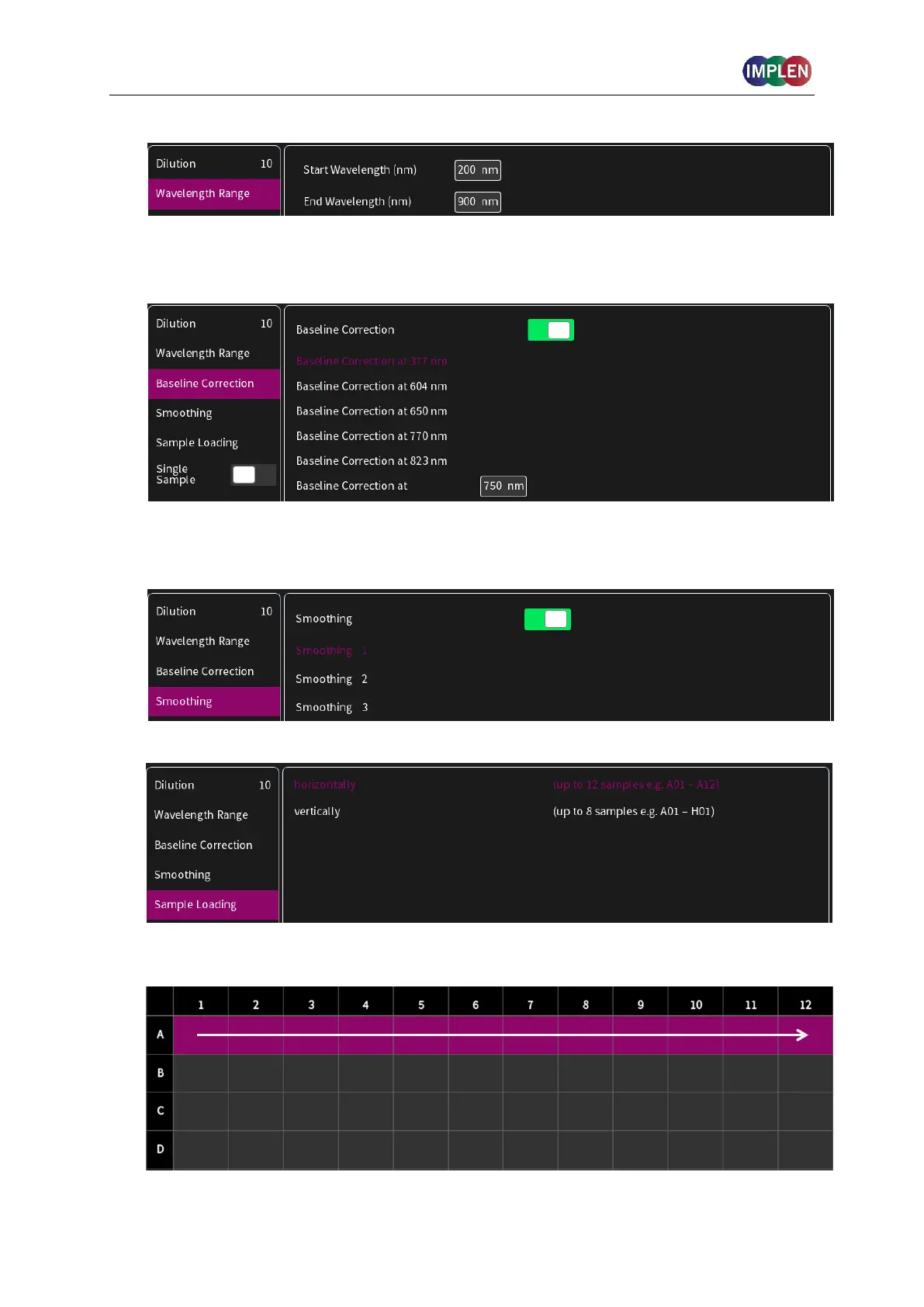
4. Set Start and End Wavelength to define the scan range.
5. Baseline correction is set off by default. Enabling the baseline corrections shows a list with
different wavelength options: 377 nm, 604 nm, 650 nm, 770 nm and 823 nm. Option to
enter any wavelength between 200 nm and 900 nm.
6. Option to smooth the graph with different boxcars. Options: Off, 1 = boxcar 11 (default), 2
= boxcar 21 and 3 = boxcar 61
Select the sample loading orientation:
There are two options:
Horizontally: Measure up to 12 samples (A01 – A12 shown in sample map as row)



 To Next Page