NanoPhotometer
®
N120/NP80/N60/N50/C40 User Manual Version 4.3.1
47
STORE METHODS
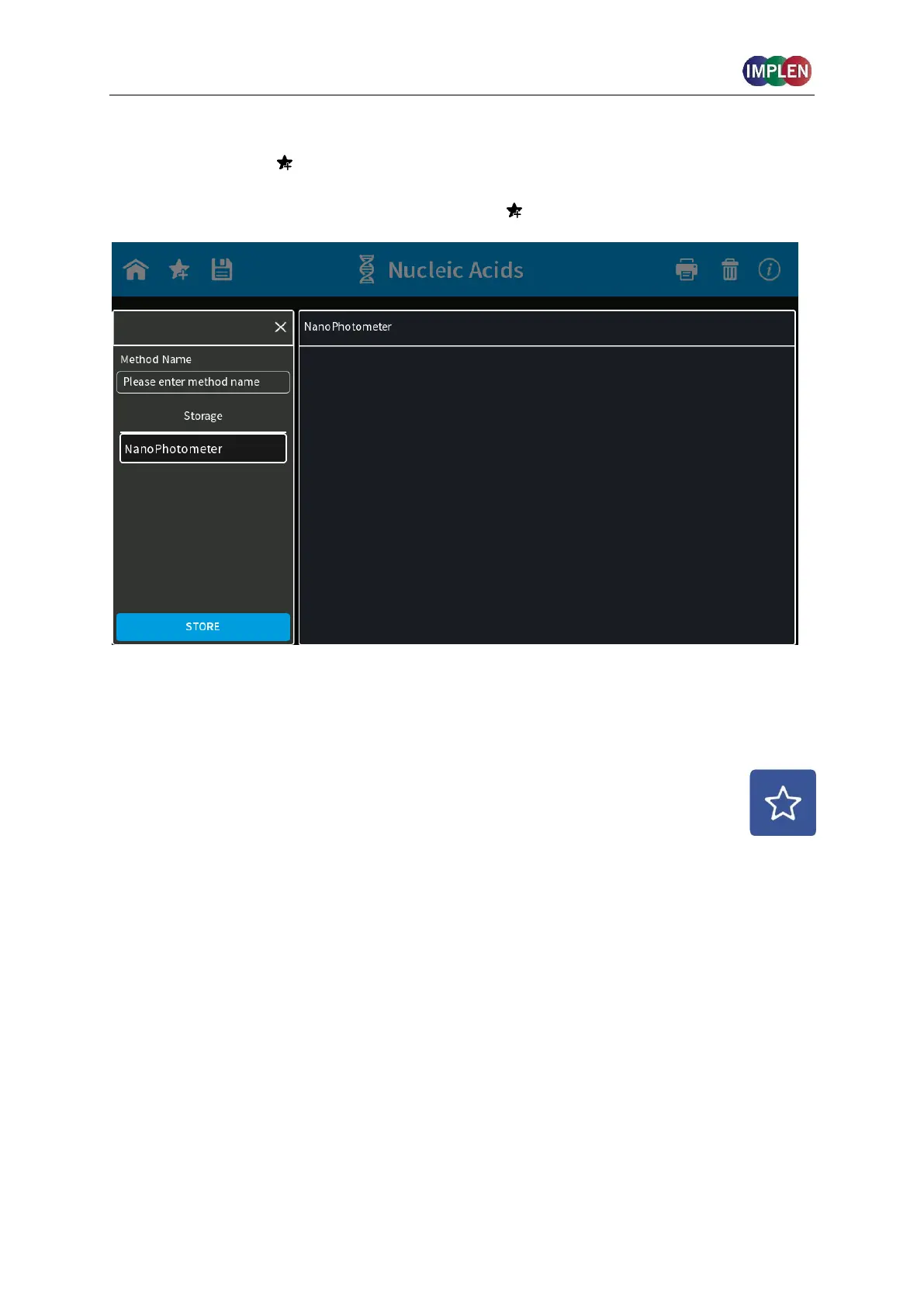
With the favorite icon it is possible in each method to save the parameter settings for
easy access of custom defined methods. Select the desired parameter settings and open the
Stored Method dialog by pushing o the favorite icon .
Enter a method name and select a save location in the folder. Options include:
NanoPhotometer
®
, USB flash drive (if connected) and Network folder (if defined). Push the
store button to save the method.
Stored Methods can be opened on the homescreen by opening Stored Methods (see page
123 Stored Methods



 To Next Page