NanoPhotometer
®
N120/NP80/N60/N50/C40 User Manual Version 4.3.1
15
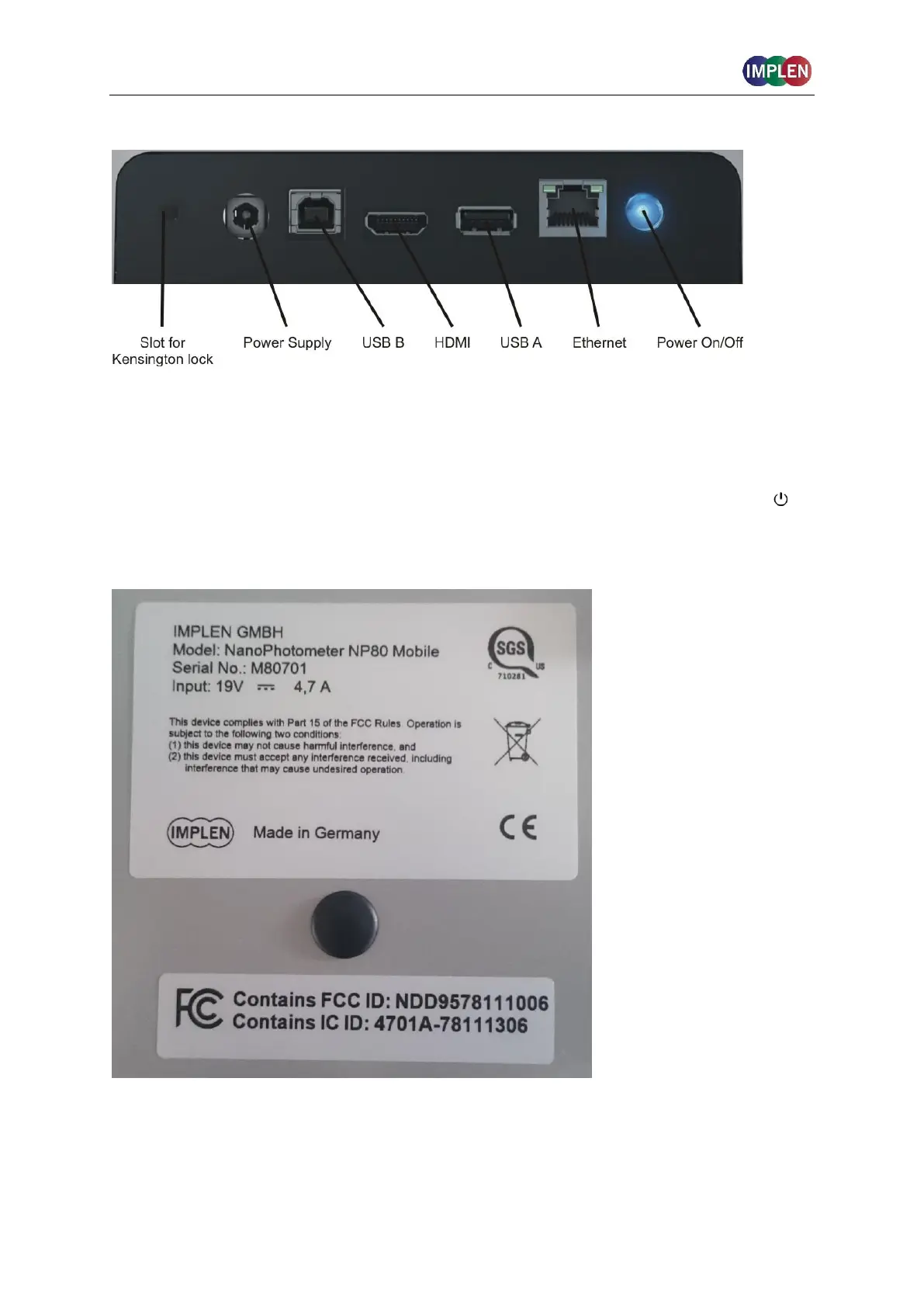
INSTRUMENT REAR PANEL (N120/NP80/N60/N50/C40)
To boot/shut down the NanoPhotometer
®
push shortly (< 1 second) on the power on/off
button at the back of the NanoPhotometer
®
.
Note: A long push (> 3 seconds) initiate a hard reset. Only activate a hard reset of the
NanoPhotometer
®
when necessary. To avoid unnecessary hard reboots, it is recommended
to power down the unit from the onboard touch screen by pushing on the power button ( ) in
the bottom left corner of the home screen.
INSTRUMENT BOTTOM VIEW (N120/ NP80/N60/N50/C40)
Model name, device serial number and FCC ID are located on the identification plate on the
bottom of the instrument.



 To Next Page