21
2 Preparation
E You can also permanently set the amount of water for all spe-
ciality coffees and hot water in programming mode (see
Chapter 4 ‘Permanent settings in programming mode –
Adjusting the product settings’).
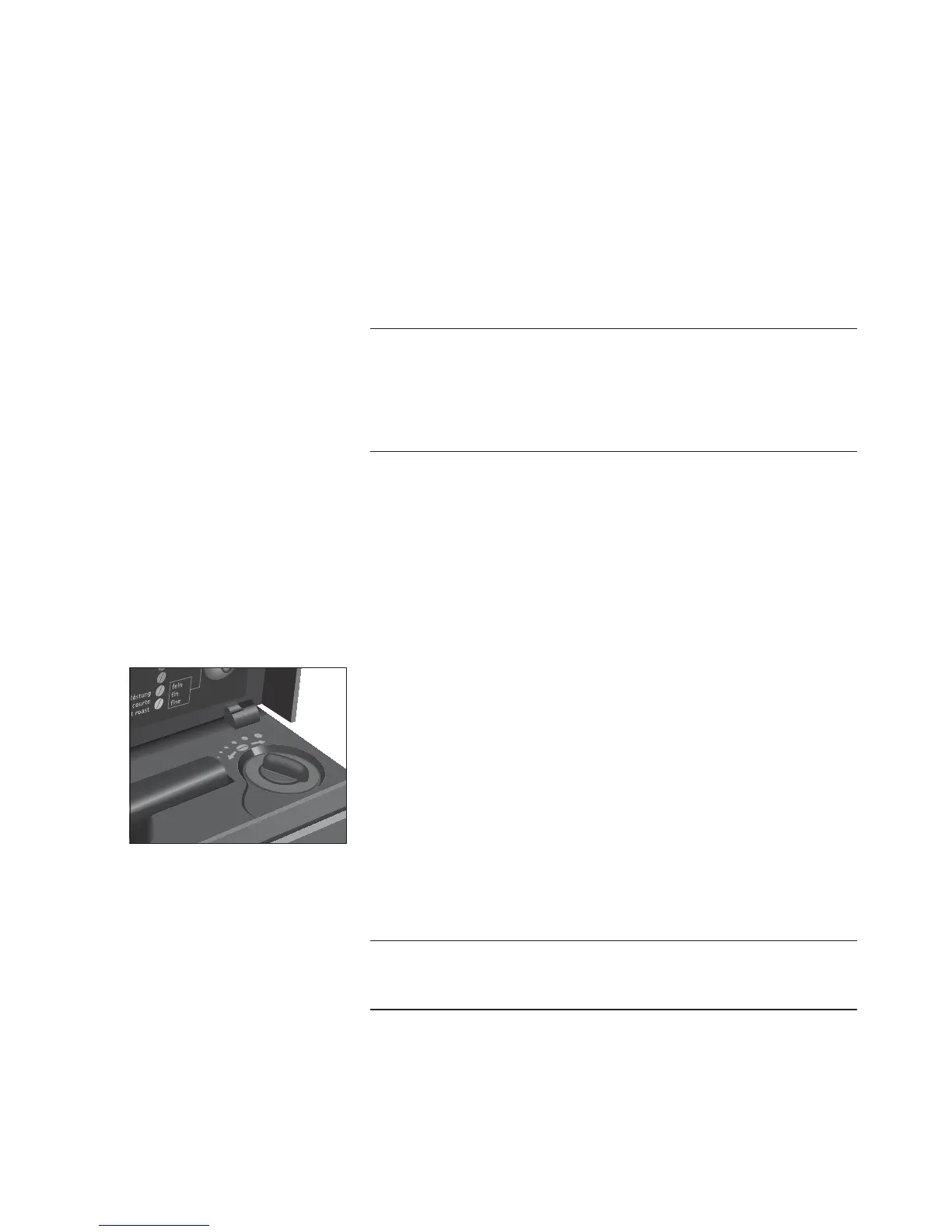
You can adjust the grinder on a continuous scale to suit the degree
of roast of your coffee.
If you adjust the consistency of grind when the grinder is not oper-
ating, the grinder adjustment switch could be damaged.
T Only adjust the consistency of grind when the grinder is run-
ning.
The consistency of grind is correct if the coffee flows regularly from
the coffee spout. In addition a fine, thick crema forms.
Example: Proceed as follows to change the consistency of grind
during the preparation of an espresso.
T Place a cup under the coffee spout.
T Open the storage compartment cover.
T Press the
‘Espresso’ button to start preparation.
T Turn the grinder adjustment switch to the desired position
while the grinder is running.
The preset amount of water flows into the cup. Preparation
stops automatically.
T Close the storage compartment cover.
To obtain a perfect water flow, use the hot-water nozzle. You can find
the hot-water nozzle under the cover of the storage compartment.
There is a danger of scalding from hot water splashes.
T Avoid direct contact with the skin.
Example:Proceed as follows to prepare hot water.
Precondition:
‘Please select product’ is displayed.
T Carefully remove the fine foam frother from the Connector
System
©
by twisting slightly.
Adjusting the grinder
CAUTION
Hot water
J
CAUTION


 To Next Page