40
5 Maintenance
Precondition:‘Change the filter’ is displayed.
O T Press the P button.
‘Maintenance status’ (‘1/7’)
T Press the
‘Change the filter’ button.
‘Change the filter’
T Press the ‘Start’ button.
T Press the
‘Start’ button again.
‘Change filter’
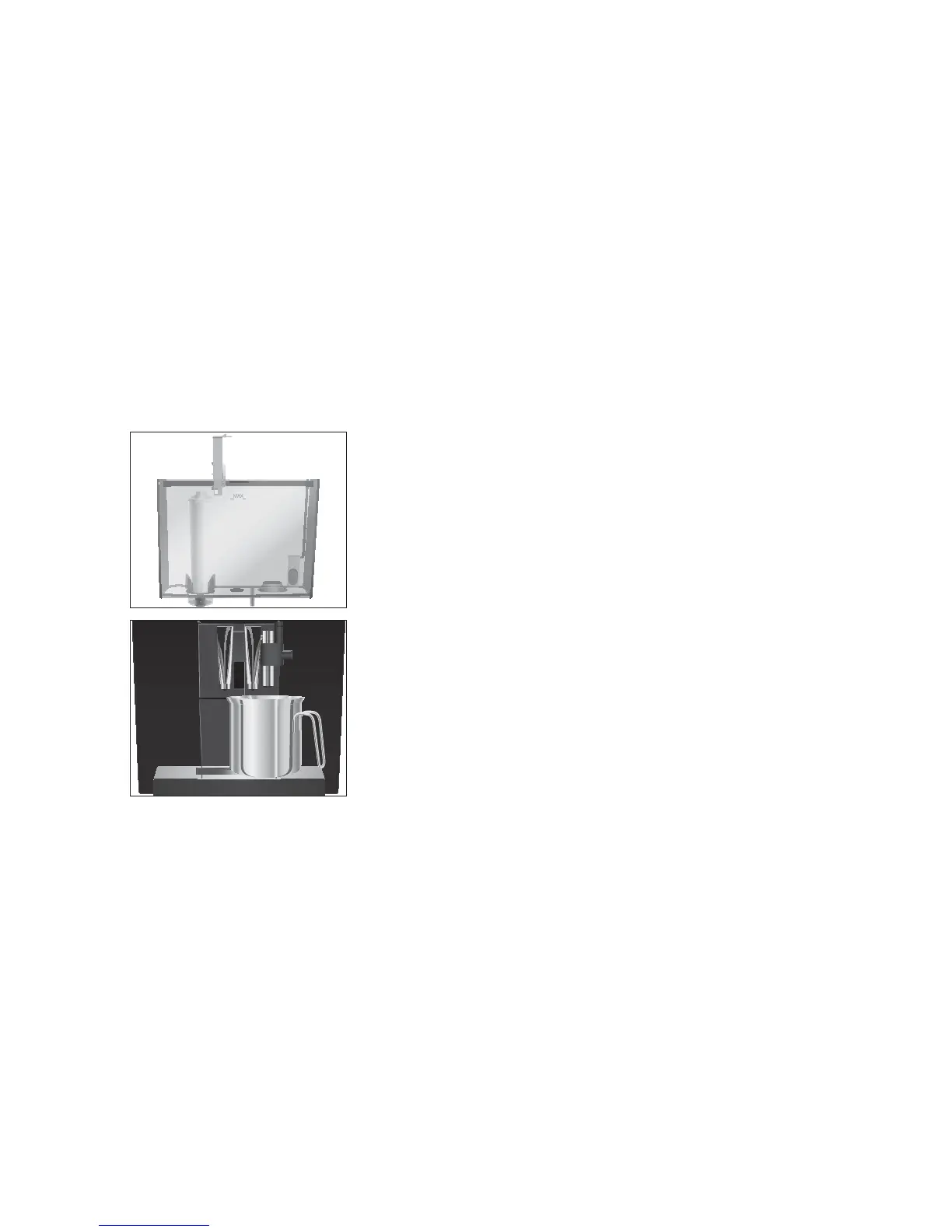
T Remove and empty the water tank.
T Open the filter holder and remove the old CLARIS Blue filter
cartridge.
T Insert a new CLARIS Blue filter cartridge into the water tank,
exerting slight pressure.
T Close the filter holder. It will click into place audibly.
T Fill the water tank with fresh, cold water and reinsert the
tank.
T Place a receptacle (at least 300 ml) under the fine foam
frother.
T Press the
‘Next’ button.
‘Switch open’
l T Turn the switch to them position.
‘Filter is being rinsed’, water flows out of the fine foam
frother.
E You can interrupt rinsing of the filter at any time. To do this,
turn the switch clockwise. Turn the switch anticlockwise to
continue rinsing the filter.
E The water may be slightly discoloured. This is not harmful to
health and does not affect the taste.
Rinsing of the filter stops automatically after approximately
300ml.
‘Switch close’ appears on the display.
y T Turn the switch to the °position.
‘Please select product’ appears on the display.


 To Next Page