User’s manual of CLEO Patient Monitor
- 33 -
the °C/°F button again to change between the Celsius and Fahrenheit scales.
4. Withdrawing the probe from the probe well erases last temperature memory.
5. If the most recent temperature measurement was incomplete or out of range, dashes
will appear on the display during the recall operation.
Pulse Timer Mode
1. The FILAC 3000 electronic thermometer may also be used to help measure a
patient’s pulse rate.
2. To access, do not remove probe from the probe well.
3. Press and release the Timer button on the front panel. The Clock icon and 0.0 will be
displayed.
4. Press and release the Timer button a second time to start the timer and elapsed time
display.
5. A “beep” is sounded at 15 seconds, 2 beeps at 30 seconds, 1 beep at 45 seconds
and 2 beeps at 60 seconds. The count stops at 60 seconds. Pressing the Timer
button again will shut the unit off.
6. The Timer mode will turn off automatically, 5 seconds after stopping at 30 or
whenever the probe is removed from the probe well.
Bio-Tech Mode (Option Configuration Menu)
1. To enter Bio-Tech Mode, the thermometer must be in sleep mode (probe securely in
place with blank screen).
2. Press and hold the Site and °C/°F buttons at the same time for 4 seconds. A “beep” is
heard and a dash scrolls in the display. The software version of the device will be
shown in the alpha-numeric section of the display.
3. The thermometer is now in Bio-Tech Mode. To navigate the Bio-Tech Mode menu,
follow the chart below.
4. The Pulse Timer button is used to move forward through the different configuration
options. °C/°F button is used to change an option configuration.
5. To exit Bio-Tech Mode and resume normal operation, press the Site and °C/°F
buttons at the same time and hold for 1 full second. Last settings are saved.
6. Bio-Tech Mode also exits automatically after 20 seconds of inactivity. The last settings
are saved.
QTEMP PARAMETER SETUP
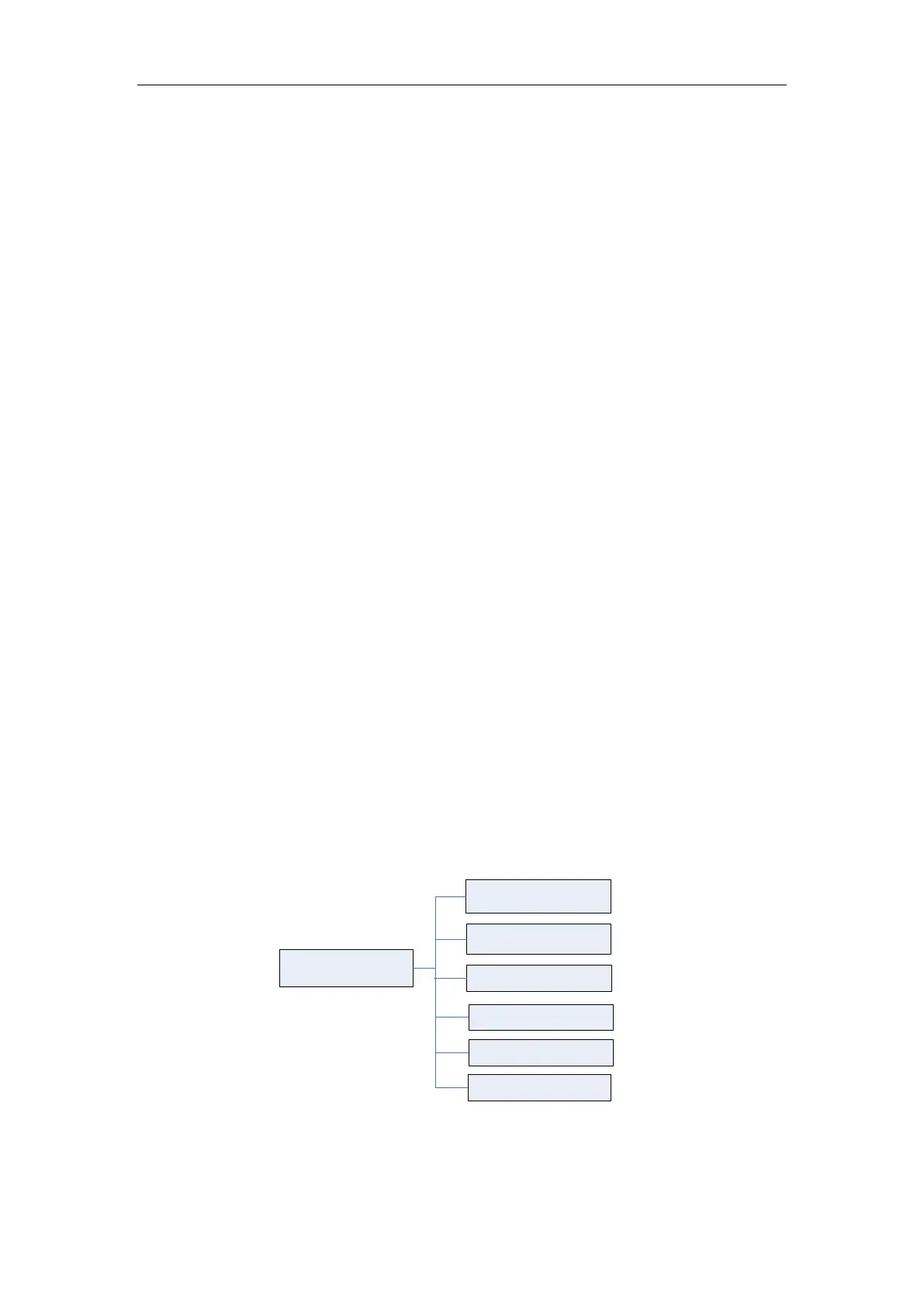
Touch the QTemp Parameter Area to open the QTemp Setup menu, which is laid out as
below:
QTemp Setup
Alarm Switch
Temp Alarm High
QTemp List
Temp Alarm Low
Temp Unit
Measure Mode
Figure 10: Tree Diagram for QTemp Setup Menu
The menu has the following settings:
ALARM SWITCH



 To Next Page