User’s manual of CLEO Patient Monitor
- 40 -
From 6.25 mm/s, 12.5 mm/s and 25 mm/s for choice, the factory setting is 6.25 mm/s.
SWEEP COLOR
From Yellow, White, Blue, Red, Green and Cyan for choice, the default setting is
Cyan.
MODULE TYPE
There are two items for choice: External, Internal.
External means you could use external EtCO
2
module only. Internal means you could
use internal EtCO
2
module only.
ETCO2 PARAMETER SETUP
Touch the EtCO
2
Parameter Area to open the EtCO
2
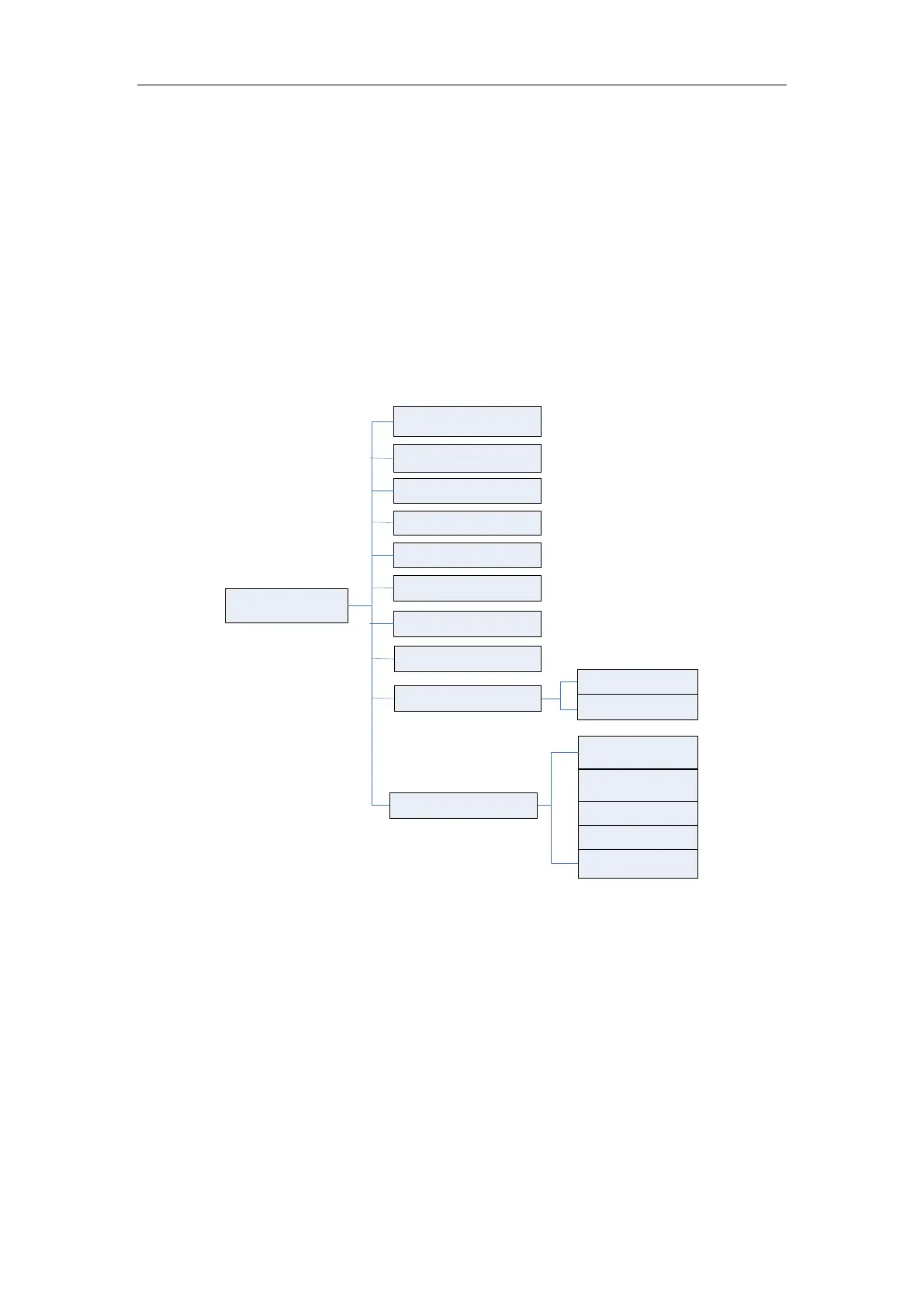
Parameter Setup menu, see tree
diagram below:
EtCO
2
Setup
Alarm Switch
EtCO
2
Alarm High
EtCO
2
Alarm Low
awRR Alarm High
awRR Alarm Low
Apnea Delay
EtCO
2
Unit
Zero Setup
Oxygen
Anesthetic
BARO.
Advanced Setup
Zero Gas Type
Start Zeroing
EtCO
2
Period
Balance Gas
Gas Temp
Figure 13: Tree Diagram for EtCO
2
Parameter Setup Menu
ALARM SWITCH
ON and OFF for choice, the factory setting is ON.
If the EtCO
2
or awRR value is above or below the alarm limit, when the choice is ON, the
alarm is activated; when the choice is OFF, the alarm sound will be forbidden, the alarm
indicator will not light and the relative alarm parameter will not flash.
ETCO2 ALARM HIGH
The range is 20~100 mmHg,and the factory setting is 60 mmHg.
ETCO2 ALARM LOW
The range is 1~95 mmHg,and the factory setting is 15 mmHg.
AWRR ALARM HIGH
The range is 10~150 mmHg,and the factory setting is 30 mmHg.



 To Next Page