User’s manual of CLEO Patient Monitor
- 34 -
Can be ON or OFF. The factory setting is ON.
If the QTemp value is above or below the QTemp alarm limit, and the alarm is ON, then
the alarm will be activated. When the alarm is OFF, the alarm indicator will not light up; the
corresponding alarm parameter will not flash.
QTEMP ALARM HIGH
The QTemp alarm upper-limit range is 10~50
(50~122
), and the factory setting is
40.0
(104.0
). The temperature can be adjusted in increments of 0.1
(0.1
).
QTEMP ALARM LOW
The QTemp alarm lower-limit range is 10
50
(50~122
), and the factory setting is
23
(73.4
). The temperature can be adjusted in increments of 0.1
(0.1
).
QTEMP UNIT
Can be Fahrenheit or Celsius. The factory setting is Celsius.
MEASURE MODE
It provides nine measure modes as choice including Oral Fast, Oral Standard, Oral Cold,
Oral Direct, Oral Monitoring, Axillary Standard, Axillary Cold, Axillary Direct and Axillary
Monitoring.
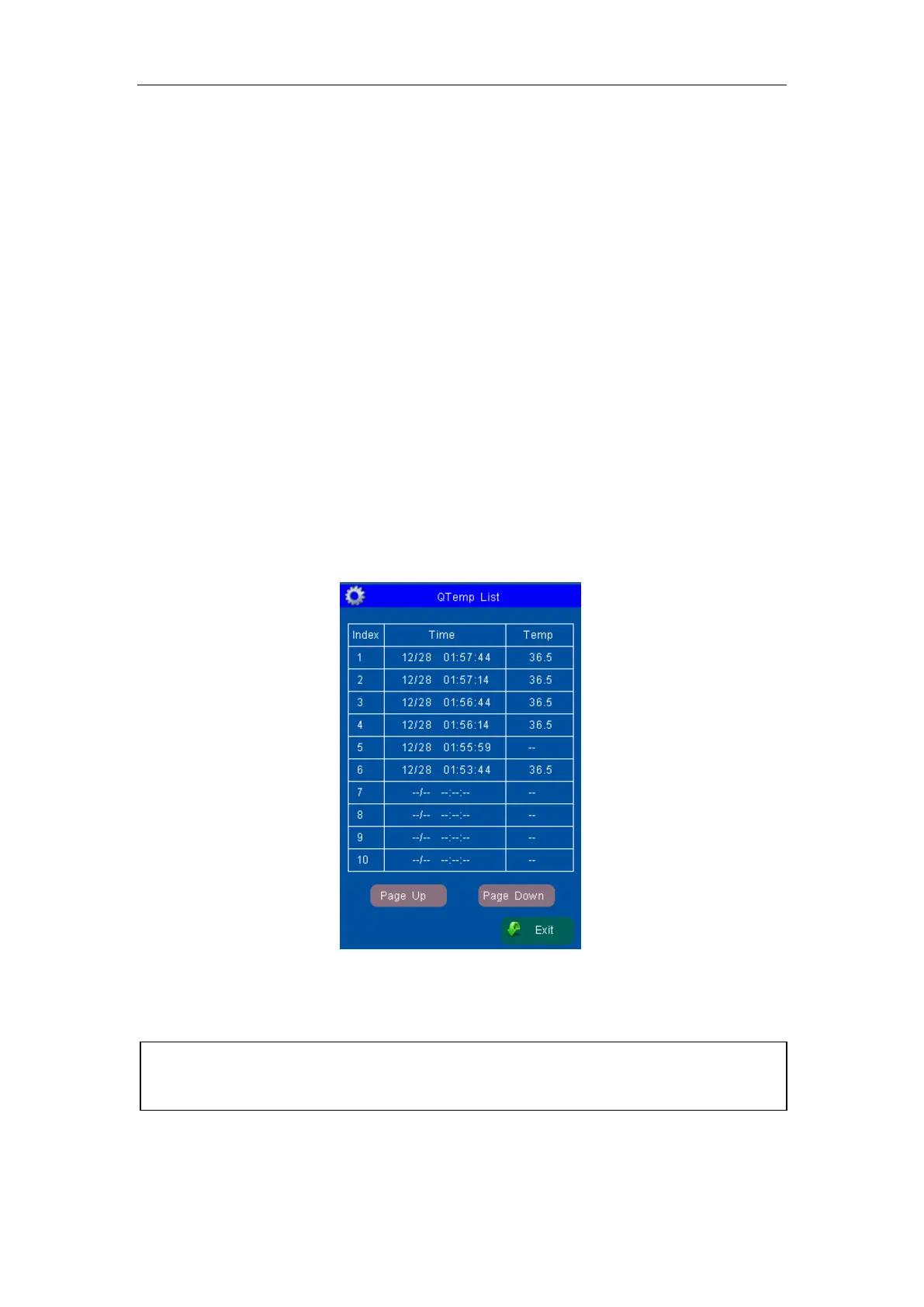
QTEMP LIST OBSERVATION
Touch the “QTemp List” menu item to open the QTemp list Tabular.
Figure 11: Window for QTemp List Observation
The QTemp list can save 300 groups of data.
[NOTE]: Only after the QTemp value has been measured successfully can it be added
to the QTemp Data List. QTemp list can save up to 300 groups of data. If exceed, the
new data will remove the oldest data from the list and be added to the list.



 To Next Page