User’s manual of CLEO Patient Monitor
- 44 -
RECALL DATA
PATIENT BASIC INFORMATION SETUP
CLOCK SETUP
HOW TO RECALL
PATIENT BASIC INFORMATION SETUP
The user can set by touching the patient ID area at the top left corner to open the
patient setup menu. You can have settings as below. CLEO Patient Monitor can save
five groups patient information for recall in total.
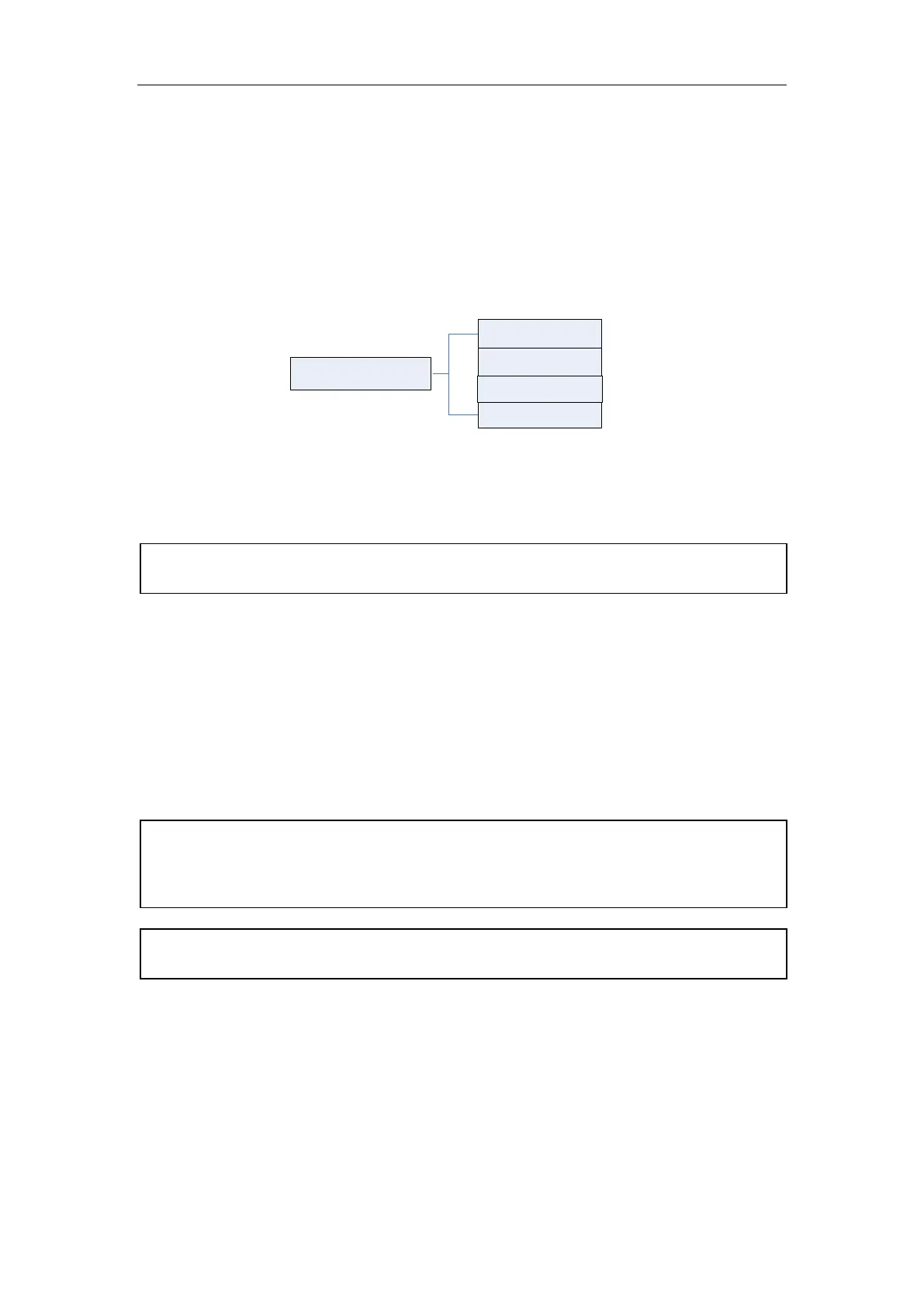
Patient Setup
Sex
ID
Blood
Age
Figure 15: Tree Diagram for Patient Setup
ID
Set the ID number of patient. The ID number for each patient is different and unique. The
user can input 12 characters at most.
SEX
Set the patient gender, the default setting is MALE.
BLOOD
Set the blood type of patient. It can be: N/A (unknown type), A, B, AB, O, RH+ and RH-,
the default setting is N/A.
AGE
Set the age of patient. The range is 0 ~120, the default setting is 25.
[NOTE]: Once the user chooses the method of YES to exit from the Patient Information
Setup, all information of patient will be refreshed and the trend data will be renovated.
[NOTE]: The Patient Monitor displays physiological data and stores them in the trends
as soon as a patient is connected. This allows you to monitor a patient that is not saved
information yet. However, it is recommended that you fully admit a patient so that you
can clearly identify your patient, on recordings, reports and networking devices.
[NOTE]: If you set the same ID with previous patient, the measurement data record will
be saved following after the previous data with same ID.



 To Next Page