User’s manual of CLEO Patient Monitor
- 39 -
mouth. If a standard nasal CO
2
sampling cannula is used with these patients, the
EtCO
2
number and capnogram will be substantially lower than actual.
6. When using the Nasal or Oral/Nasal CO
2
sampling kits with oxygen delivery, place
the cannula on the patient as shown above and then attach the oxygen supply tubing
to the oxygen delivery system and set the prescribed oxygen flow.
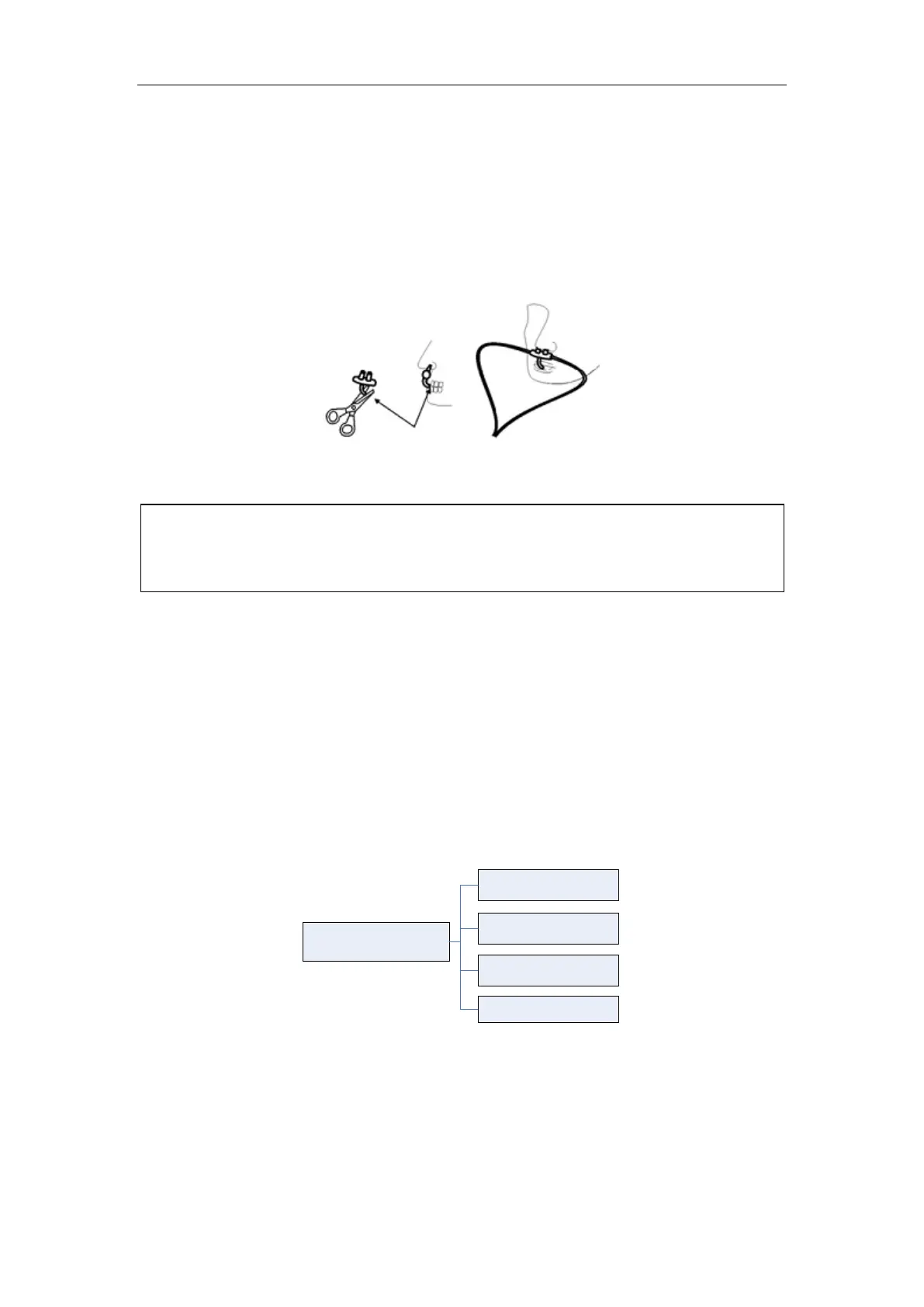
7. If the oral/nasal cannula is used, the oral sampling tip may need to be trimmed to
adequately fit the patient (see following figure). Place the cannula onto the patient as
shown in above figure. Observe the length of the oral cannula tip. It should extend
down past the teeth and be positioned in the mouth opening. Remove the cannula
from the patient if the tip needs to be trimmed.
:
FLOW RATE
Conditions that can cause a change in Flow Rate:
Water, mucous or other patient contaminate has entered the sample tubing.
The sample tubing is crimped or pinched so that the sample flow rate has decreased.
The exhaust port of the CO
2
module is obstructed.
The sample line is damaged.
The sample line has been cut, or split, causing the flow rate to increase.
ETCO2 WAVEFORM SETUP
Touch the EtCO
2
Waveform Area to open the EtCO
2
Waveform Setup menu, see graph
below:
EtCO
2
Waveform
Setup
Waveform Scale
Module Type
Sweep Speed
Sweep Color
Figure 12: Tree Diagram for EtCO
2
Waveform Setup Menu
WAVEFORM SCALE
Use this setting to adjust the amplitude measurement (size) of the displayed EtCO
2
waveform scale manually. The label will be displayed in the screen.
There are two items for choice: 0~75 mmHg, 0~150 mmHg.
SWEEP SPEED
DO NOT cut the oral cannula tip when the cannula is on the patient.
Remove the sampling kit sample cell from the CO2 Module Inlet Port when not



 To Next Page