User’s manual of CLEO Patient Monitor
- 45 -
CLOCK SETUP
In order to review data easily and intuitively, you should have set a right time.
Touch the time area at the top right corner to open the time setup menu. Also you can
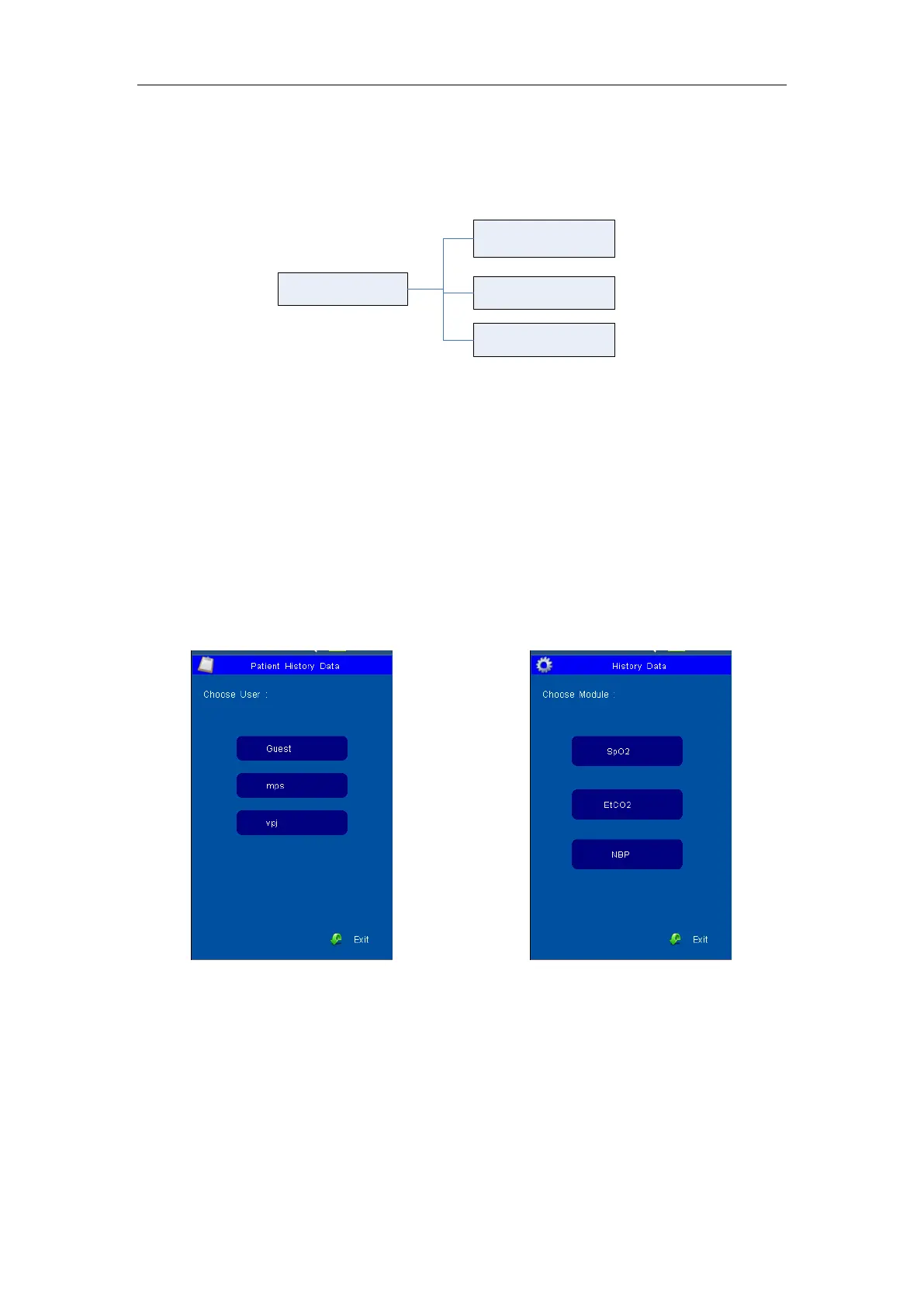
set the clock in the System Setup Menu. You can have settings as below:
Clock Setup
Year/Month/Day
Time Mode
Time
Figure 16: Tree Diagram for Clock Setup
The value of year, month, day, hour and minute can be set. System will amend the
internal clock according to the new settings.
TIME MODE
There are two items for choice.12H and 24H.
Once the system time realigned, the trend data will renew correspondingly.
On entering the master screen, please checks whether the monitor time and the current
time are consistent, if not, please correct them.
HOW TO RECALL
In Recall menu, choose a user firstly and then choose which parameter is to review.
Figure 17: User Choose and Module Choose
The parameter value in tabular format could be review if the relevant module is ON. The
parameter record will be saved every six seconds.
10 groups of measurement value are listed every page and 300 groups in total. Once the
recall memory has stored 300 groups of data, the oldest recall data will be overwritten by
new data.
These data will be listed follow the order from new to former and the time is displaying at
the scale-of-24 hours. The parameter name is display on the top of chart and the invalid
data will not display.



 To Next Page