26
English
User Controls
Enter
AV Mute
VolumeKeystone
Source
ECO
Re-Sync
Menu
VGA
1
Video
2
HDMI
3
+4
Aspect
5 +6
Page
-7
Freeze
8
Zoom
-9
Mouse
Picture
0
Mute
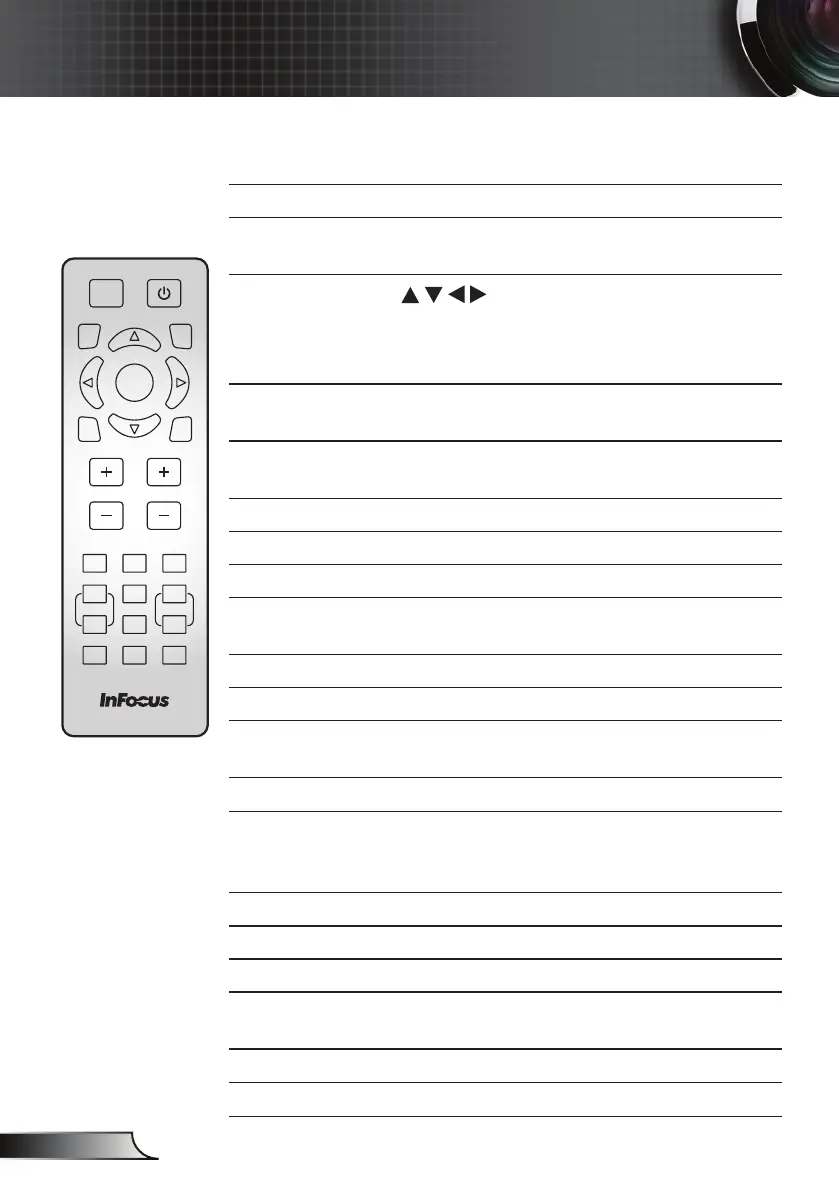
Remote Control
AV Mute Turns off audio and video until pressed again.
Re-Sync Automatically synchronizes the projector to the
input source.
Four
Directional
Select Keys
Use to navigate the menu and make
selections. Can be used as computer mouse
navigation from USB-A with Mouse Function
enabled.
Menu Launch the on-screen display (OSD) menu.
Press again to exit OSD menu.
Keystone +/- Adjust the image to compensate for distortion
caused by tilting the projector.
VGA Press to choose VGA source.
Video Press to choose Video source.
HDMI Press to cycle through all HDMI sources.
Page +/-
Use to send Page Up and Page Down
functions with Mouse Function enabled.
Mouse Turn on and off the Mouse Function.
Picture Display the Picture Mode menu.
Power Refer to the “Powering the Projector On / Off”
section on pages 14-15.
Source Select the input source.
Enter Conrm your OSD selection. Can be used as
computer mouse left click from USB-A when
Mouse Function is enabled.
ECO Display the Lamp “Brightness Mode” menu.
Volume +/- Increase and decrease audio volume.
Aspect Display the Aspect Ratio menu.
Zoom +/- Increase or decrease the image magnication
ratio.
Mute Turns off audio until pressed again.
Freeze Pauses the video source until pressed again.



 To Next Page