57
English
Appendices
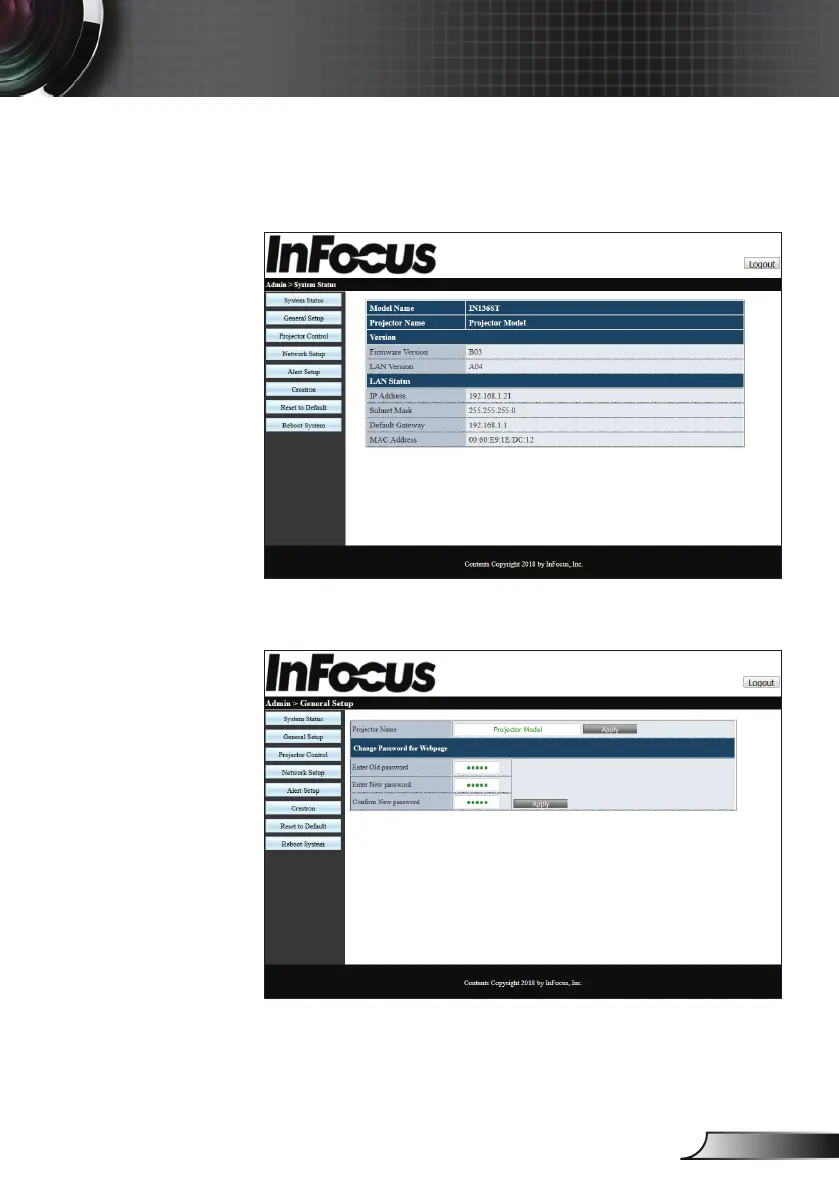
3. The System Status page will be displayed after log in. All
network features are accessible from the buttons on the
left. Reset to Default resets all projector settings. Reboot
system reboots the network interface, not the projector.
4. The General Setup page allows changing the Projector
Name and the admin password.



 To Next Page