Page 14 Interactive Touch Display Hardware Guide
Port Connection Instructions
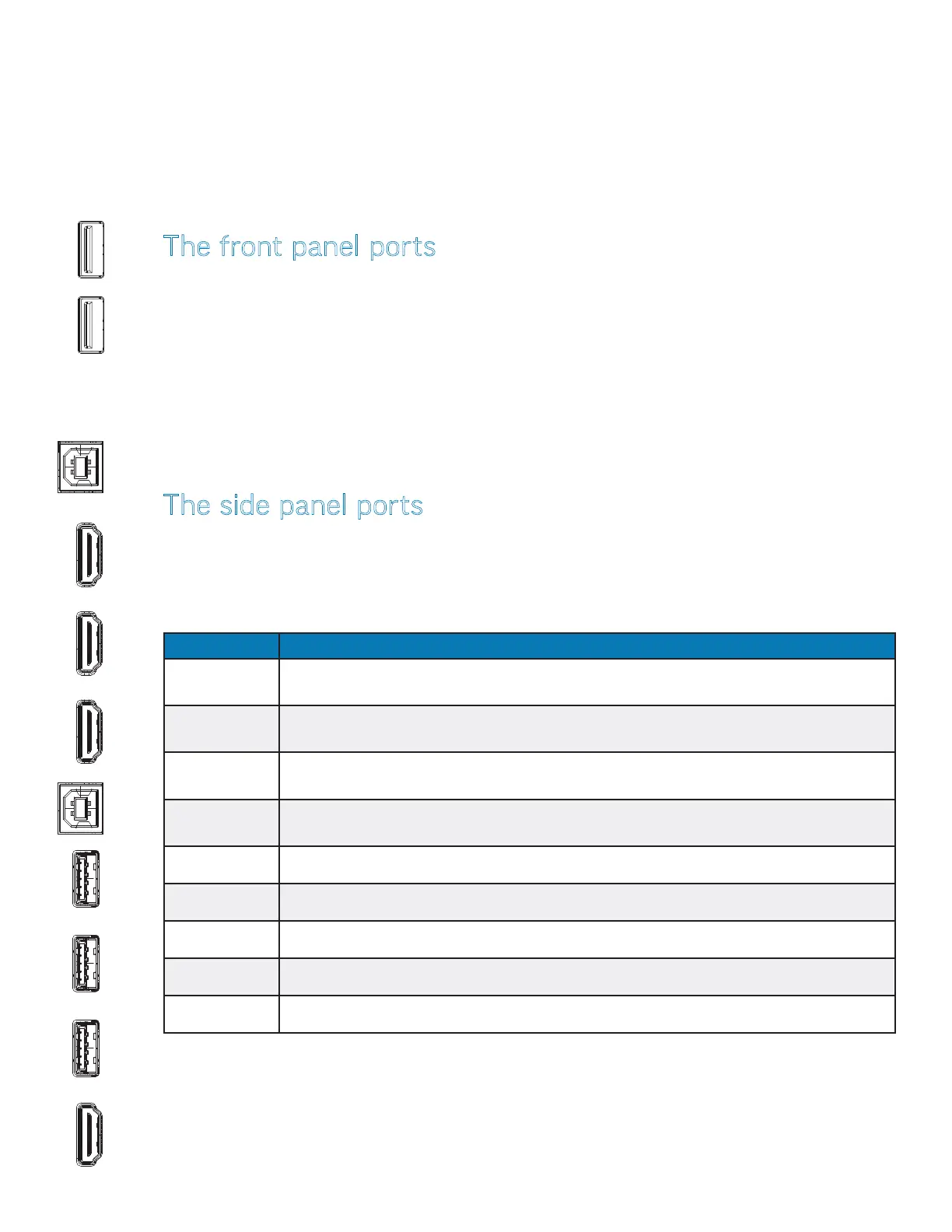
HDMI OUT Connect an HDMI cable from the display to an HDMI display input device. Whatever is displayed
is mirrored through this port (Android, PC, HDMI, VGA).
3.0 Accepts a USB 3.0 connection to the internal Android and/or Windows operating systems. Port
access for Android or Windows is programmable.
3.0 Accepts a USB 3.0 connection to the internal Android and/or Windows operating systems. Port
access for Android or Windows is programmable.
3.0 Accepts a USB 3.0 connection to the internal Android and/or Windows operating systems. Port
access for Android or Windows is programmable.
TOUCH 1 Touch signal output to an external computer. Associated with HDMI1 and HDMI2.
HDMI IN 1 Connect an HDMI cable from an HDMI external device to the display.
HDMI IN 2 Connect an HDMI cable from an HDMI external device to the display.
HDMI IN 3 Connect an HDMI cable from an HDMI external device to the display.
TOUCH 2 Touch signal output to an external computer. Associated with HDMI3 and VGA.
The side panel ports
The side panel ports are located on the right side panel (page 12). This table shows how to connect them.
NOTE: All of the side panel ports accommodate Android and/or Windows operating systems (A Windows PC is not
provided with display).
CONNECTING TO OTHER DEVICES
Connection ports are located on the front, the right side panel and under the display. They can be used to connect the display to a full
range of digital input and output devices, including: accessories; source (input) devices; PCs; tablets; and daisy-chain displays.
For PC port connection instructions, see pagepage 53.
HDMI OUT
3.0 3.0 3.0
TOUCH 1
HDMI IN 1 HDMI IN 2
HDMI IN 3
TOUCH 2
The front panel ports
The two front panel USB ports are located on the lower right side of the display (page 12). They are used to
connect a USB device to the internal Android and/or Windows operating system.
NOTE: Both front panel ports accommodate Android and/or Windows operating systems (A Windows PC is not
provided display).



 To Next Page