Page 51 Interactive Touch Display Hardware Guide
INSTALL THE PC, KEYBOARD EXTENDER & CAMERA
(The PC, Keyboard and Camera are optional accessories)
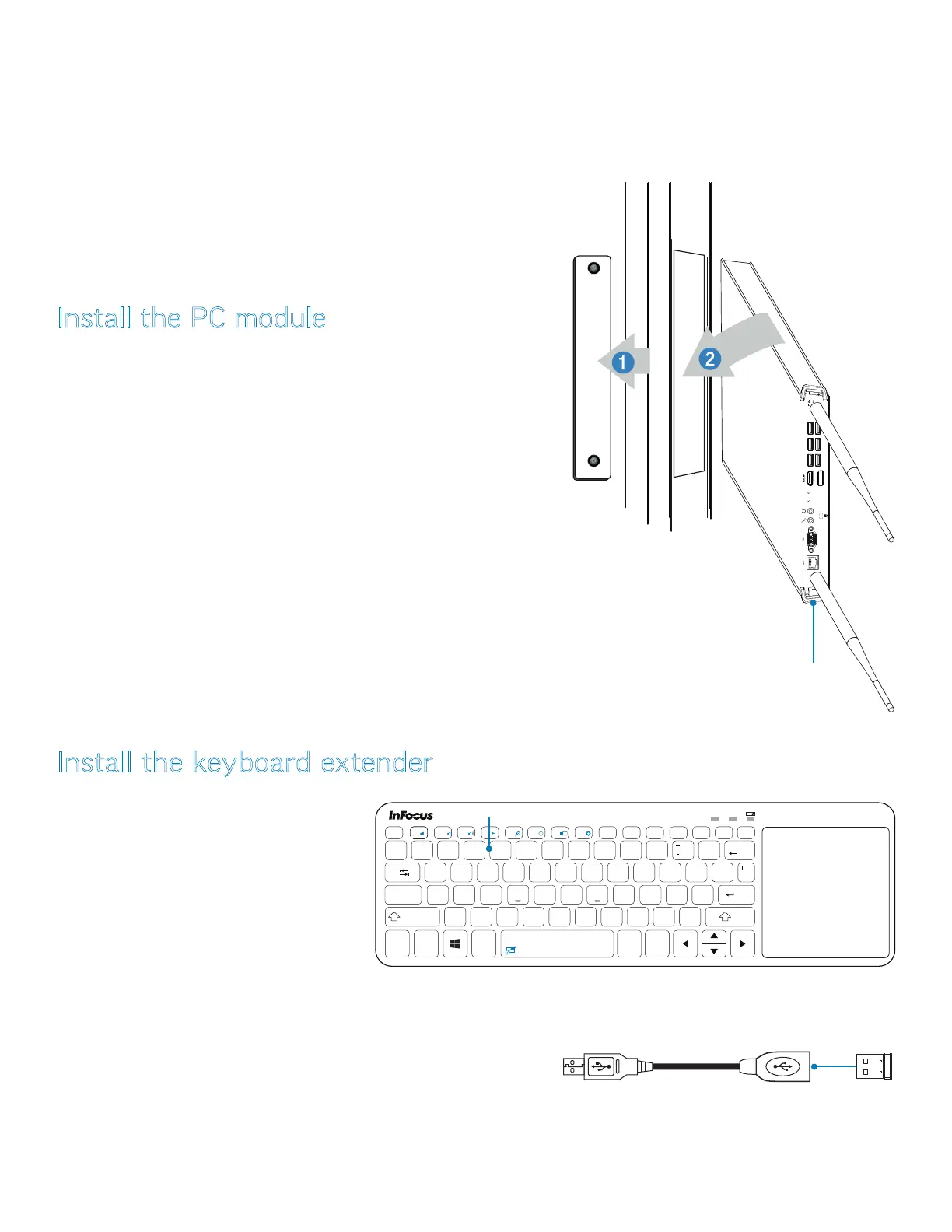
Install the PC module
1) Remove the PC cover plate on the right side panel by removing the
two Phillips screws (1).
2) Insert the PC into the slot with an orientation as shown in (2).
3) Push gently until the side tab locks into place, and the PC is ush to
the surface of the panel.
NOTE: If you should have to remove the PC, push the side tab to
unlock it, then pull the PC out.
VGA
LAN
side tab
Install the keyboard extender
!
1
@
2
~
`
#
34 5
%
6
^&
7
(
8
)
9
=
0
+
’
”
;
:
$
Backspace
Q
?
/
.
>
<
,
Alt
Alt
Ctrl
Caps Lock
Shift
Tab
Fn
Ctrl
7
-
+
{
[
}
]
\
.
1 A
8
* *
WE RT YU
4
I
5
O
6
P
/
F2 F3
F4
/II
F5 F6
x
F1
x
F1
F8 F9
Home
F10
End
F11
PgUp
F12
PgDn
PrtScr
Pause
Ins
NumLk
F7
Esc
Del
ScrLk
ASDFGHJ
1
K
2
L
3
Enter
Shift
ZXCV BNM
0
1) Remove the dongle from the battery com-
partment in the back of the keyboard.
2) Attach the dongle to the provided keyboard
extender, then to a USB 2.0 or 3.0 port on
the side panel (page 12 and page 14).
NOTE: Make certain to use the provided
extender if the dongle is to be connected to
a USB 3.0 port.



 To Next Page