Page 46 Interactive Touch Display Hardware Guide
Input Setting
Tap Input Setting, or the Input Setting icon.
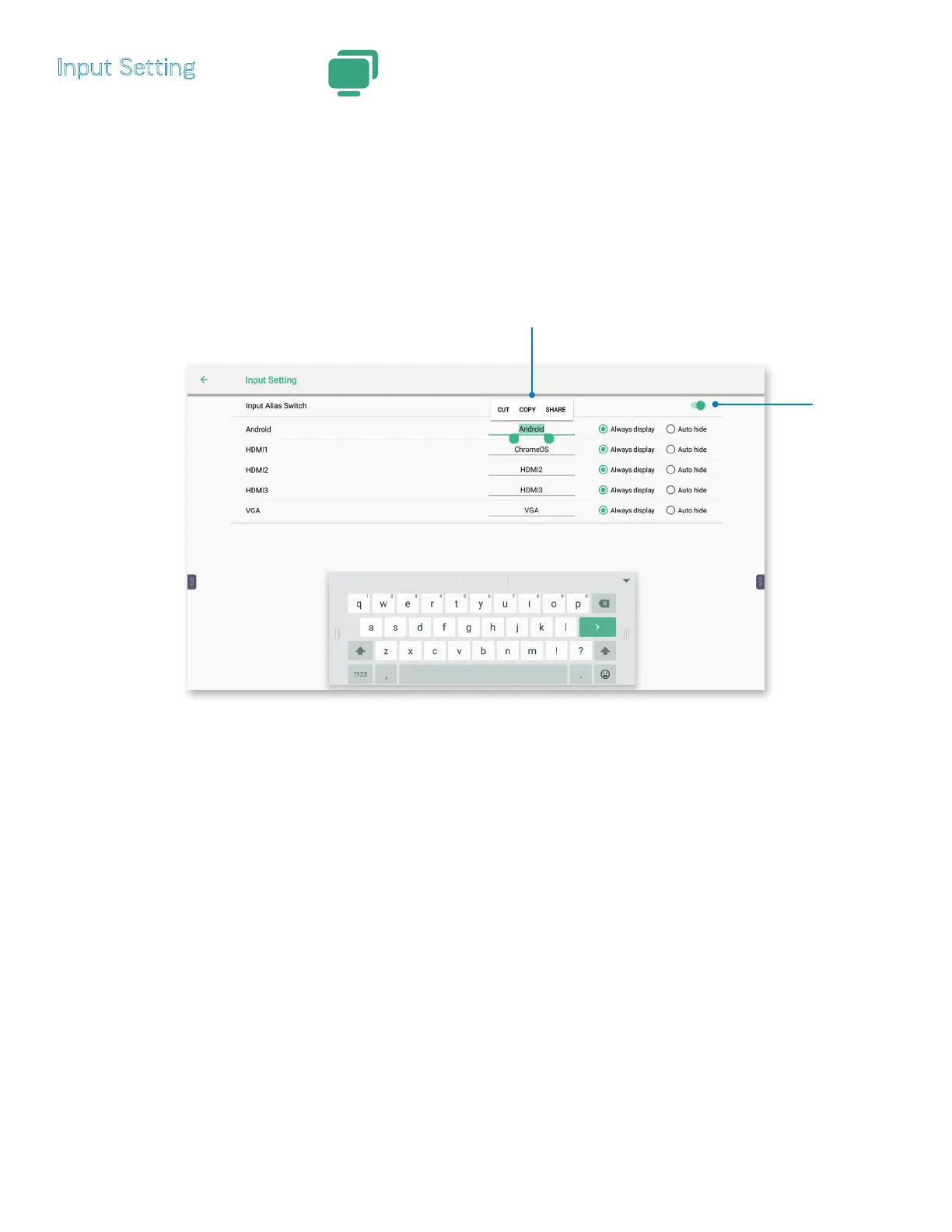
1) To set an alias, the Input Alias Switch must be enabled — turn the On/O button (page 25), located to the right, to On.
a) Use the on-screen keyboard to enter a user-friendly alias. Double-tap the name of a source to CUT, COPY or SHARE it.
2) To the right of the source, choose to Always dispay or to Auto hide the source name from the LiveView input source selection
menu (page 23).
NOTE: Auto hide will conceal a video source from the LiveView input source selection menu only as long as no video source is
attached to it.
Input Alias Switch
must be on.
Double-tap a
source name to
cut, copy or share.



 To Next Page