Page 15 Interactive Touch Display Hardware Guide
The under panel ports
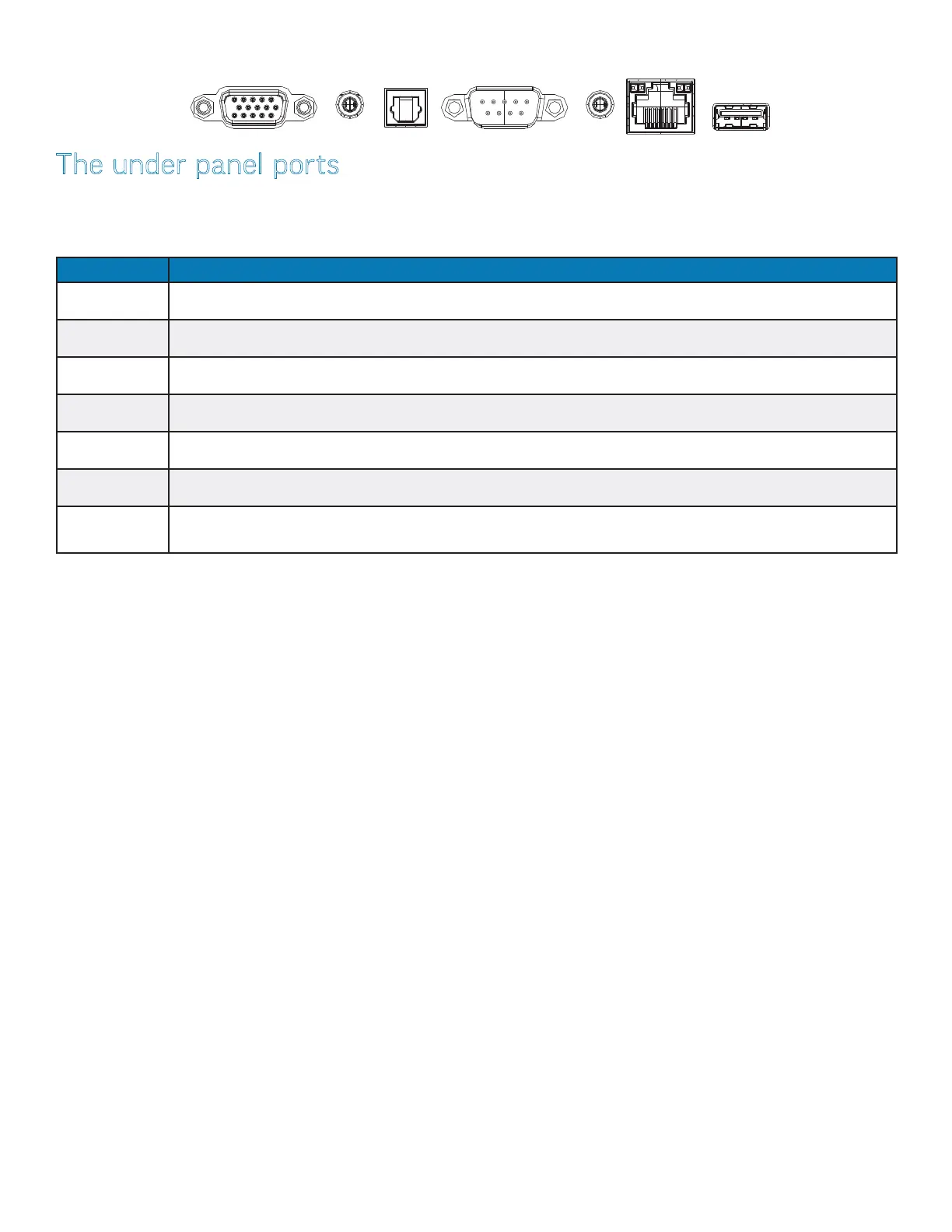
The under panel ports are located on the right side of the display (page 12). This table shows how to connect them.
NOTE: All of the under panel ports accommodate Android and/or Windows operating systems, with the exception of the 2.0 USB port.
(A Windows PC is not provided with display.)
Port Connection Instructions
VGA Connect a VGA cable from an external device to the monitor.
AUDIO IN Connect an audio source to the panel. This audio source is active when the VGA video source is the current source.
SPDIF Connect to an external audio source.
RS232 Connect a serial control source to the panel.
AUDIO OUT Connect to an external audio source.
LAN Connect an RJ45 cable to provide internet connections for the Android and/or Windows operating systems.
2.0 This port is dedicated to the Android operating system. InFocus recommends connecting the Android wi adapter
to this port (see page 17).
VGA AUDIO IN SPDIF RS232 AUDIO OUT LAN
2.0



 To Next Page