Page 49 Interactive Touch Display Hardware Guide
System Settings
Tap System Settings, or the System Settings icon.
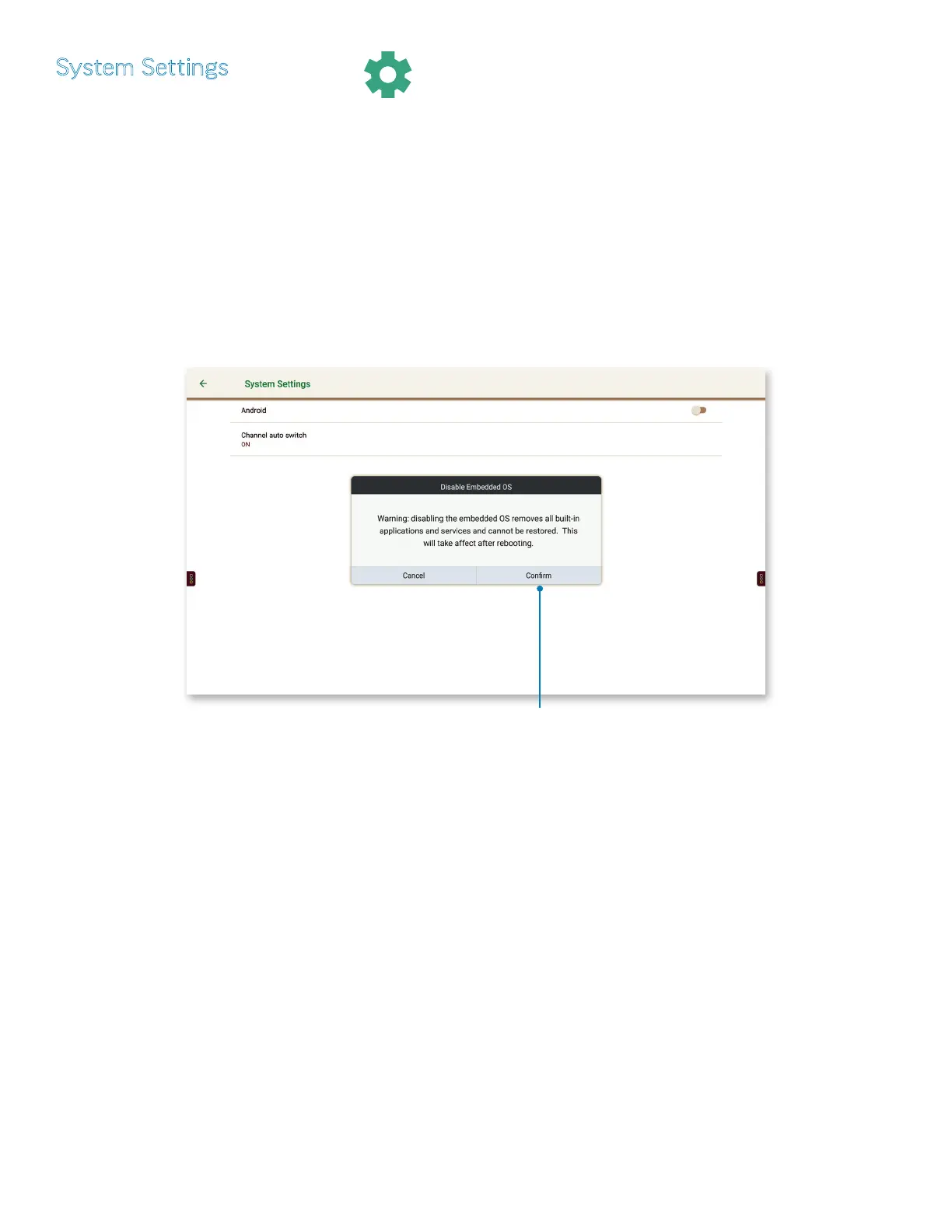
1) Tap Android, or the On/O button to the right (page 25), to show the Disable Embedded OS window. Tap Conrm to erase all
Android functions completely.
CAUTION
Selecting Conrm from the Disable Embedded OS window will erase all
Android functions. Once you tap Conrm, there is no way to restore the
Android operating system without a factory rmware update.
Selecting “Conrm” will
erase the Android operating
system completely.
NOTE: When the Android operating system is disabled, the front panel buttons behave as follows:
• Power: Functions as before
• Home: Now switches to the PC source
• Back: No longer functions
• Volume up and down: Function as before
• Input: Functions as before
NOTE: In earlier models, touch is disabled with the Android operating system. If this is the case with your panel, use
the remote control (page 11) to access sources.
2) Tap Channel auto switch; choose between O, On or Select.



 To Next Page