Page 20 Interactive Touch Display Hardware Guide
TOTAL TOUCH CONTROL™
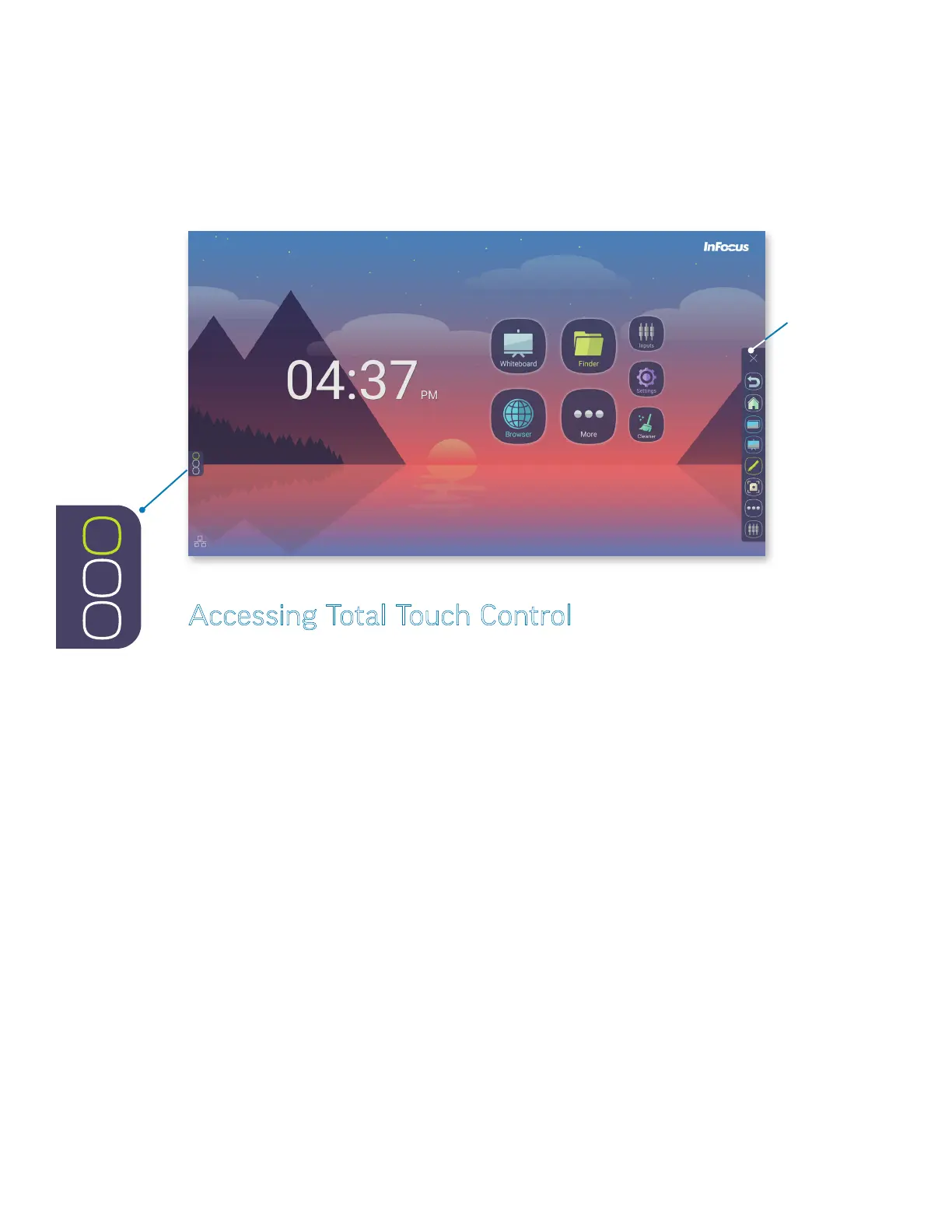
With Total Touch Control (TTC), anything you want to do within an Android application can be accomplished by touching the screen.
Use the touch-controlled menus to move through desired tasks, choose tools and manipulate the display.
NOTE: The remote control and the buttons on the lower right of the display are still active in TTC, and can also be used in navigation
and selection.
Total Touch Control
primary menu icons
Total Touch Control
menu tab
Accessing Total Touch Control
Tap the Total Touch Control menu tab on either side of the touch display to show the primary menu icons.
NOTE: Both menu tabs can be moved vertically for the entire extent of the screen.



 To Next Page