Page 41 Interactive Touch Display Hardware Guide
Apps
Tap Apps, or the Apps icon.
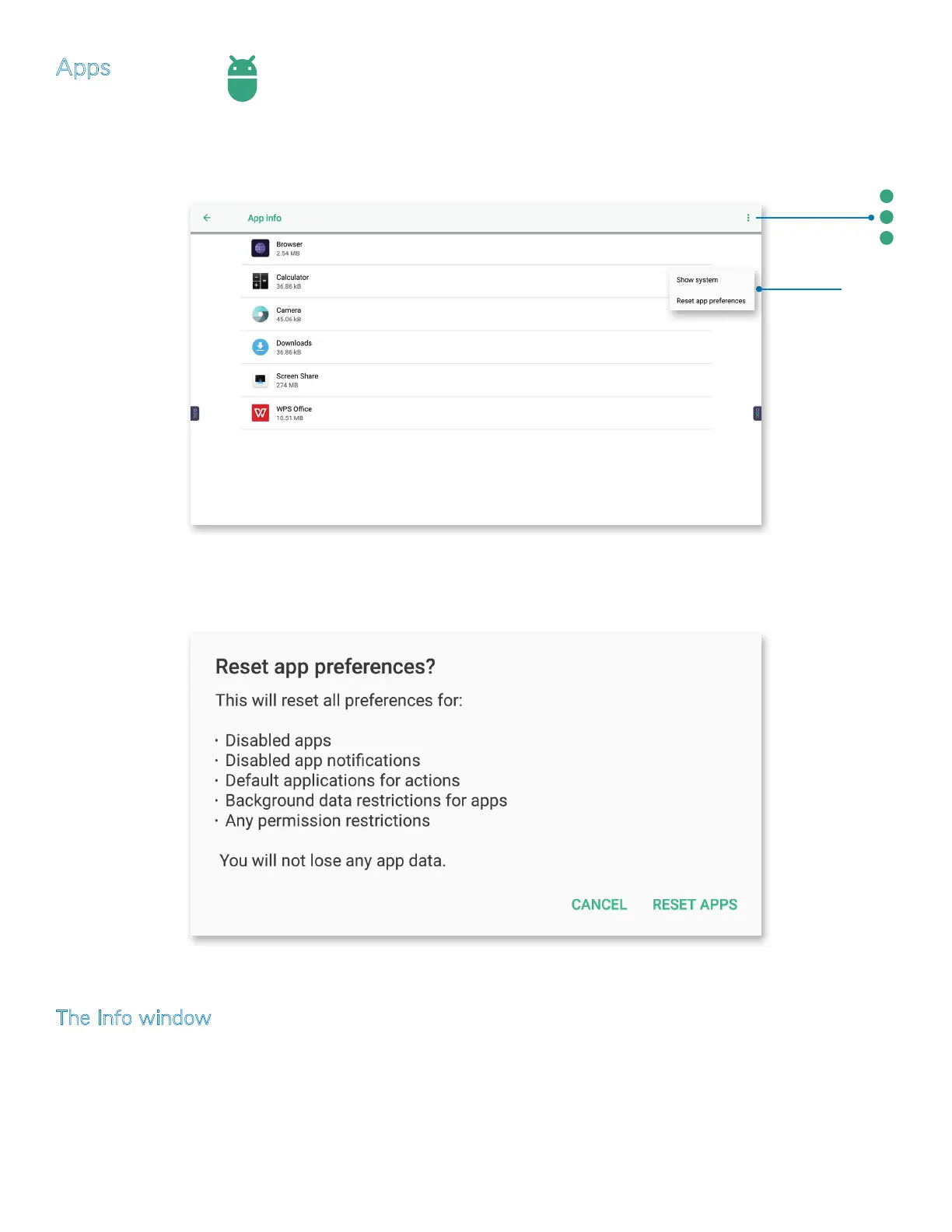
1) At the App info window, tap the More icon at the upper right for a drop-down window with two selections:
a) Tap Show system/Hide system to switch between a list of all apps and their components, or only the applications.
Tap the
More
icon for a
drop-down
window.
b) Tap Reset app preferences. The Reset app preferences? window appears. Tap RESET APPS to reset the preferences for all
installed applications, or tap CANCEL to return to the previous screen.
The Info window
From App info (above), tap any app name or its icon to access its info settings.
These setting adjustments are identical to those available through Device > Storage > Other Apps > Apps storage (page 39). Where
you choose to access them is a matter of personal preference and/or expediency.



 To Next Page