Page 30 Interactive Touch Display Hardware Guide
More
Tap More, or the More icon.
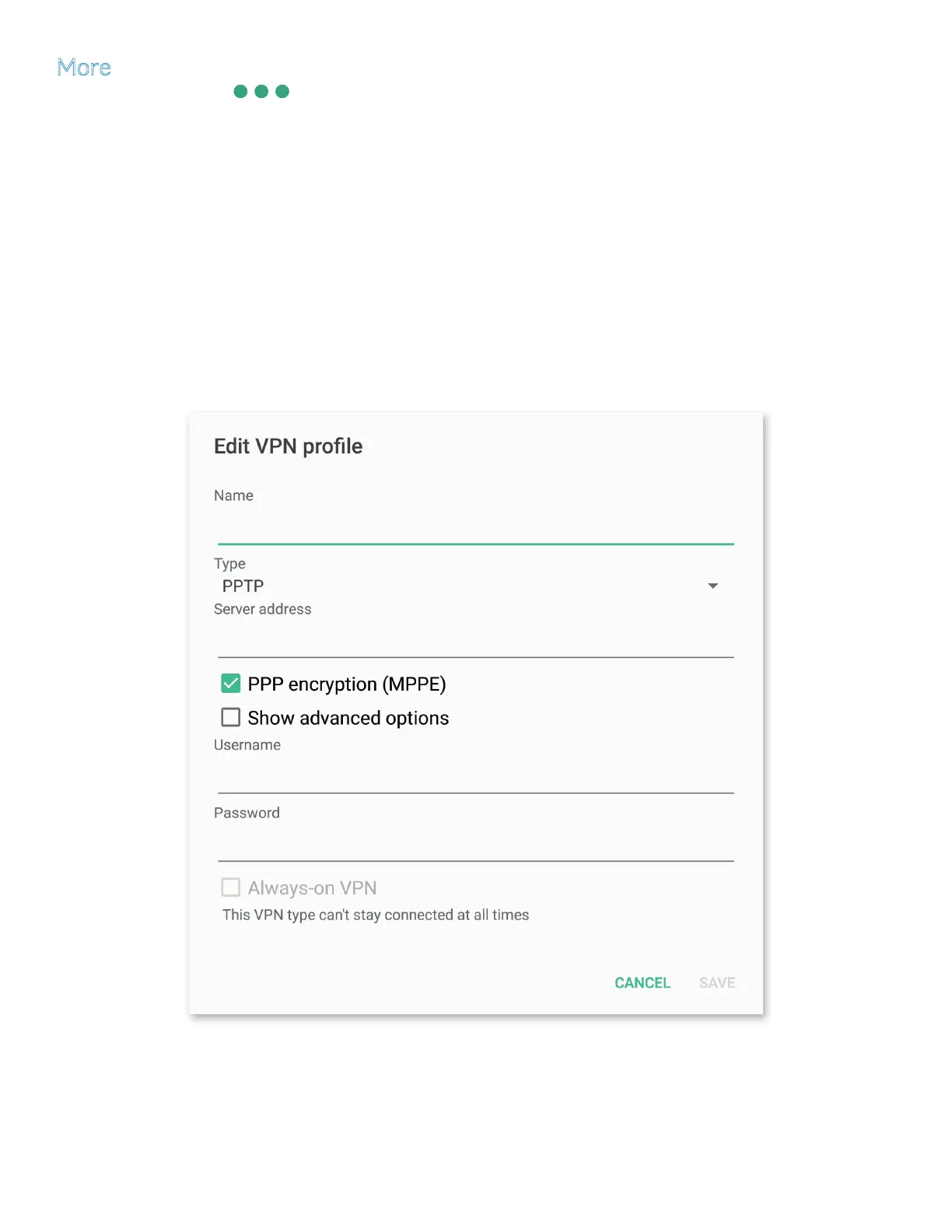
1) To add a Virtual Private Network, tap VPN and then the “+” symbol at the upper right. The Edit VPN prole window appears.
a) Use a connected keyboard or the on-screen keyboard to enter a Name.
b) Select the Type of VPN from the drop-down list, and enter the Server address. (By default, PPTP with PPP encryption is
selected.)
c) Select Show advanced options and, depending on the VPN, enter the associated certicates, domains, servers and/or other
protocols.
d) An optional username and password can be entered.
e) Depending on the VPN you have chosen, Always-on VPN may be available.
f) At the bottom of the window, tap Cancel or Save to dismiss or conrm your settings.



 To Next Page