Page 31 Interactive Touch Display Hardware Guide
Share
SAMBA
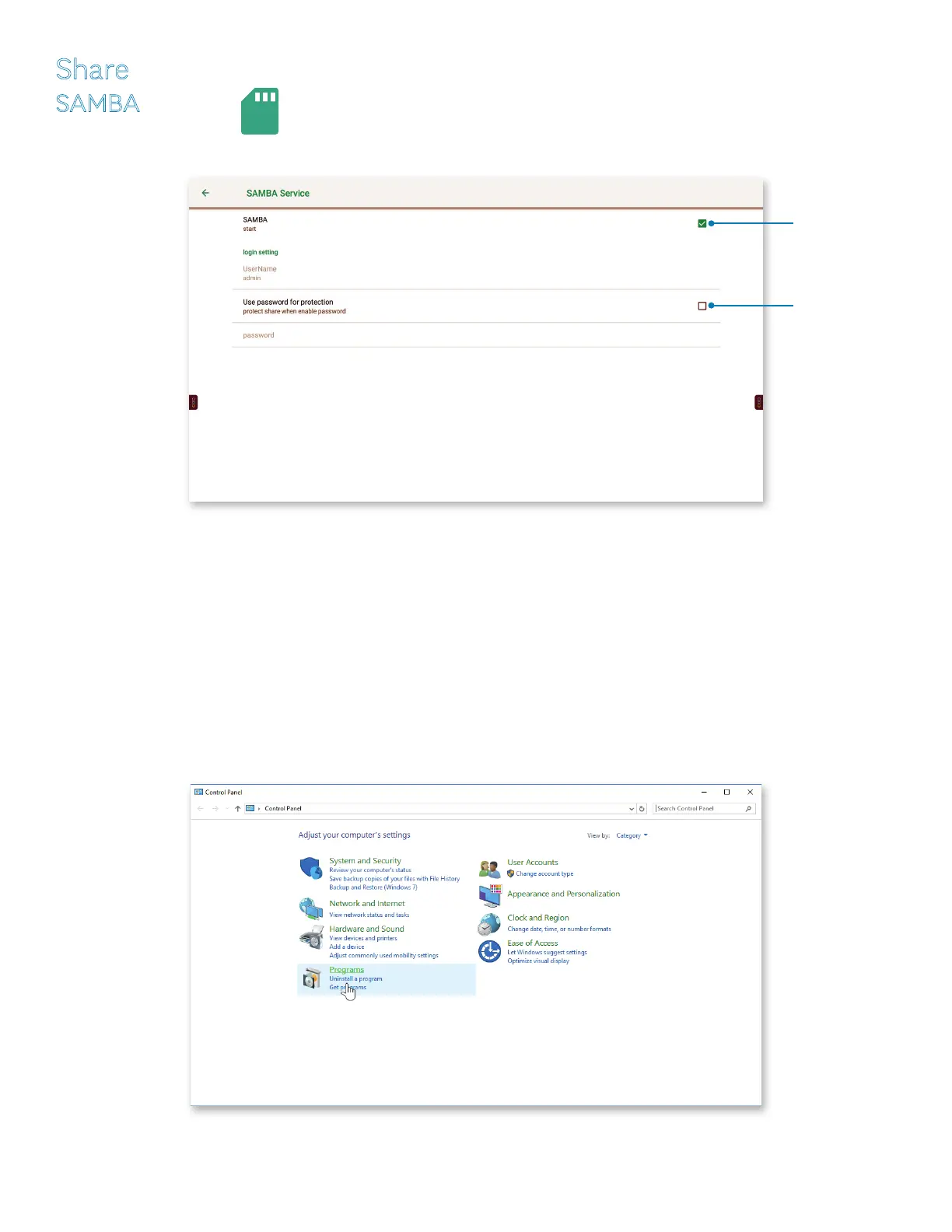
Tap SAMBA, the SAMBA icon or click the check box to the right to enable le sharing.
1) The UserName is locked to “admin.”
2) If you choose to enter a password, tap Use password for protection, or click the check box to the right, and enter the password.
3) For Macintosh operating systems:
a) Open the shared section of a Finder window and press “command + K.”
b) Enter “smb://” followed by the panel’s ip address.
NOTE: See WiFi (page 25) or Ethernet (page 27), under Settings, for the panel’s ip address.
4) For Windows operating systems:
a) Type “Control Panel” in the Windows search box.
b) Select “Programs.”
Click the check box.
Click the check box
to enable le sharing.



 To Next Page