Page 52 Interactive Touch Display Hardware Guide
Install the camera
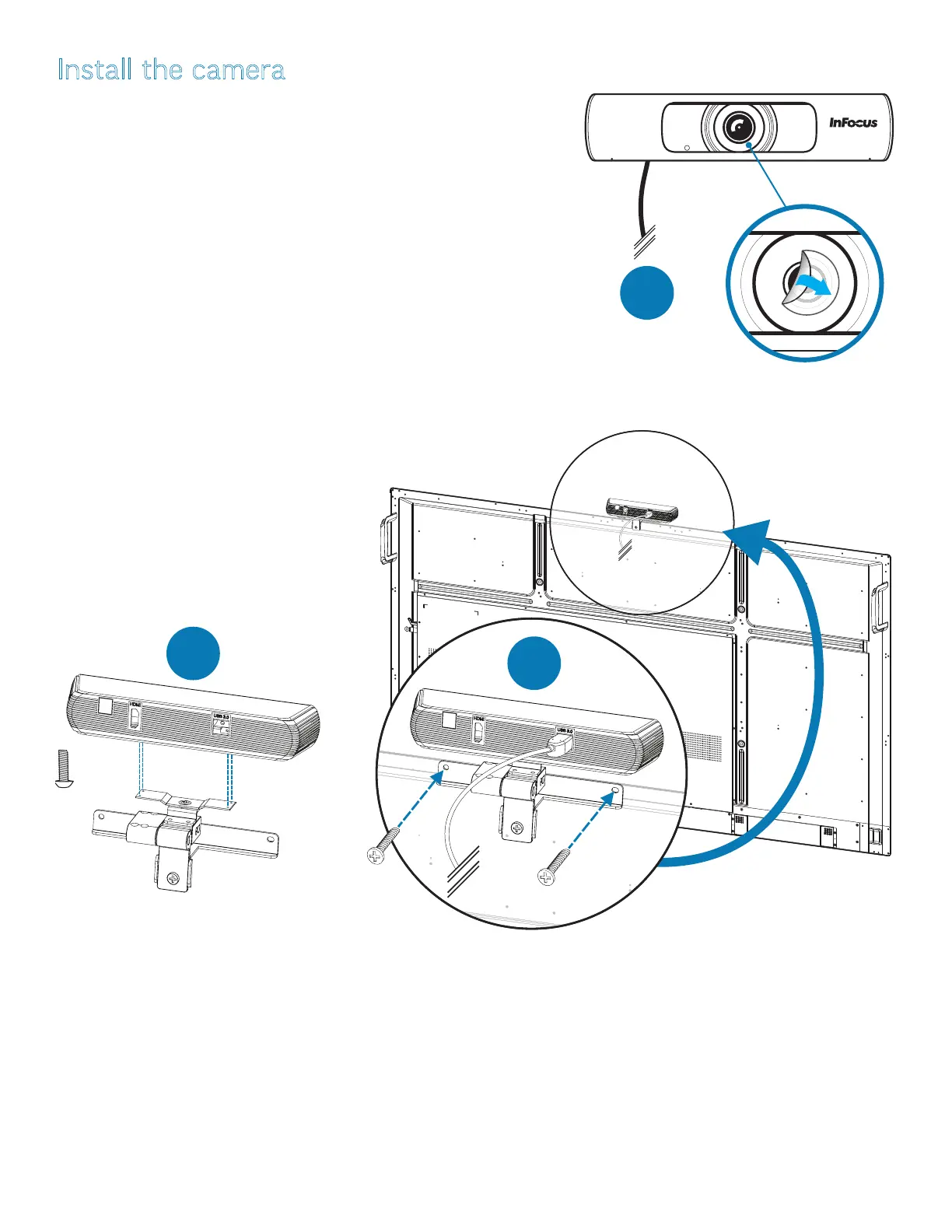
1) Remove the plastic lm from the camera lens, if any is present (1).
2) Attach the camera to the bracket with the four provided thumbscrews (2).
3) Position the camera at the top of the panel, so that the two holes at either
end of the bracket (3) align to two screws. Remove the screws and use them
to attach the bracket, and the camera with it, to the display (3).
4) Plug the USB cable into a 3.0 USB port on the side of the display.
x4
2
3
1
4K



 To Next Page