Page 7 Interactive Touch Display Hardware Guide
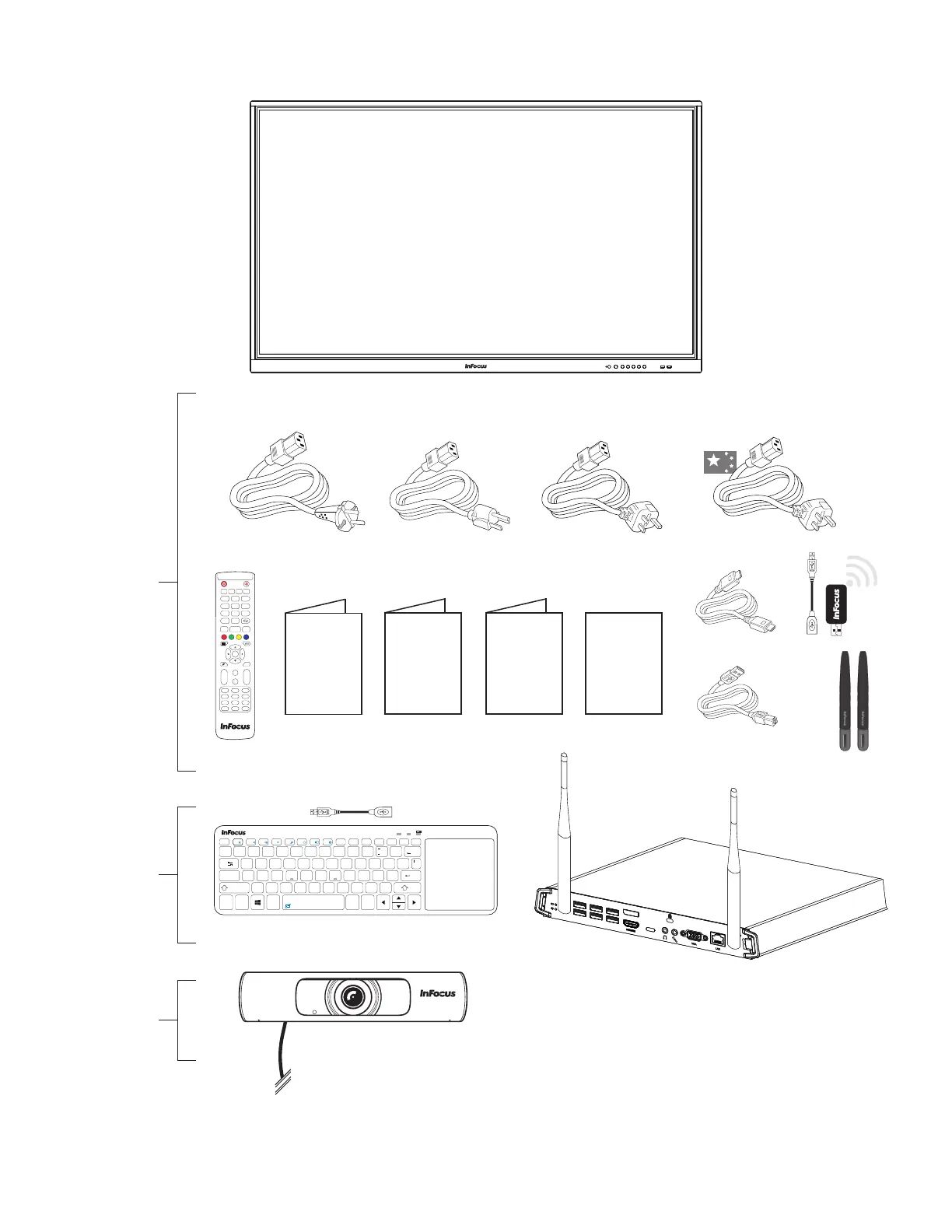
INCLUDED ACCESSORIES
NOTE: Optional accessories such as the
PC, keyboard, WiFi dongle, and/or the USB
dongle may be stored inside the protective
styrofoam at the top or bottom of the
display.
NOTE: For setup purposes, a keyboard and mouse are recommended.
Included
Accessories
Optional
Accessories
Optional
Accessory
4K
!
1
@
2
~
`
#
34 5
%
6
^&
7
(
8
)
9
=
0
+
’
”
;
:
$
Backspace
Q
?
/
.
>
<
,
Alt
Alt
Ctrl
Caps Lock
Shift
Tab
Fn
Ctrl
7
-
+
{
[
}
]
\
.
1 A
8
* *
WE RT YU
4
I
5
O
6
P
/
F2 F3
F4
/II
F5 F6
x
F1
x
F1
F8 F9
Home
F10
End
F11
PgUp
F12
PgDn
PrtScr
Pause
Ins
NumLk
F7
Esc
Del
ScrLk
ASDFGHJ
1
K
2
L
3
Enter
Shift
ZXCV BNM
0
009-1835-XX
009-1836-XX 009-1724-XX 009-1807-XX
VG
A
LAN
VG
A
LAN
Start
Alt + F4
Space
Alt + Tab
1
3
2
4
6
5
7 98
0
Display
Input
Menu
Home
Back
CH.+
CH.-
VOL+
VOL-
PgUp
PgDn
F1
F4
F5
F2
F3
F6
F9
F12
F8
F11
F7
F10
Enter



 To Next Page