Page 24 Interactive Touch Display Hardware Guide
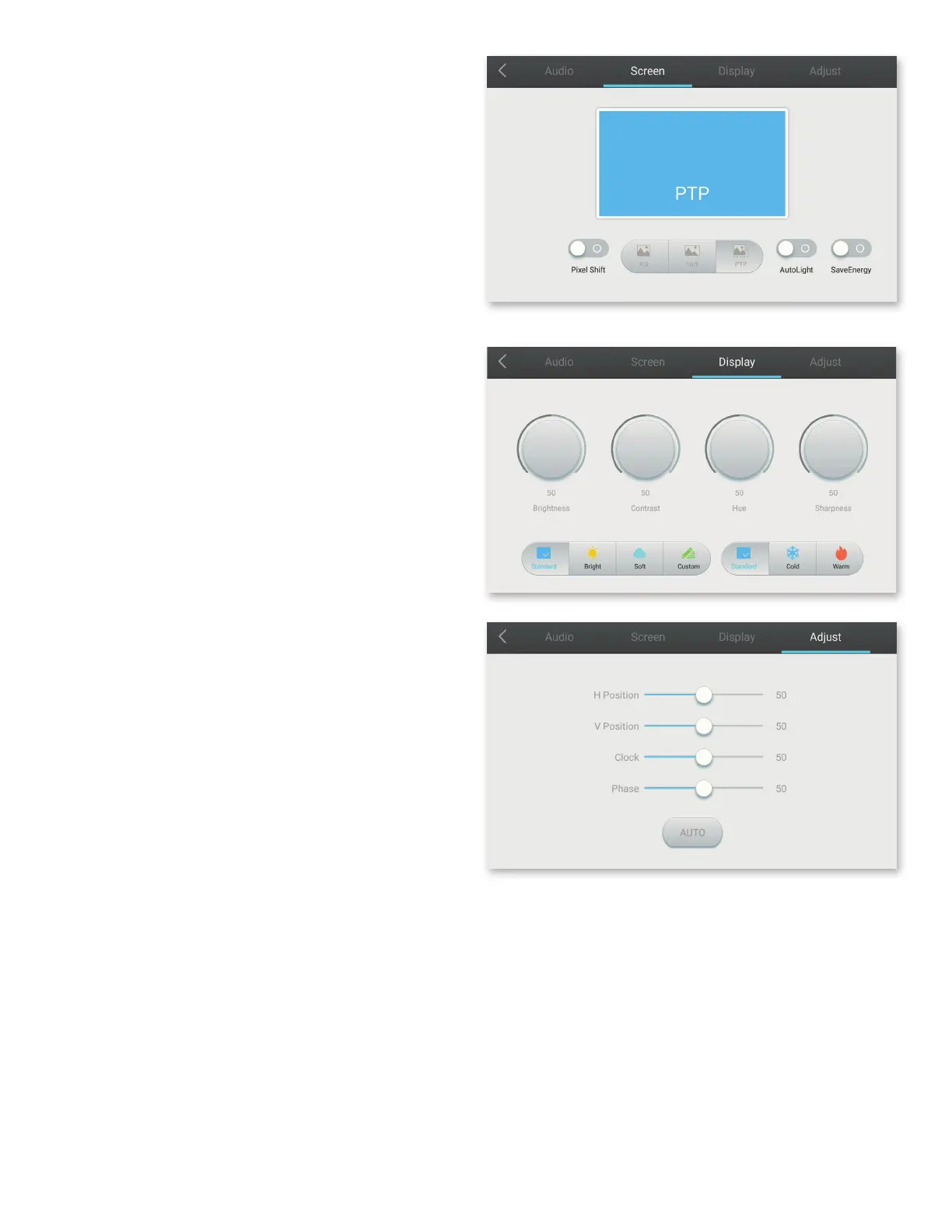
Display
Modies the appearance of the display. Choose one of three
presets — Standard, Bright and Soft — or create a Custom display
setting.
Choose the color temperature: Standard, Cold or Warm.
NOTE: These options are available for video input sources only —
HDMI1-3 and VGA.
Adjust
Use the slider buttons to adjust the horizontal and vertical align-
ment.
Screen
Three aspect ratios are available — 4:3; 16:9; or PTP (Pic-
ture-to-Picture), which lls the screen. Tap the on/o button
above Pixel Shift to enable/disable it.



 To Next Page