Page 37 Interactive Touch Display Hardware Guide
2) At the Storage window, tap a category to show the amount of data each application within the category is using. (If a portable
device is connected, tap Internal shared storage and Portable storage for the same information.)
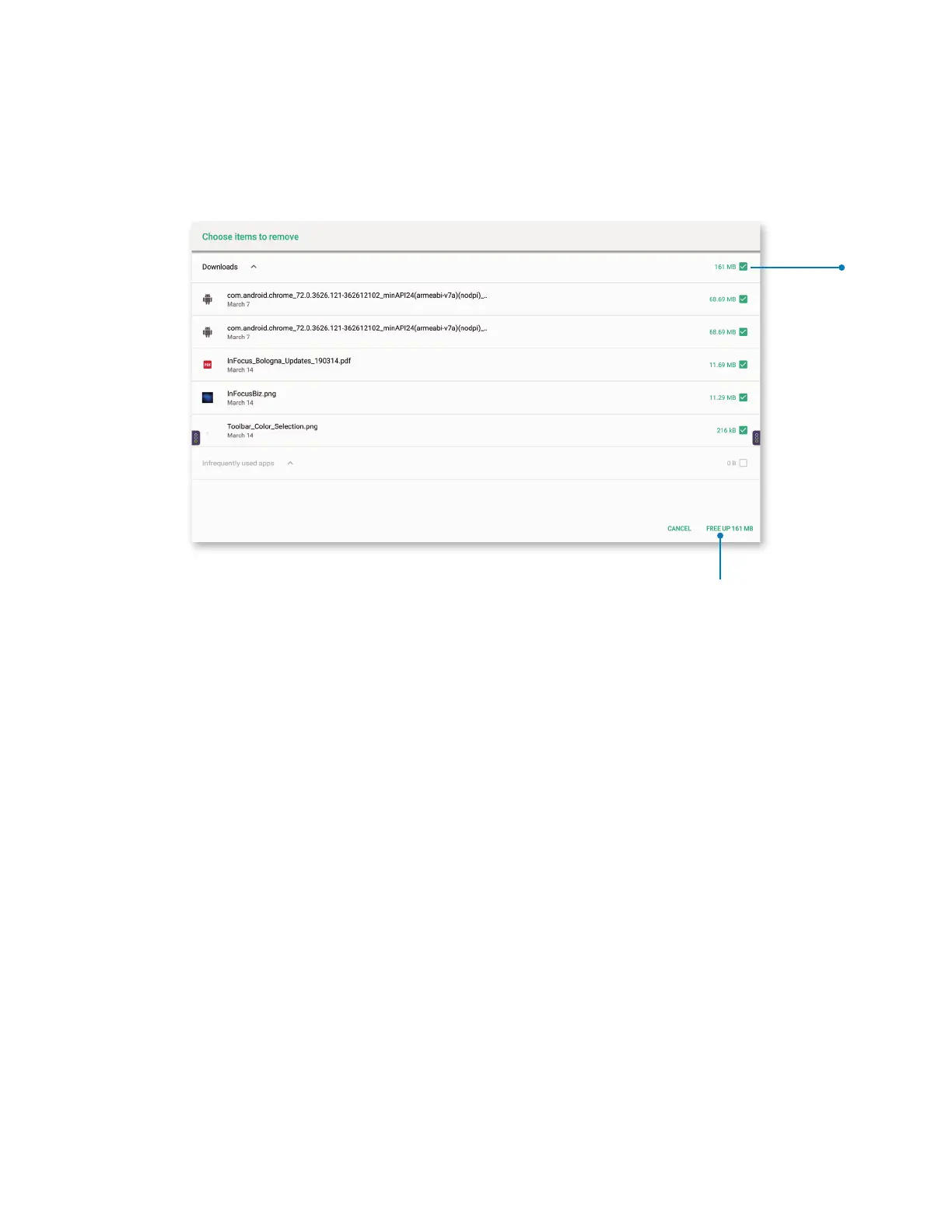
3) Tap the back arrow at the upper left to return to Storage. Tap FREE UP SPACE. The Choose items to remove window appears, with
a list of downloads and infrequently-used apps. They are all pre-selected to be deleted.
a) Tap FREE UP at the lower right of the window to remove the entire list; tap the checkbox to the right of any le to unselect it;
or tap CANCEL at the lower right to return to the previous screen.
Tap the
checkbox
to unselect
a le.
Tap FREE
UP to delete
the entire
list.



 To Next Page