Optimas System Operator Manual
Section 4: Device Description
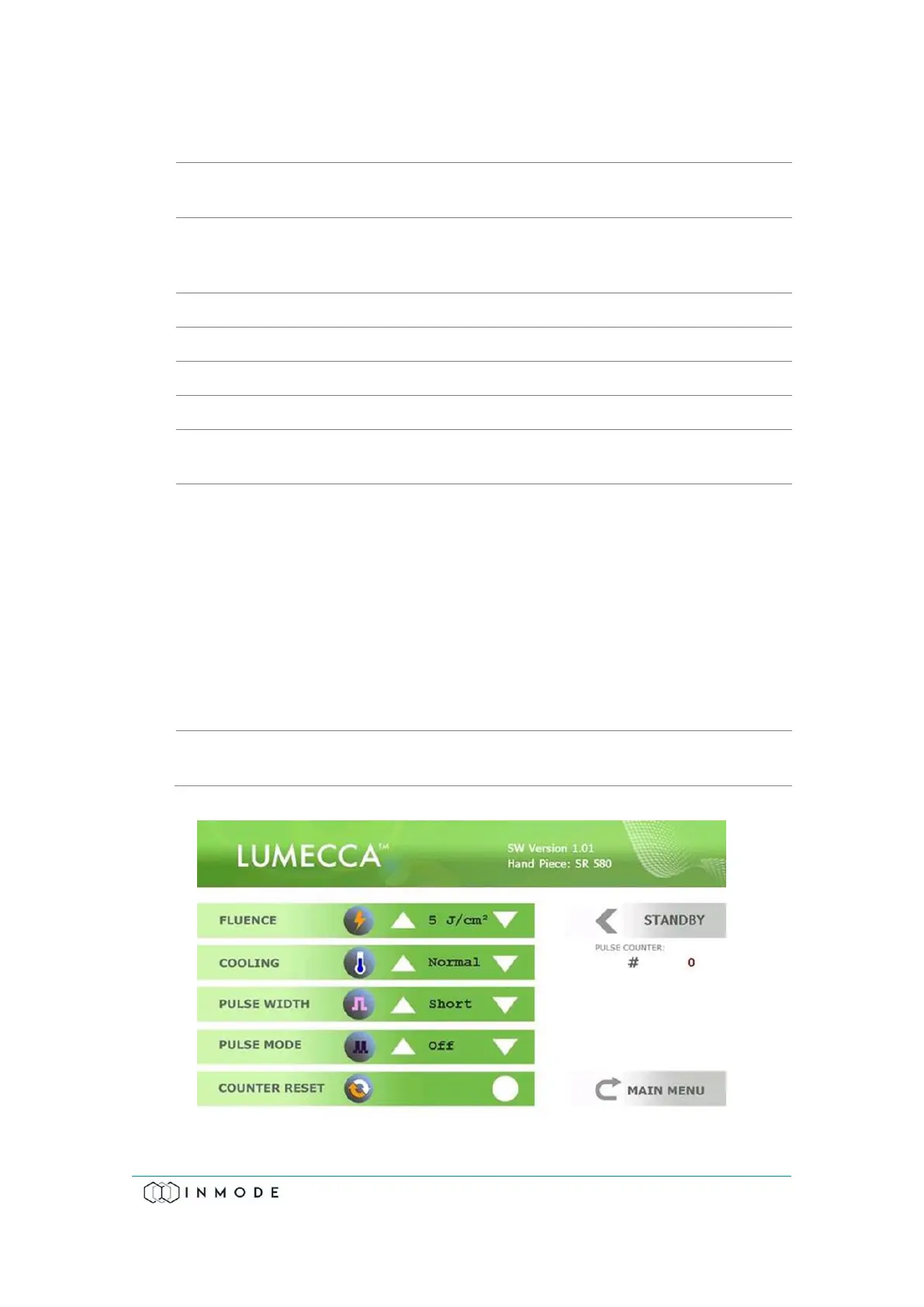
The Vasculaze Treatment Screen contains:
The frame selects parameters that can be changed by the
function keys.
Fluence (laser energy density) is changed within the limits from
100 to 300J/cm², and the System starts up at the minimal
setting.
Select between Strong and Normal cooling of lightguide.
Select between Off (Single pulse) or 1pps (Pulse Per Second).
Short or Long pulse can be selected.
The Pulse Counter can be reset.
Shows the number of pulses delivered from the beginning of
the treatment.
The System has four treatment modes:
Standby mode- allows the user to set treatment parameters.
Activation of energy is not allowed in Standby mode.
Armed mode - when the Footswitch is pressed, before the hand
trigger.
Ready mode - when the System is waiting for a signal from the
trigger switch to activate the energy. Any attempt to change
the treatment settings switches the System to Standby mode.
Active mode - when the laser is pulsed by pressing the hand
trigger.
Return to the Main Menu to select another applicator and
change the applicator if needed.
Figure 4-9: Lumecca 580 Treatment Screen (same screen for 515)



 To Next Page