EasyManua.ls Logo

innomar SES smart - Page 23

Default Icon
197 pages
Print Icon
To Next Page IconTo Next Page
To Previous Page IconTo Previous Page
Loading...
User’s Manual Innomar SES Parametric Sub-bottom Profilers 23
Innomar Technologie GmbH (2020-09) 23
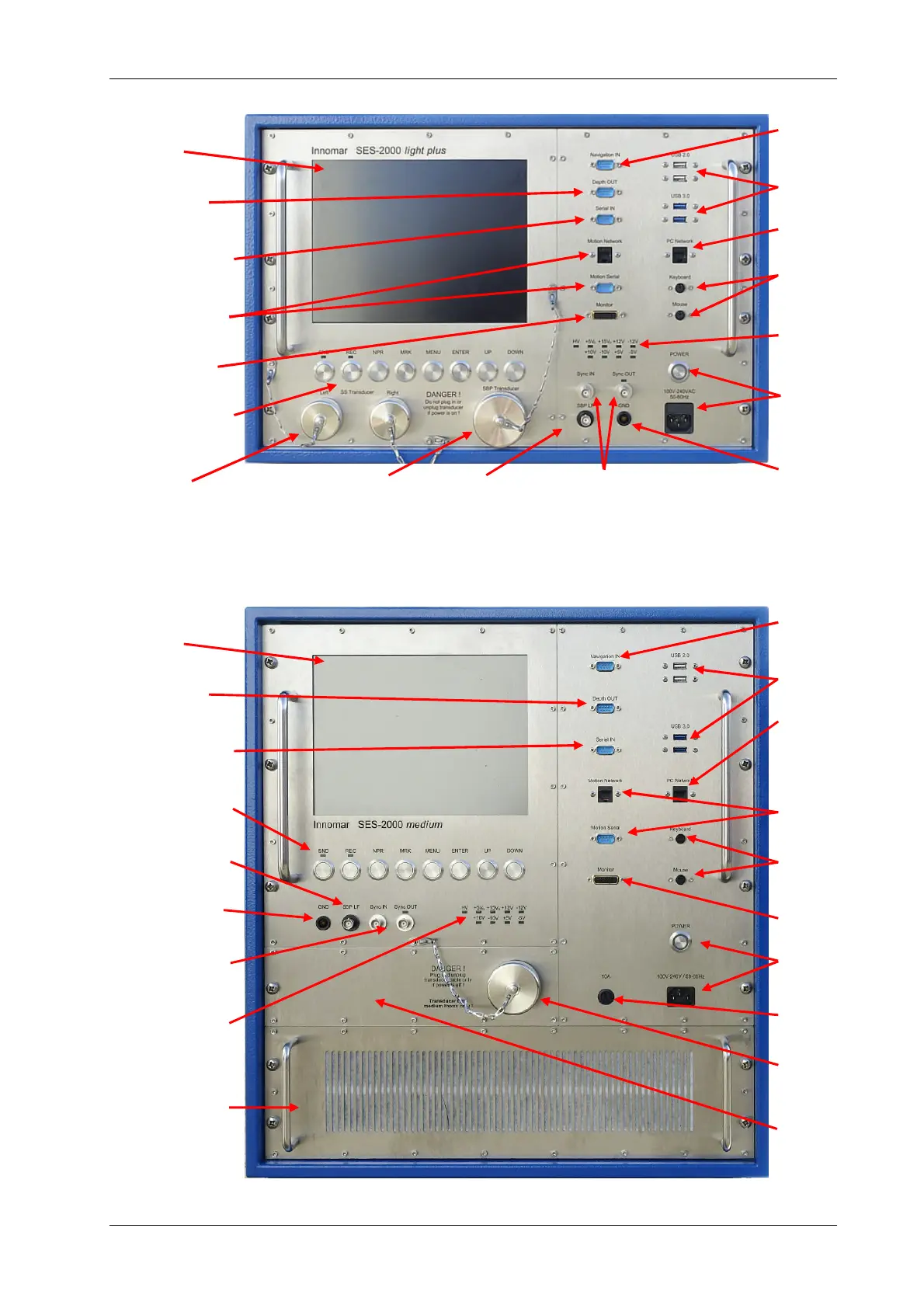
Innomar SES “light” / “light-plus”
Innomar SES “standard” / “standard-plus” / “medium-100”
Display
Depth output
(RS232)
General purpose
input (RS232)
System hotkeys /
Display buttons
Analog OUT
Ground wire
to transducer
Sync OUT / IN
BNC connectors
Power indicators
(LEDs)
This section is for
the “medium-100”
model only
GNSS position
data (RS232)
USB
Ethernet
Motion data
(RS232 / ETH)
Mouse / Key-
board
Ext. monitor
Power switch
and connector
Main fuse
SBP Transducer
connector
“standard-plus”
space for
sidescan con-
nectors
Display
Depth output
(RS232)
General purpose
input (RS232)
Motion data
(RS232 / ETH)
Ext. monitor
System hotkeys /
Display buttons
“light plus”
sidescan connect-
ors
GNSS position
data (RS232)
USB
Ethernet
Mouse / Key-
board
Power indica-
tors
Power switch,
connector and
main fuse
Ground wire to
transducer
SBP transducer Analog OUT Sync OUT / IN
connector BNC connectors

Table of Contents

Related product manuals