24 User’s Manual Innomar SES Parametric Sub-bottom Profilers
24 Innomar Technologie GmbH (2020-09)
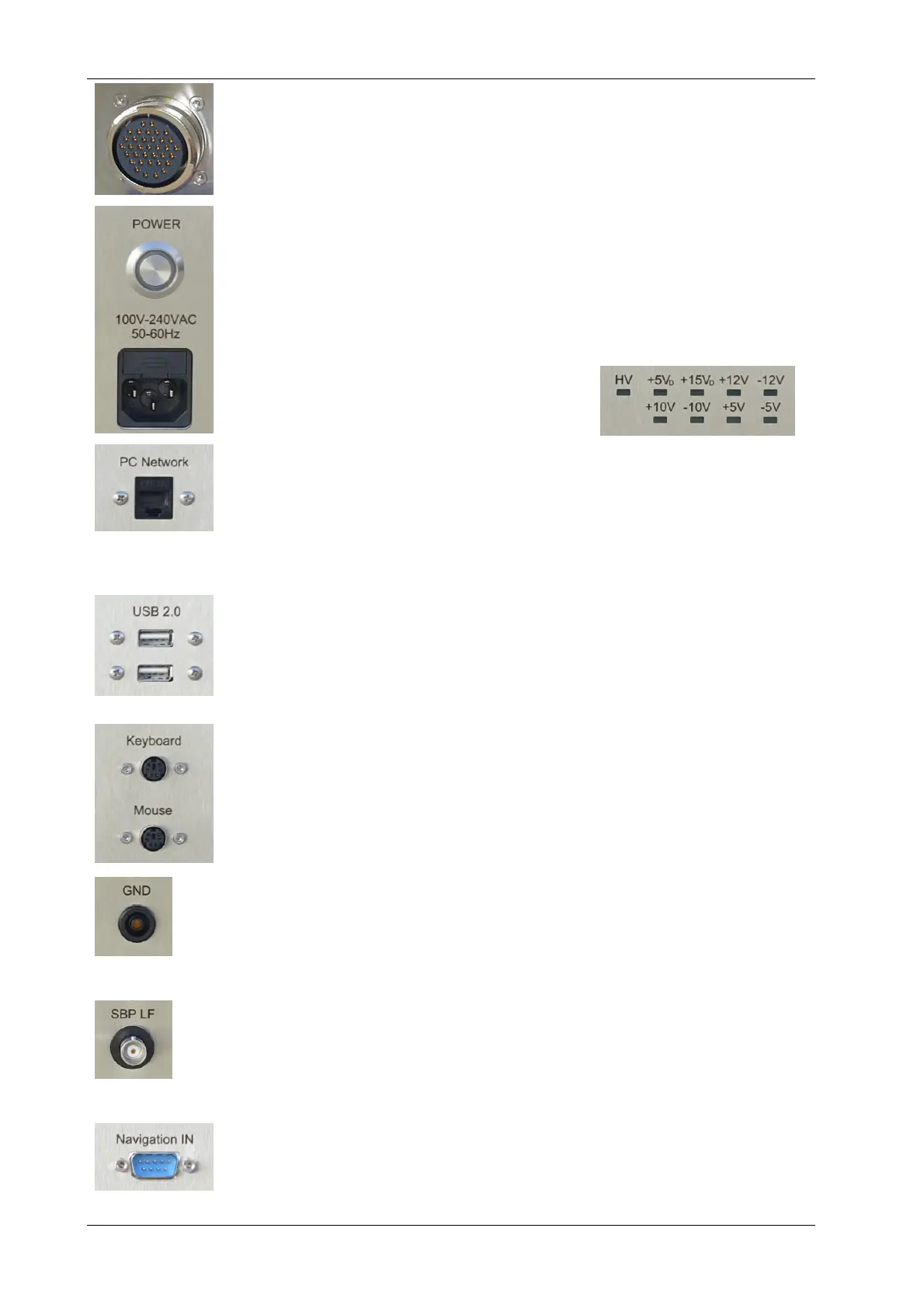
Transducer connector(s)
Connect the transducer(s) to the topside unit before switching on the power!
The transducer cable has a sea water resistant polyurethane sheet and are
moulded non-removable to the transducer.
Power connector, main fuse and switch
The main switch is used to switch the INNOMAR topside unit on and off. Prior
to that the AC cable must be connected to the ship’s power supply.
Please note that the switch will not disconnect from the power lines. There is
high voltage inside the unit if the power cable is plugged in!
Power control LEDs
There are LEDs in the front panel, indicating if
all voltages that are needed by the system are
available.
Ethernet Connector
For the “smart” and “compact” models the Ethernet interface is used for con-
necting to the external control PC.
For the “light”, “standard” and “medium-100” models this interface can be
used for data transfer / backup and for UDP data of external sensors (e.g.
GNSS position, heading).
USB connectors
There are USB connectors to attach external hard disks for data
backup/transfer.
For older “compact” models the USB connection was used to control the top-
side unit from the external PC.
Mouse and Keyboard connectors
For the INNOMAR “light”, “standard” and “medium-100” models there are a
mouse device and a keyboard connected to the system unit. Both will be
delivered with the system. Both are either USB or (at older systems) PS2
connections.
GND Connector
There is a female banana ground connector to apply a separate ground con-
nection to the transducer. Depending on the power supply on board of the
vessel, this might reduce electrical disturbances (noise) visible in the echo
plots.
Analogue Out / Analogue In
At the Analogue Output (BNC) the band limited LF-signal is available (volt-
age range ±4V). The (optional) Analogue Input (BNC) can be used to feed
signals from other sources to the INNOMAR SBP (voltage range ±5V).
Navigation IN
There is a RS232 input for navigation data from a GNSS receiver. It is also
possible to use UDP data via Ethernet (connector “PC Network”). This inter-
face is configured within the SESWIN software.



 To Next Page