User’s Manual Innomar SES Parametric Sub-bottom Profilers 65
Innomar Technologie GmbH (2020-09) 65
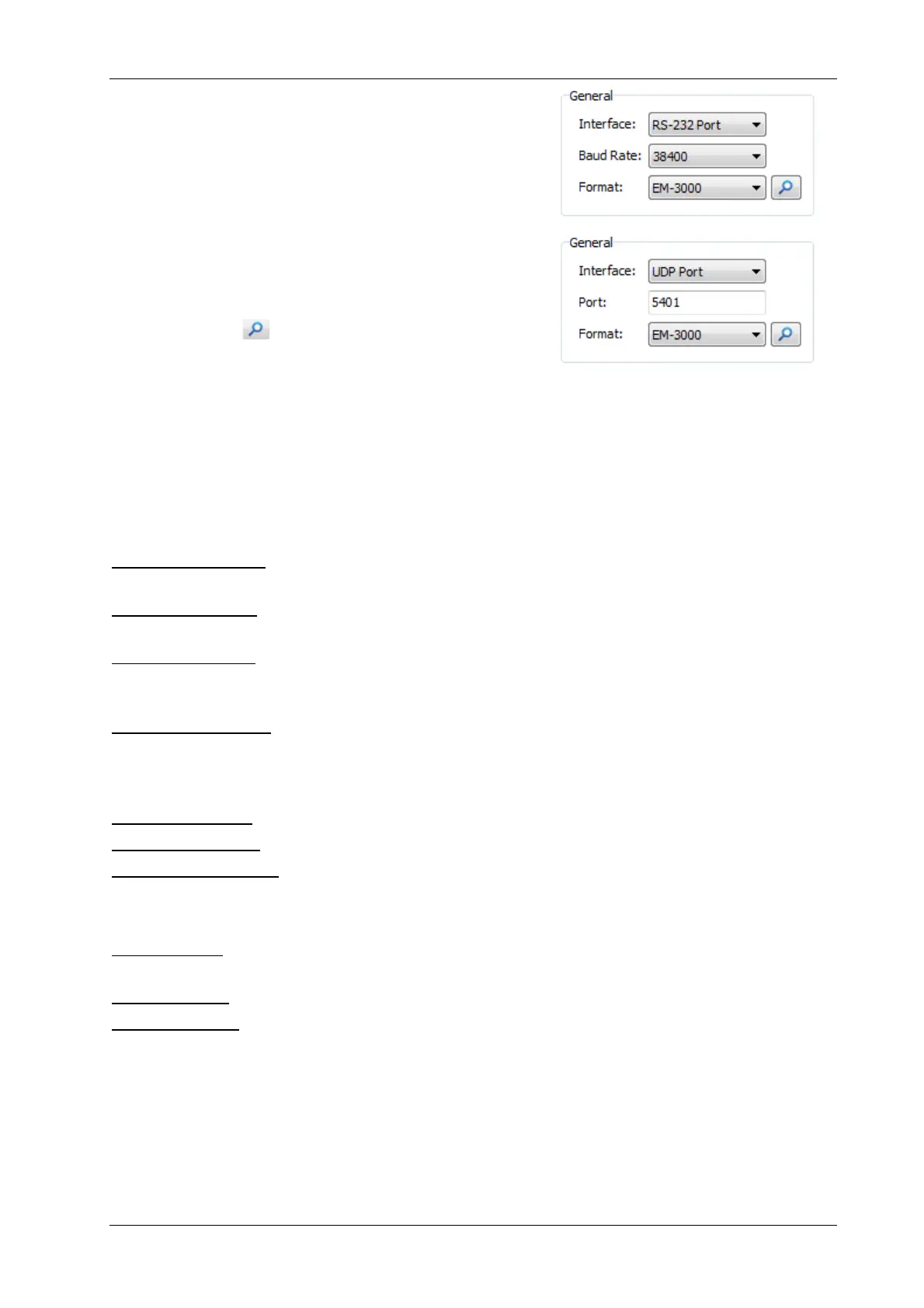
General: The motion sensor data can be received either
on a serial (RS232) or a UDP interface. For the RS232
port the baud rate needs to be defined whereas the UDP
needs a port number. If you need to know the IP ad-
dress, this can be checked or altered in the “Config Net-
work” menu item.
Several data formats are supported. A brief description
of the selected data formats is given in the “Format De-
scription” box. you have to set the baudrate, all other
port parameters are fix.
If you press the button, the system will search for a
connected motion sensor and try to determine the cor-
rect data format and baud rate.
!
Motion data are not going to the data acquisition PC and are therefor non visible from
Windows. The data are received by an internal micro-controller. For UDP this controller
has to be in the correct IP address range (System Setup – Config Network), see section
4.11.17 on page 71.
Heave Correction
Compensation OFF: no heave compensation of the displayed data but the data from the motion
sensor will be stored together with the echo data.
Compensation ON: the echo data will be displayed heave-corrected, but both the echo data and
the data from the motion sensor will be stored separately.
Curve plot overlay: The heave motion will be shown on the display as a line (curve) in the echo
print. In this case online heave compensation does not take place, but heave data is stored within
the data files for post-processing.
Ignore Instable Flag: if checked, all motion sensor values are recorded and used, even if the
motion sensor signalises, that the data sent is maybe incorrect. Usually only “stable” data should
be used. If checked, the motion sensor LED in the SESWIN status bar is encircled yellow to
indicate this potentially dangerous setting.
Invert Heave Sign: invert the sign of the incoming heave values.
Remove DC Offset: can be used if there is a static offset on the heave data.
Lever Arm Correction: switch on/off the lever arm correction as defined below.
Roll/Pitch Correction
Roll correction (electronic beam stabilization) is for the INNOMAR “standard” and “medium-100”
models only.
Pitch correction is (optionally) available for the INNOMAR “medium-70” and “deep-xx” models only.
Roll/Pitch Offset: You may apply an additional static angle offset to correct alignment errors be-
tween motion sensor and transducer. Let’s consider two cases:
(1) The transducer is mounted horizontally, but the motion sensor is mounted with positive
(starboard down) roll offset. This can be corrected by a positive offset set in the dialogue.
(2) The motion sensor is mounted without offsets regarding the vessel, but the transducer is
mounted with a positive (starboard down) roll offset. This can be corrected by a negative
offset set in the dialogue.
See picture below (next page) for illustration.



 To Next Page