66 User’s Manual Innomar SES Parametric Sub-bottom Profilers
66 Innomar Technologie GmbH (2020-09)
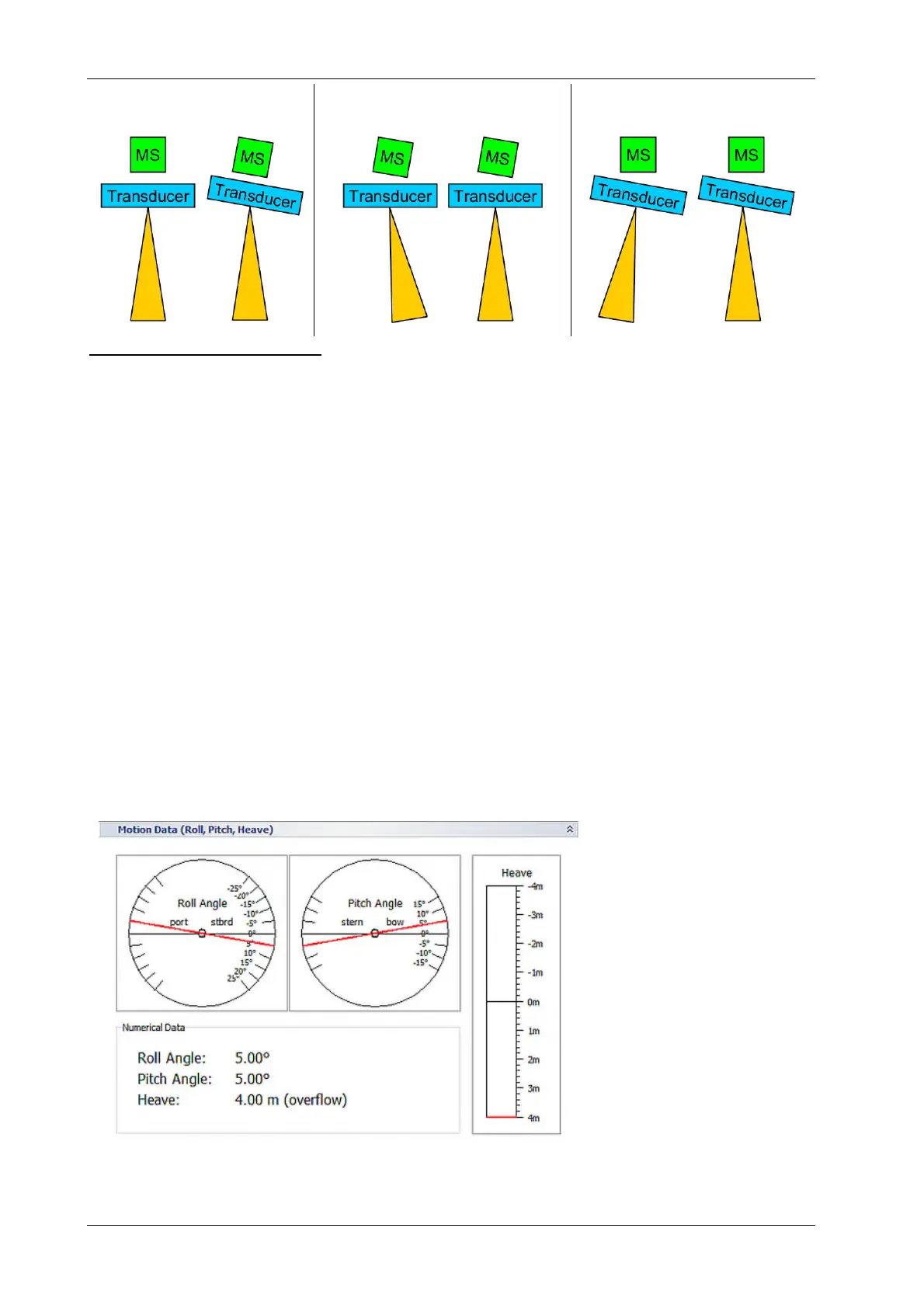
No misalignement Motion sensor misaligned (+5°) Transducer misaligned (+5°)
Offset: 0° Offset: 0° Offset: +5° Offset: 0*
Offset: -5°
Transducer is rotatated by 90°: For the INNOMAR “ROV” model the transducer is usually mounted
with the arrow on top not pointing forward, but starboard to have pitch correction instead of roll
correction. In this case this check box needs to be ticked to swap roll and pitch angles from the
motion sensor.
Lever Arm Settings
There are two vectors to be defined: One pointing from centre of gravity (CG) to the place there
the motion sensor (MS) is located and one vector pointing from CG to the place there the heave
has to be monitored (MP, usually the centre of the transducer).
Take care to use the right direction (CG in the origin of the coordinate system) and sign:
X: across ship, positive pointing starboard
Y: along ship, positive pointing forward to bow
Z: vertical, positive pointing downwards
See also the picture above at the beginning of this section.
Check Motion Data
For checking the correct port settings and the incoming motion sensor data the integrated Motion
Data Input Monitor can be used. It displays the actual received data.
To check the mounting orientation, you can perform the following motions with the sensor and
observe the changed data in the MS window in the SESWIN screen:
lift the sensor
→ heave value goes nega-
tive
tilt to starboard (right
looking forward)
→ roll value goes positive
and increases
tilt backwards (bow up)
→ pitch value goes positive
and increases
If the heave goes into the wrong direction, the heave sign can be changed, see above.



 To Next Page