EasyManua.ls Logo

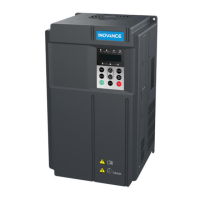
Inovance MD021 - User Manual

Inovance MD021
63 pages
Print Icon
To Next Page IconTo Next Page
Loading...
MD021 Plastic Wire Drawing Machine User Manual
MD021 Plastic Wire Drawing
Machine User Manual
Shenzhen Inovance Technology Co., Ltd.
All Rights Reserved

Questions and Answers

  • E
    Erin McfarlandAug 15, 2025
    What to do if Inovance MD021 displays Err02?
    • A
      Adam KennedyAug 15, 2025
      If your Inovance Inverter shows Err02, it could be due to several reasons: * The output circuit might be short-circuited: Inspect the output circuit and rectify any faults. * Acceleration time might be too short: Increase the acceleration time. * Torque boost might be too large: Reduce the torque boost. * Voltage might be lower than required: Adjust the voltage to the correct range. * Motor being rotating is started: Start the motor after it completely stops. * Sudden load occurs during acceleration: Eliminate the sudden load.
  • J
    Jennifer MoraAug 18, 2025
    What to do if Inovance MD021 displays Err04?
    • J
      Jeremy WilliamsAug 18, 2025
      If your Inovance Inverter displays Err04, it could be due to: * A short-circuited output circuit: Check the output circuit of the inverter and rectify any faults found. * Sudden load during running: Eliminate any sudden load. * Load can be reduced: Reduce the load if possible.
  • D
    David WilliamsonAug 21, 2025
    What to do if Inovance Inverter displays Err03?
    • J
      John LongAug 21, 2025
      If your Inovance Inverter displays Err03, here are some potential causes and solutions: * Output circuit is short-circuited: Check the output circuit and rectify the fault. * Deceleration time is too short: Increase the deceleration time. * Voltage is lower than the required value: Adjust the voltage to the proper range. * Sudden load occurs during deceleration: Eliminate sudden load.
  • R
    Robert GutierrezAug 25, 2025
    Why Inovance MD021 shows Err05?
    • P
      Patrick MillerAug 25, 2025
      The Err05 error on your Inovance Inverter may be caused by: * Input voltage being too high: Reduce the voltage to the correct range. * Acceleration time being too short: Increase the acceleration time.
  • F
    Felicia LewisAug 27, 2025
    Why Inovance MD021 shows Err06?
    • E
      eddie94Aug 27, 2025
      The Err06 error on your Inovance Inverter may be triggered by: * Input voltage is too high: Reduce the voltage to the correct range. * Deceleration time is too short: Increase the deceleration time.
  • A
    Angela FitzgeraldAug 30, 2025
    What causes Err09 on Inovance MD021?
    • J
      Jeffrey HernandezAug 30, 2025
      The Err09 error on your Inovance Inverter can be due to: * Instantaneous power failure: Check for any power failure. * Input voltage being too low: Increase the voltage to the proper range.
  • D
    daisymaloneSep 2, 2025
    What causes Err07 on Inovance MD021?
    • J
      Joy HebertSep 2, 2025
      The Err07 error on your Inovance Inverter is caused by input voltage being too high. Reduce the voltage to the proper range.
  • J
    Joshua MyersSep 5, 2025
    What to do if Inovance Inverter displays Err16?
    • J
      Jessica BrownSep 5, 2025
      If your Inovance Inverter shows Err16, it could be due to: * Host computer not working properly: Check the host computer and its connection. * RS485 communication issues: Verify the RS485 communication and check the communication cable. * Incorrect communication parameters: Ensure the communication parameters in group F3 are correctly set; if not, modify them.
  • M
    Martin HallSep 8, 2025
    What to do if Inovance MD021 Inverter displays Err14?
    • S
      Steven GrahamSep 8, 2025
      If your Inovance Inverter displays Err14, it might be because: * The ambient temperature is too high: Reduce the ambient temperature. * The air ventilation channel is blocked: Clear the air ventilation channel.
  • M
    Michelle JohnsonSep 12, 2025
    How to fix Err13 on Inovance MD021 Inverter?
    • G
      Garrett FreemanSep 12, 2025
      Replace the operation panel or drive board and then check whether the fault is rectified.

Summary

MD021 Plastic Wire Drawing Machine User Manual

Preface and Unpacking

Unpacking and Inspection

Details procedures and checks required after unpacking the equipment.

Chapter 1 Safety and Precautions

Installation Precautions

Outlines critical safety measures, environmental requirements, and warnings for inverter installation.

Running Precautions

Provides essential safety guidelines and procedures to follow during the operation of the inverter.

Chapter 2 Product Information

Designation Rules and Nameplate

Explains model designation rules and details information found on the product's nameplate.

Technical Data and Physical Appearance

Lists technical specifications and describes the physical characteristics and mounting dimensions of the inverter.

Recommended Wire Sizes and External Parts

Specifies recommended wire sizes and external components for proper installation.

Chapter 3 Mechanical and Electric Installation

Mechanical Installation Environment

Details the environmental conditions and requirements for installing the inverter.

Operation Panel Indicators

Explains the function and meaning of various indicators on the inverter's operation panel.

Wiring Terminals Description

Provides a detailed explanation of each wiring terminal and its function on the inverter.

Chapter 4 Operation and Display

Operation Panel Overview

Describes the layout, functions, and indicators of the inverter's operation panel.

Unit Indicators, Digital Display, and Keys

Explains unit indicators, the digital display, and the functions of all keys on the operation panel.

Querying and Modifying Function Codes

Guides users on navigating the three-level menu to query and modify function codes.

Chapter 5 Function Code Table

Function Code Table Symbols

Explains the meaning of symbols used in the function code table for parameter modification status.

Group F0: Basic Function Parameters

Details the basic function parameters for the inverter's operation and configuration.

F0-00 to F0-02 Parameters

Covers command source selection, frequency source selection, and maximum frequency settings.

F0-03 to F0-05 Parameters

Details preset frequency, acceleration time, and deceleration time parameters.

F0-06 to F0-08 Parameters

Covers motor rated power, voltage, and current configuration parameters.

F0-09 to F0-11 Parameters

Details motor rated frequency, torque boost, and cutoff frequency for torque boost.

F0-12 and F0-13 Software Versions

Displays the software versions for the motor control and operation panel boards.

Group F1: Input;Output Terminals

Details parameters related to configuring the inverter's input and output terminals.

F1-00 and F1-01 DI Function Selection

Assigns specific functions to the Digital Input 1 (DI1) and Digital Input 2 (DI2) terminals.

F1-02 to F1-04 Parameters

Covers DI filter time, AI minimum input, and its corresponding value.

F1-05 to F1-07 Parameters

Details AI maximum input, its corresponding value, and AI input filter time.

F1-08 and F1-09 Output Selection

Configures the functions for relay output and DO output terminals.

Group F2: Functions and Faults of Wire Drawing Machine

Describes advanced functions and fault handling specific to wire drawing machines.

F2-00 and F2-01 PID Settings

Selects the PID setting source and configures the digital setting for PID control.

F2-02 to F2-04 PID Tuning Parameters

Sets PID feedback range, proportional gain (P), and integral time (I) for PID control.

F2-05 to F2-07 Parameters

Covers PID upper limit, wire-break detection lower limit, and judging delay time.

F2-08 to F2-10 Parameters

Sets lower limit frequency, enables panel frequency setting, and defines panel frequency value.

F2-11 to F2-13 Fault Type Parameters

Records the types of the first, second, and latest faults detected by the inverter.

F2-14 and F2-15 Fault Display

Displays frequency and bus voltage values when the latest fault occurs.

Group F3: Communication Parameters

Configures parameters related to communication settings for external devices.

F3-00 and F3-01 Communication Settings

Sets the baud rate and data format for communication.

F3-02 and F3-03 Communication Settings

Configures the local address and response delay for communication.

F3-04 Communication Timeout

Defines the timeout period for communication operations.

Group F4: User Password and Parameter Copy

Manages user access control and parameter backup/restore functions.

F4-00 User Password

Sets and manages a password to protect inverter parameters from unauthorized access.

F4-01 Parameter Initialization

Controls parameter initialization, fault record clearing, and parameter copying.

Chapter 7 Troubleshooting

Err01 to Err04 Faults

Provides troubleshooting steps for Over-current and Inverter unit protection faults.

Err05 to Err07 Faults

Offers solutions for Over-voltage faults during acceleration, deceleration, and constant speed operation.

Err09 and Err13 Faults

Provides troubleshooting steps for Under-voltage and EEPROM storage faults.

Err14 and Err15 Faults

Offers solutions for Heatsink overheat and External faults.

Err16 and Err17 Faults

Provides troubleshooting steps for Communication and Wire-break detection faults.

Warranty Agreement

Inovance MD021 Specifications

General IconGeneral
Cooling MethodForced air cooling
Enclosure RatingIP20
Output Voltage3-phase 0V to Input Voltage
Frequency Range0 Hz to 400 Hz
Control ModeV/F control
Protection FeaturesOvercurrent, overvoltage, undervoltage, overheat, overload, short circuit
Communication InterfaceModbus RTU
Humidity5% to 95% (non-condensing)
AltitudeUp to 1000m
Storage Temperature-20°C to +65°C

Related product manuals