ASSIST PLUS – Operating instructions V02 Installation
12 INTEGRA Biosciences AG
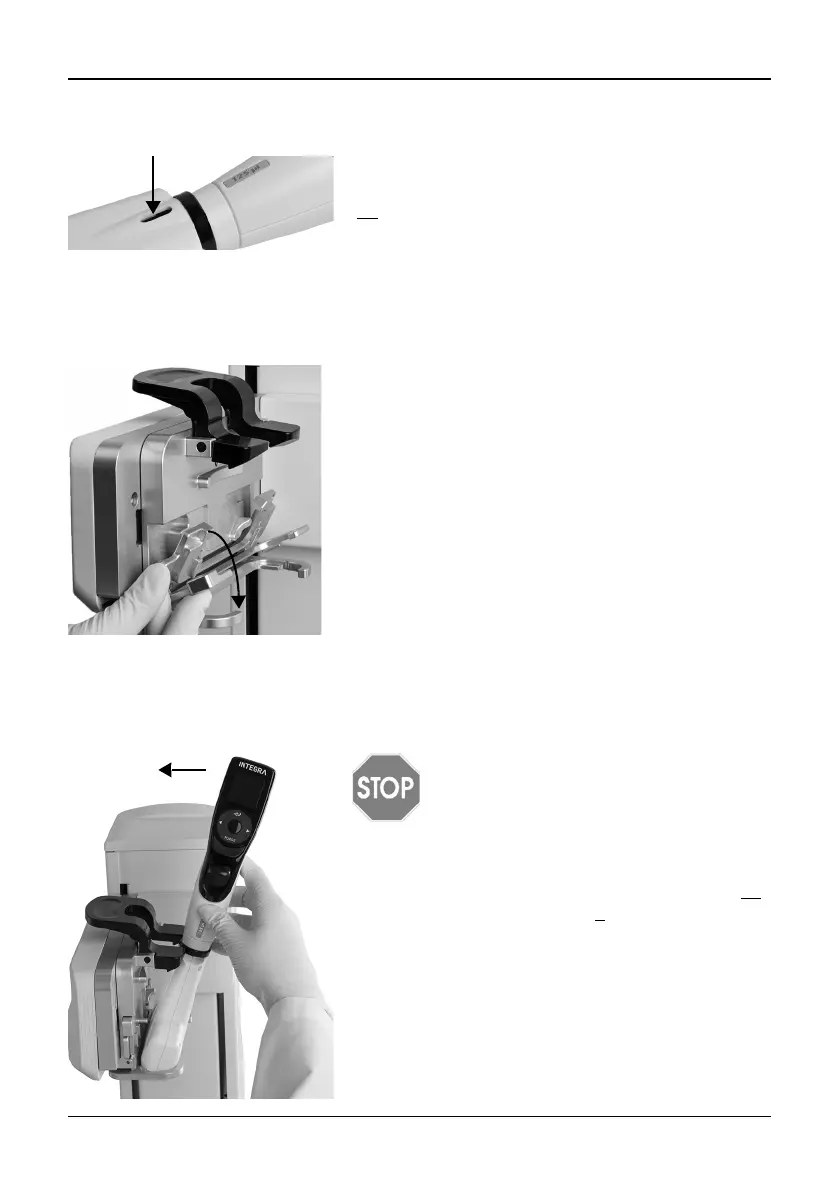
3.4 Removing the tip ejector lid
3.5 Adapting the pipette holder
The pipette holder can be adapted to accommodate INTEGRA electronic multichannel
pipettes.
3.6 Attaching and removing an electronic pipette
Rotate the lower hosing of the electronic pipette by 90 degrees as displayed in the picture
below.
For automatic tip ejection, remove the Tip ejector lid
(34
) with your thumb nail and store it in a safe place
(pipettes with serial number ≥7 000 000 only).
To adapt the holder for an 8- or 16-channel VIAFLO
pipette fold both silver levers (a, b) down as shown
beside.
To adapt the holder for a 12-channel VIAFLO pipette,
only pull the lower silver lever (b) down.
Fold both levers up to insert a VOYAGER pipette.
C
AUTION
The VOYAGER pipette may only be
rotated clockwise to 90 degrees.
To install a pipette, the Tip ejector opening (34
)
must face the Pipette holder (4
).
Hold the pipette at an angle and insert it into the
pipette holder.
Then lift up until the black gripper snaps in place.



 To Next Page