ASSIST PLUS – Operating instructions V02 Installation
16 INTEGRA Biosciences AG
3.9.7 Position adjustment
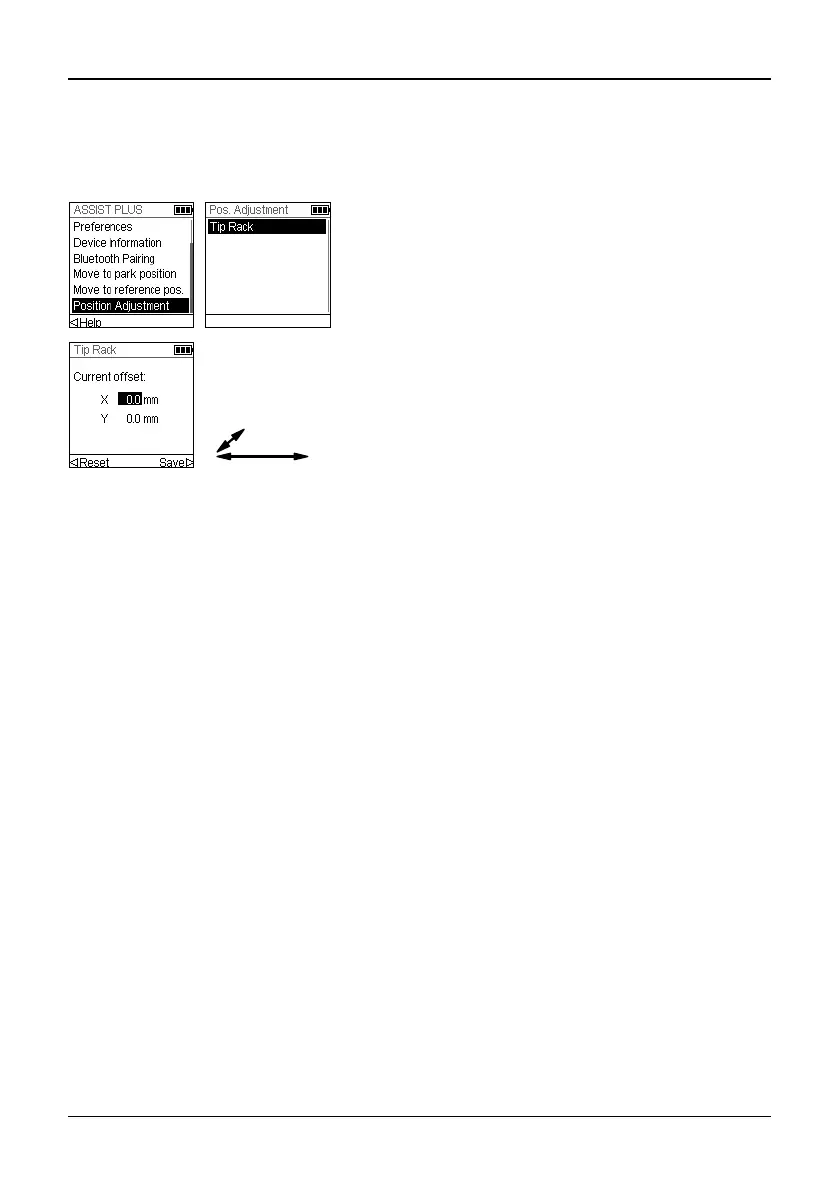
The Position Adjustment option is used to set an offset for the absolute X/Y/Z-coordinates
in mm to adjust the tip rack position. Select ASSIST PLUS on the Toolbox and press OK.
Select Position Adjustment and press OK.
Use the Touch wheel to select Tip Rack and press
OK.
Set the offset(s) in mm of the selected option and
Save your settings.
X: positive value moves to the right
Y: positive value moves to the rear



 To Next Page